 Hagolf
Golf scoring for societies and friends
For a two-ball or a whole society day. Everyone on the card scores from their own phone, and every group lands on one board.
Free to play. It installs from a link today: Android is handed the app itself, an iPhone puts it on the home screen. Native store apps are coming.
Ways to play
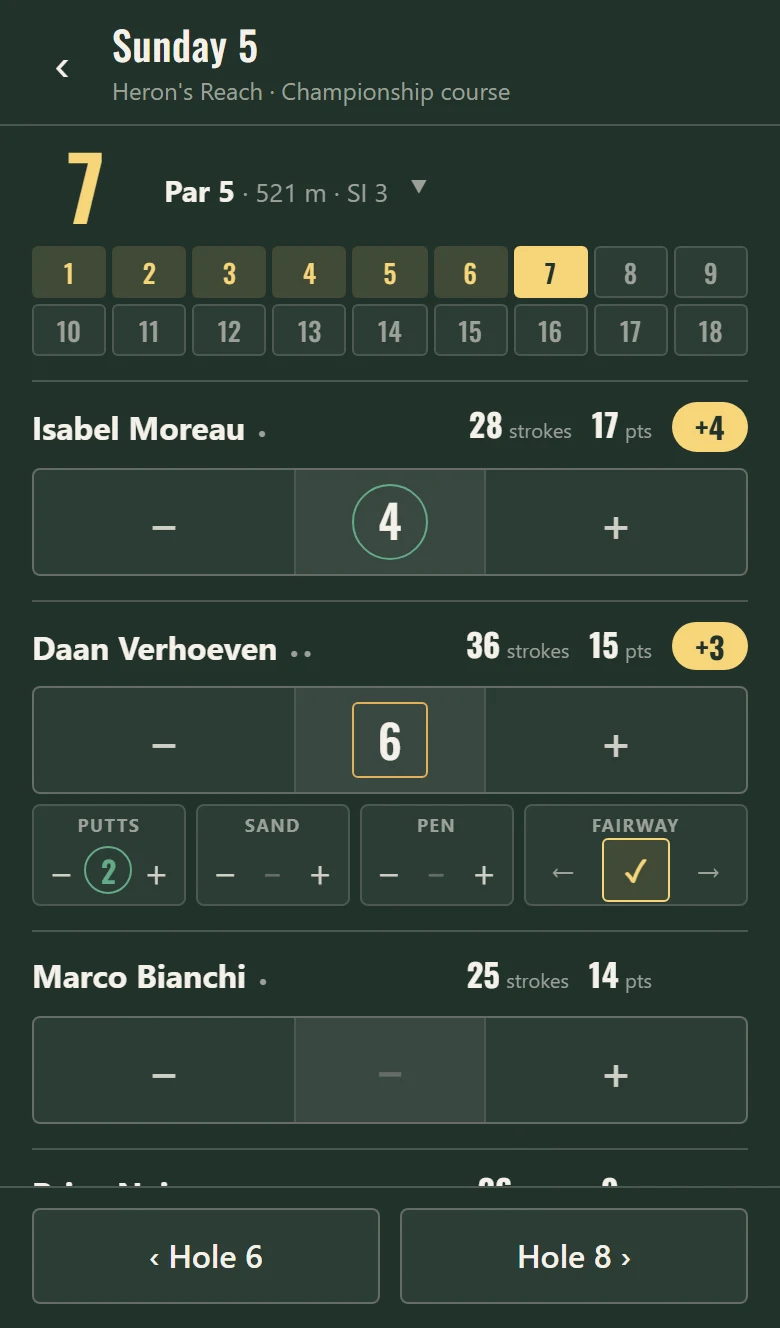
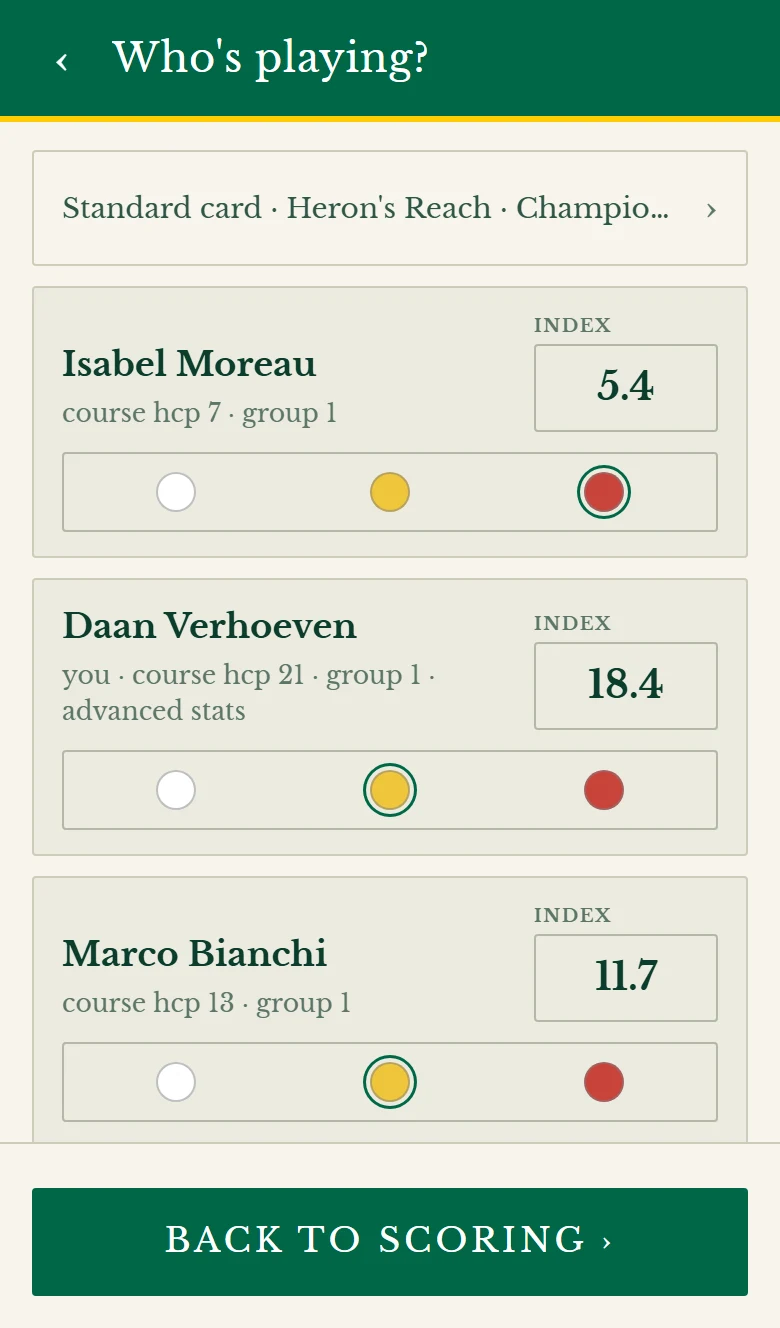
Play in pairs, in teams, or a game you made up on the first tee. Everyone still puts down their own score, so whatever the game, each of you keeps your own round and your own stats.
Scoring together
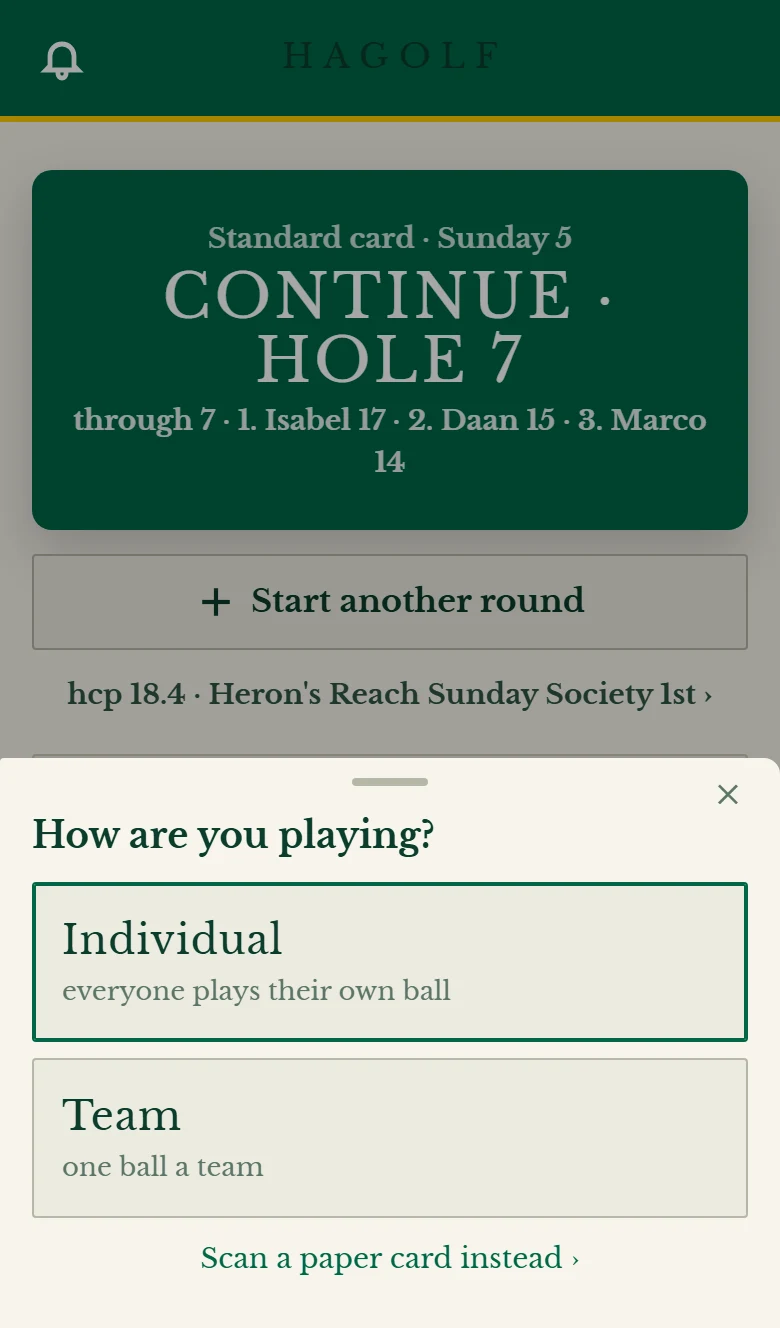
Your whole group fills in the same card at the same time, each on their own phone. Every score shows up on everyone else’s as it goes in.
Stats and extras
- Stats
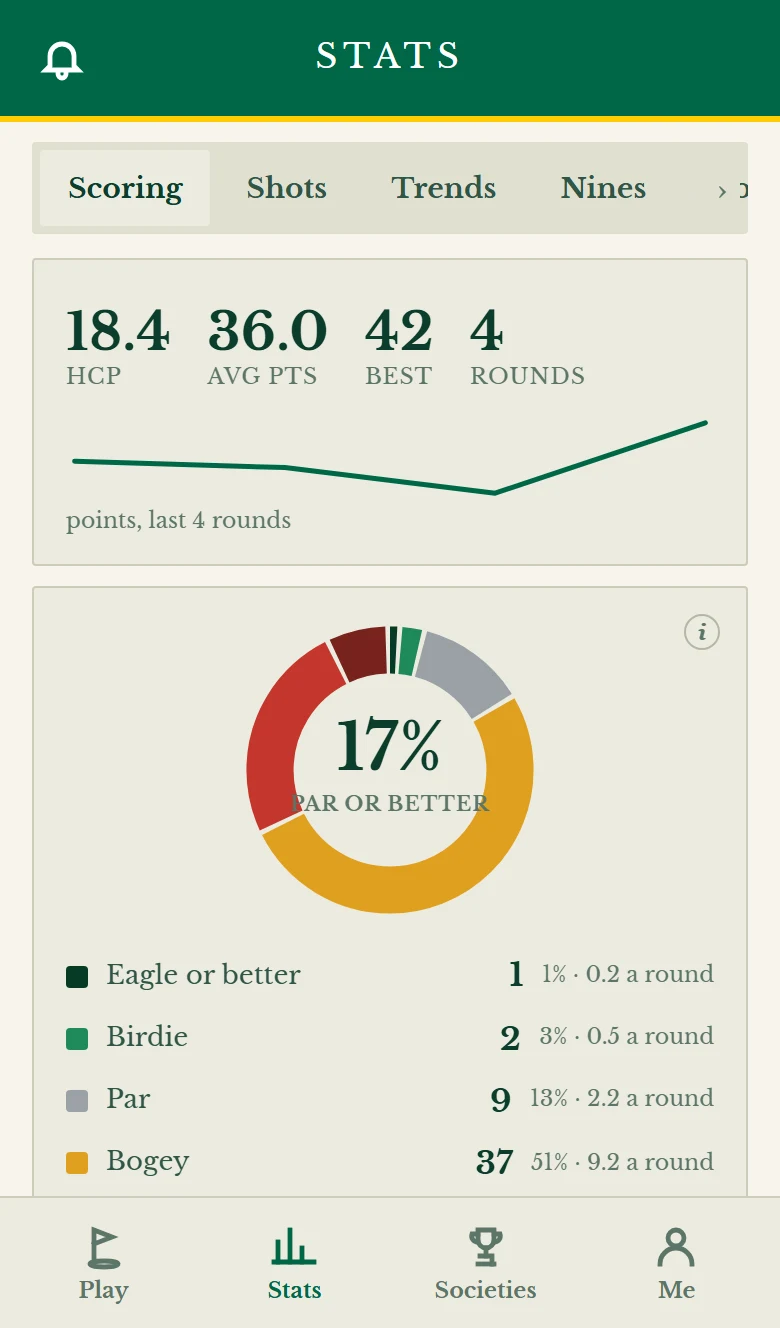
- Handicap, average, best and form, every round in one list.
- Putts and fairways
- If you want them. Greens in regulation and sand saves are worked out for you.
- Strokes gained
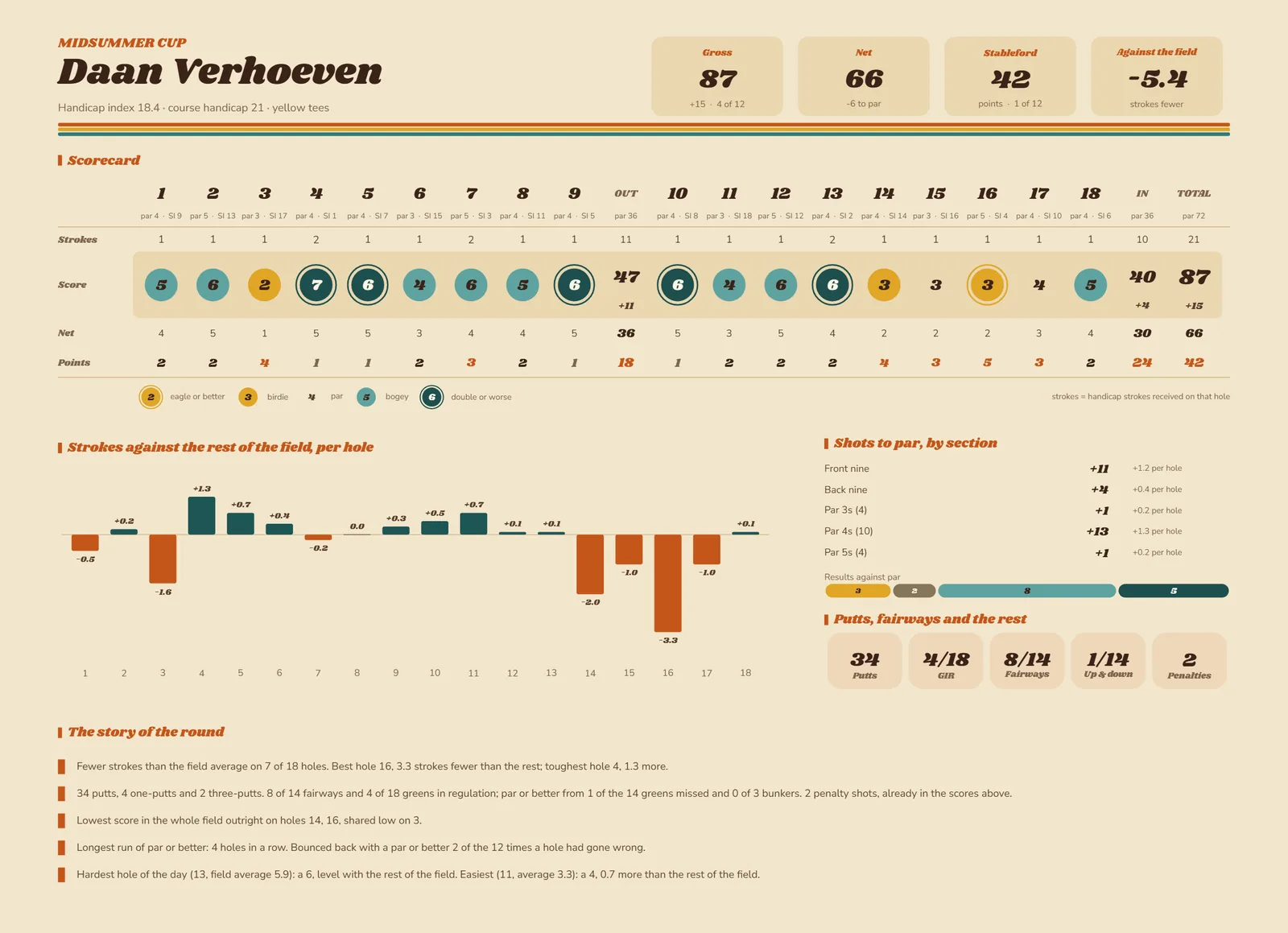
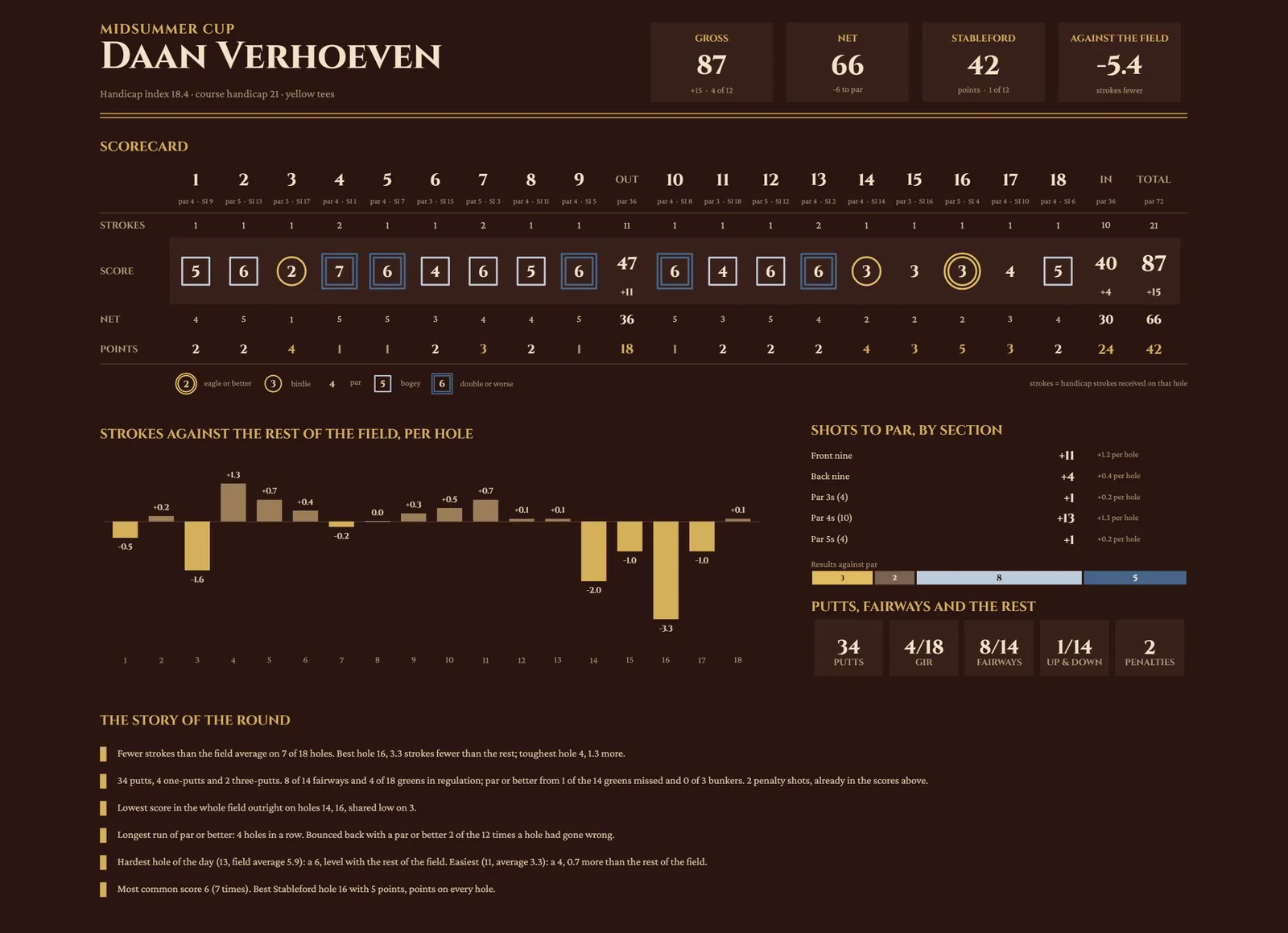
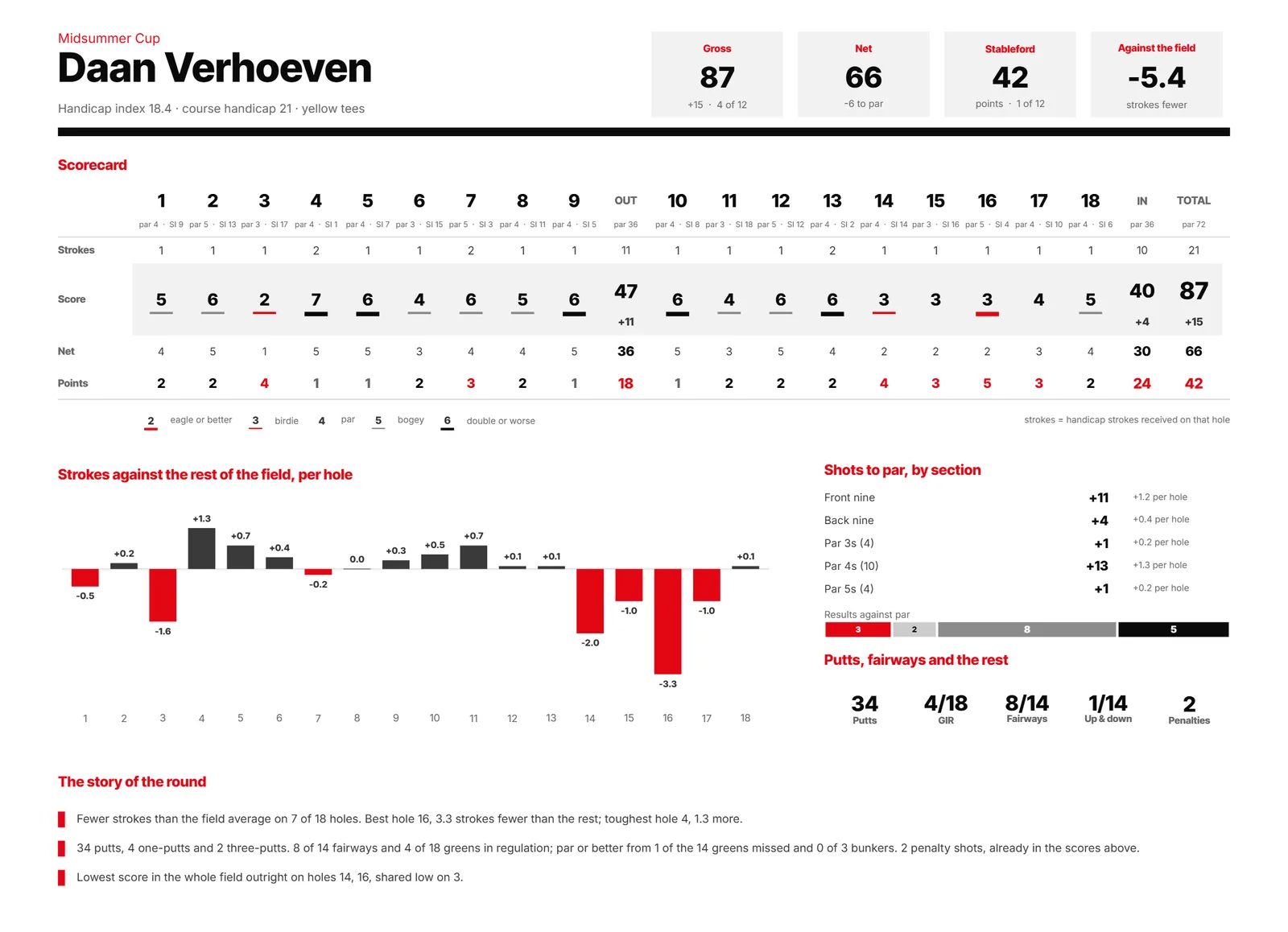
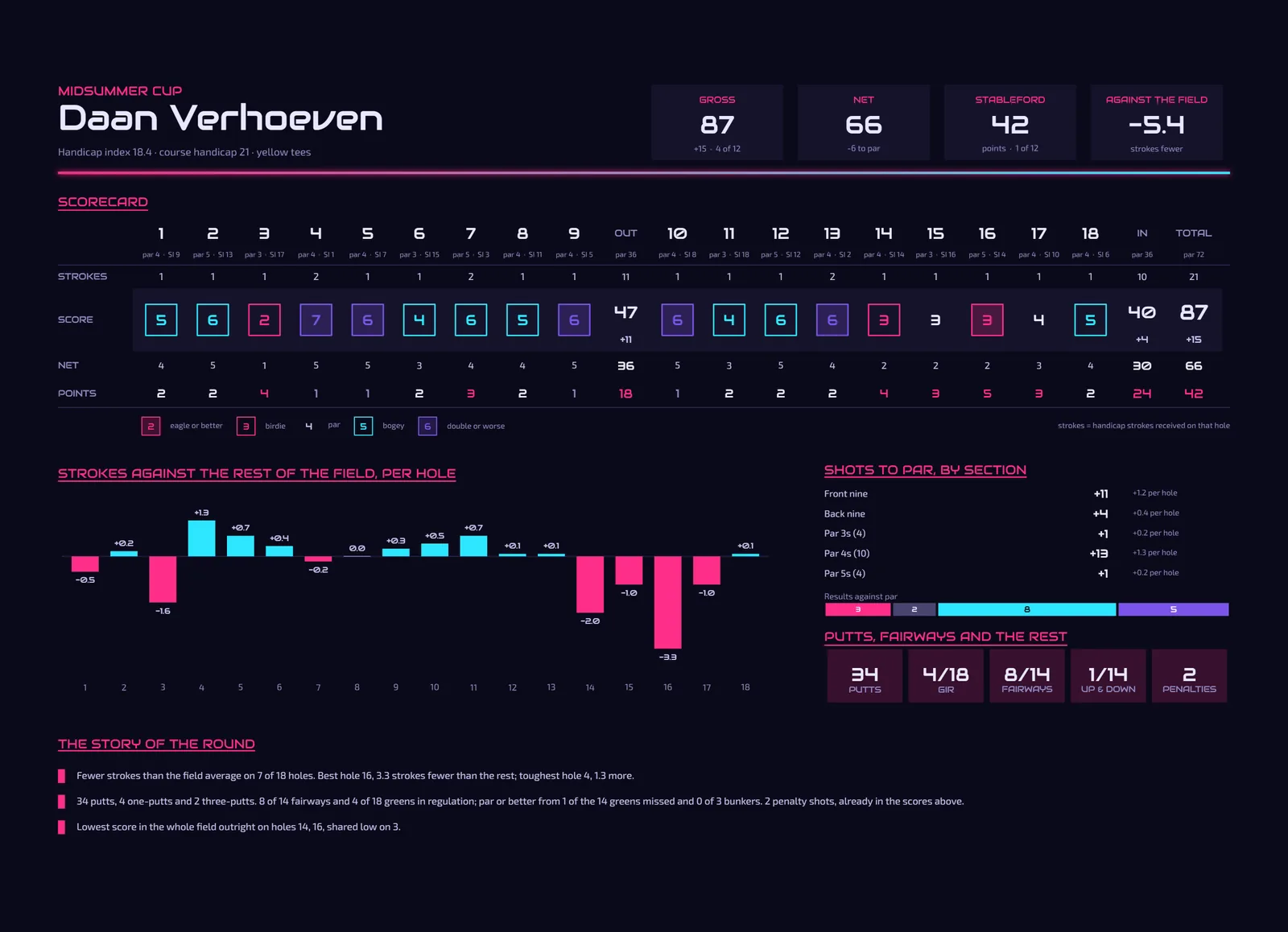
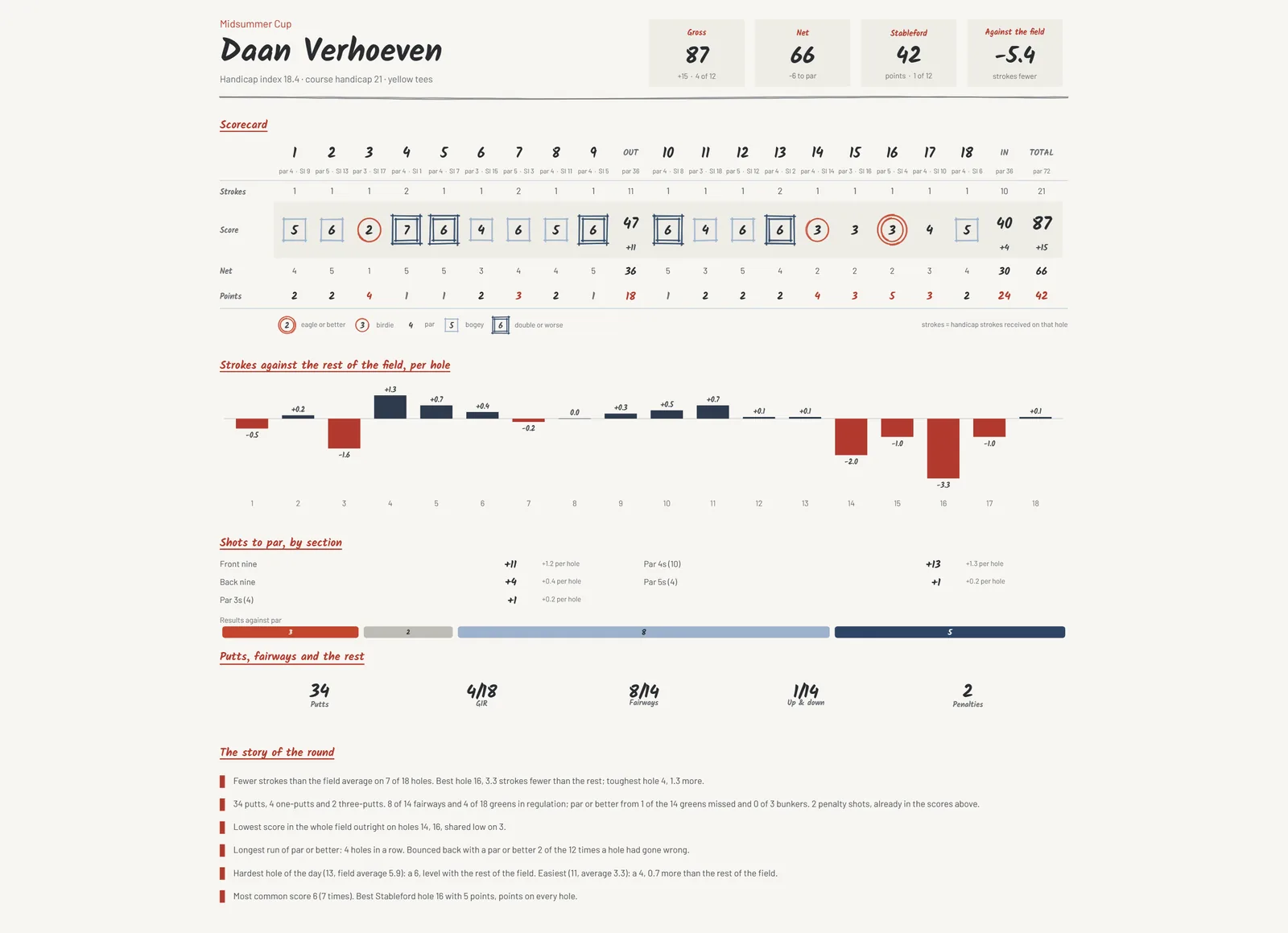
- Hole by hole, against the field you played with.
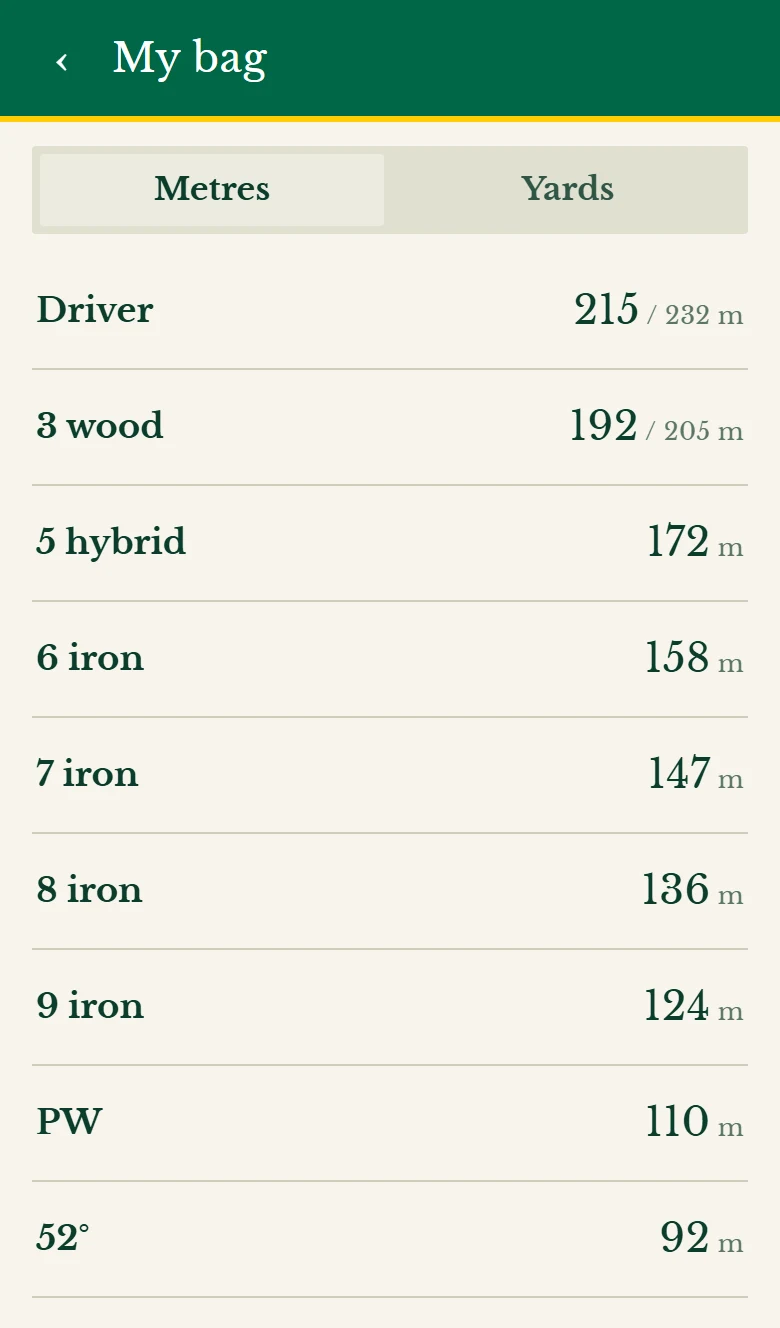
And many more, from your bag’s distances to how each nine went.
Societies
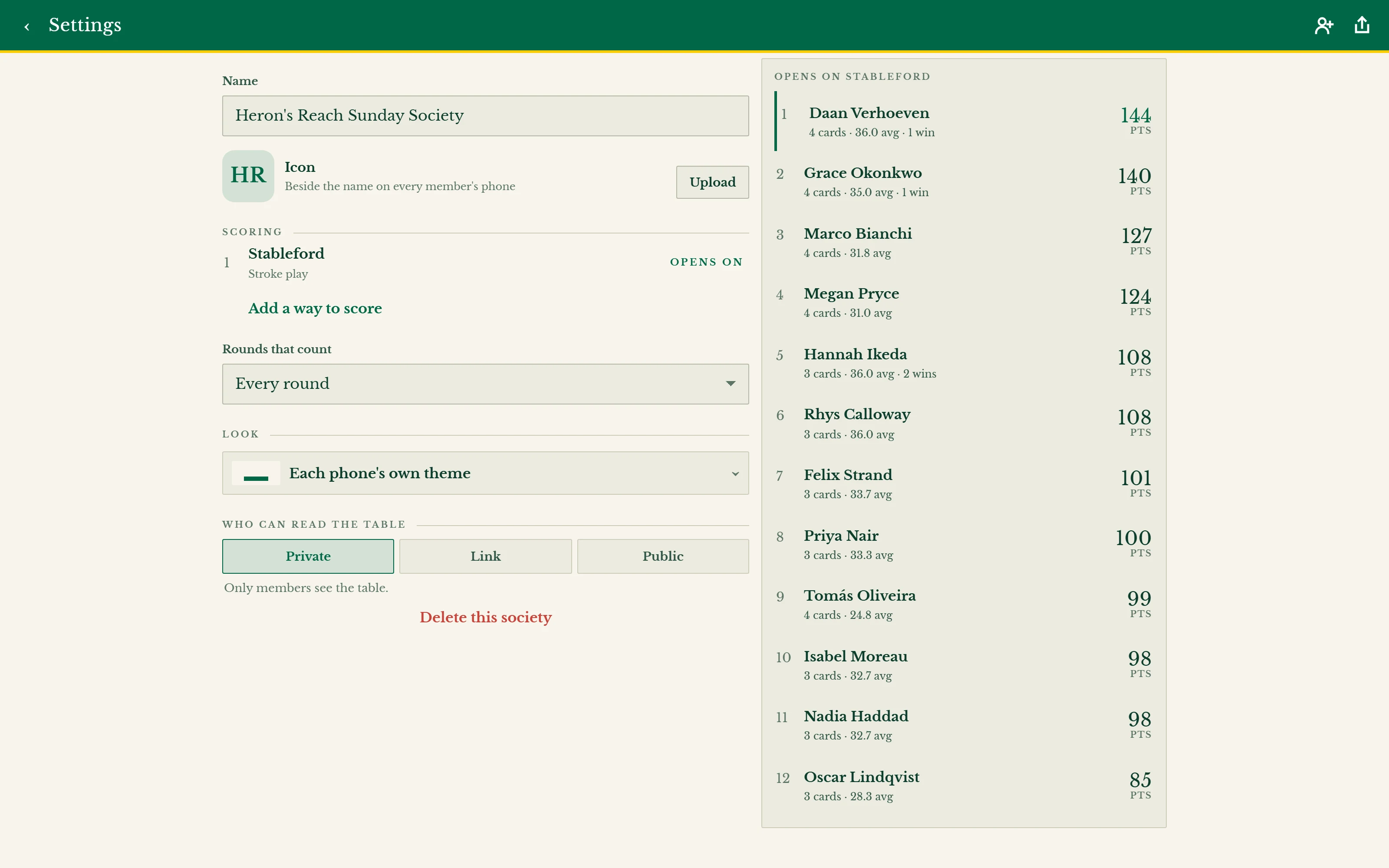
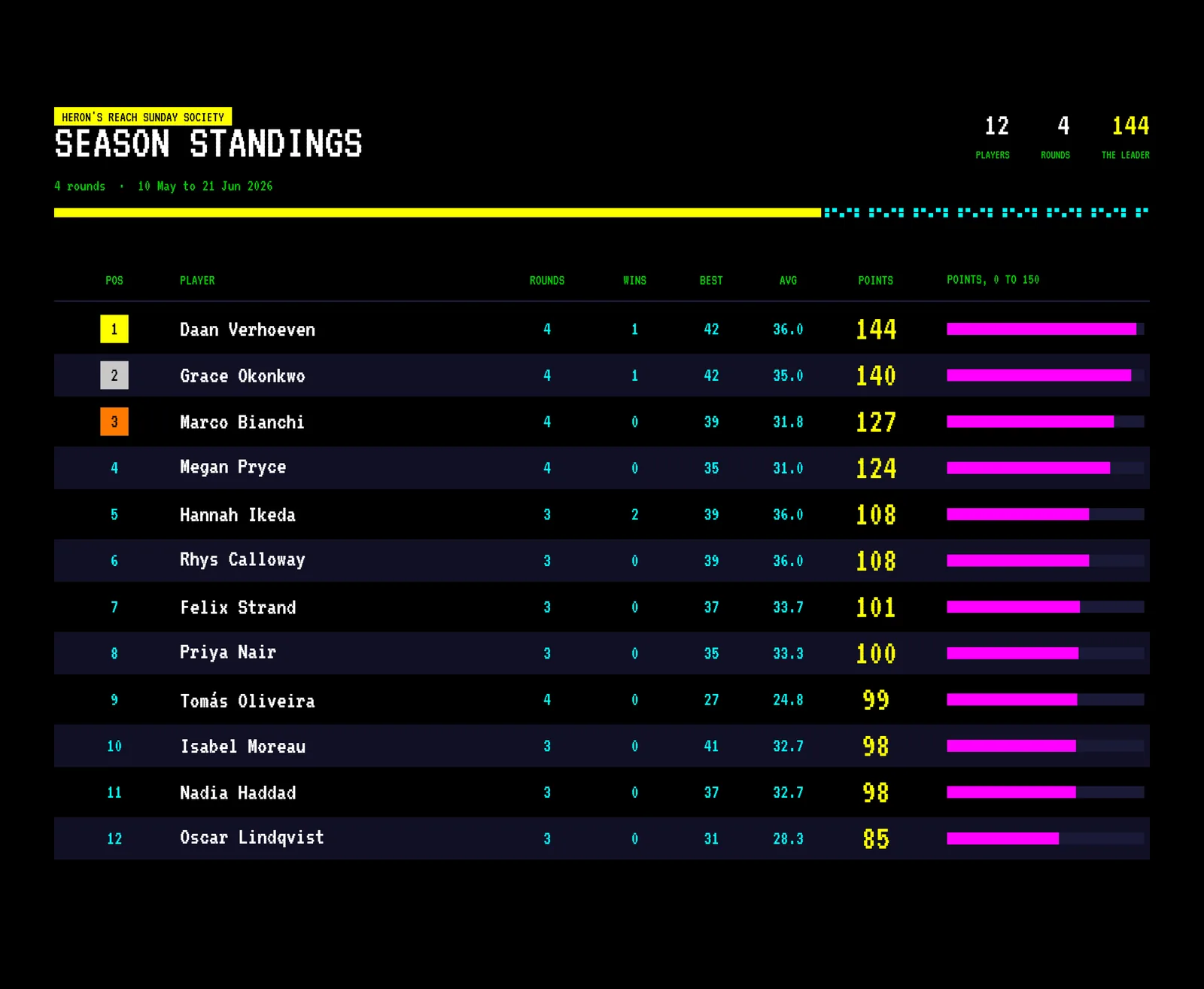
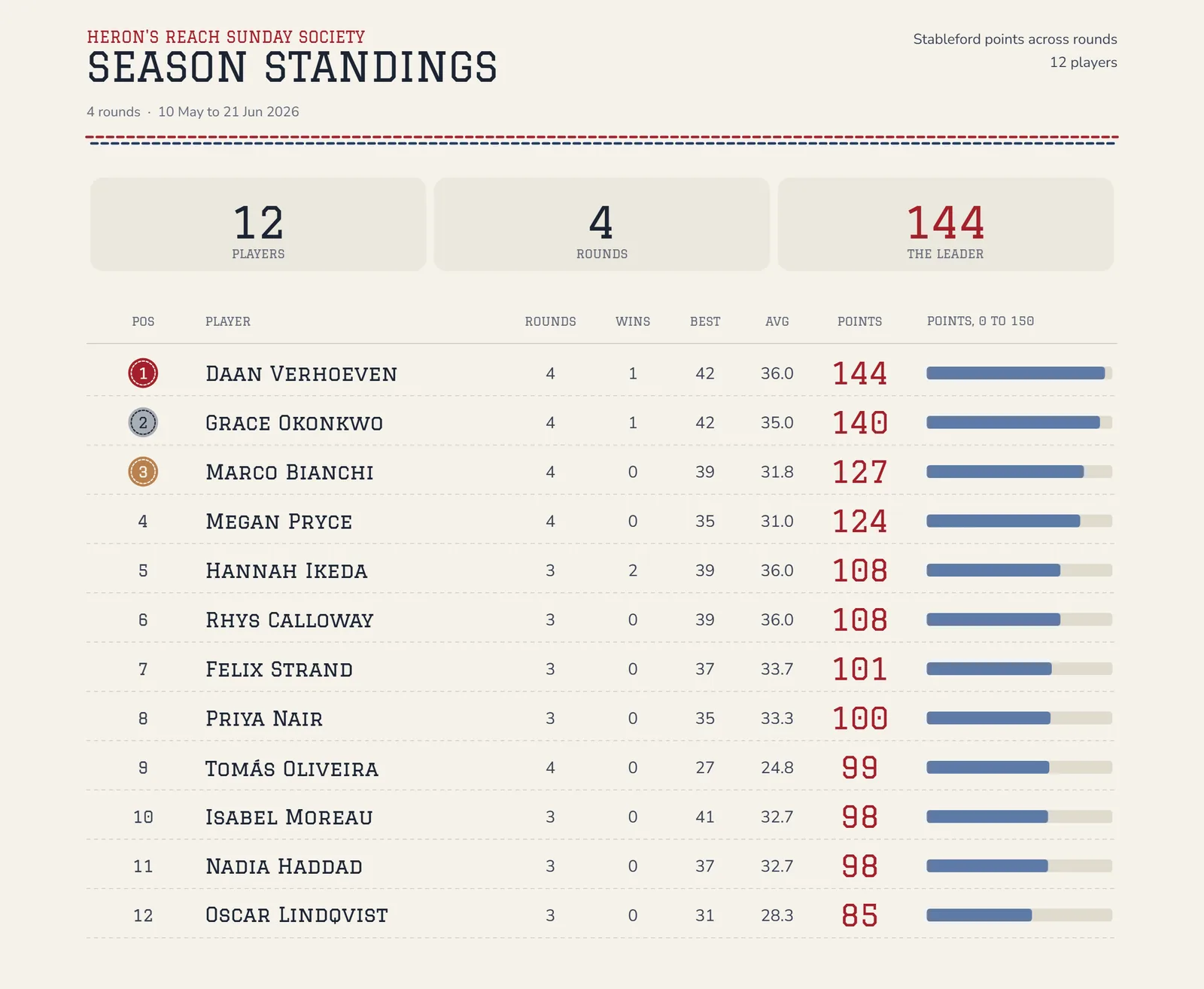
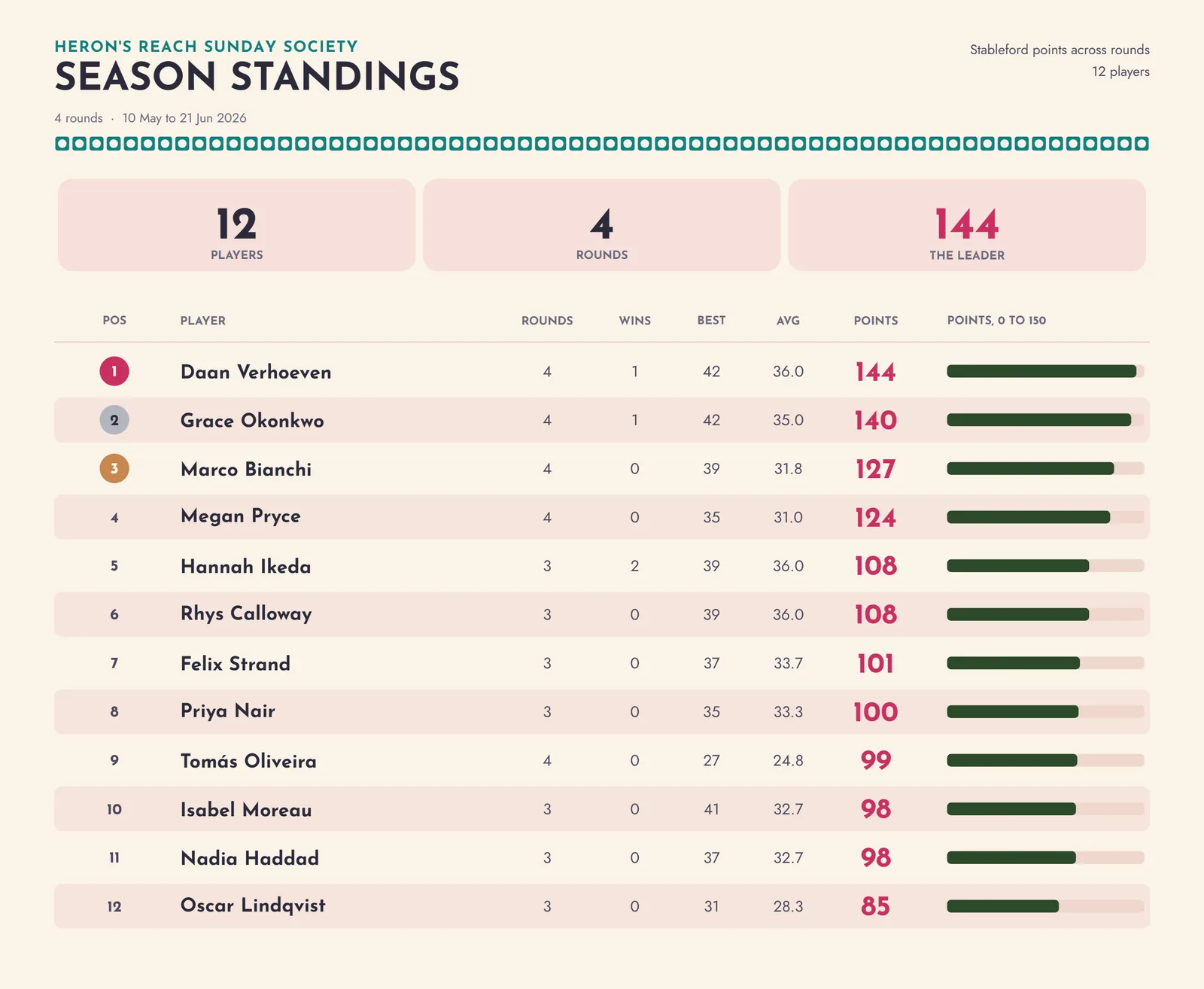
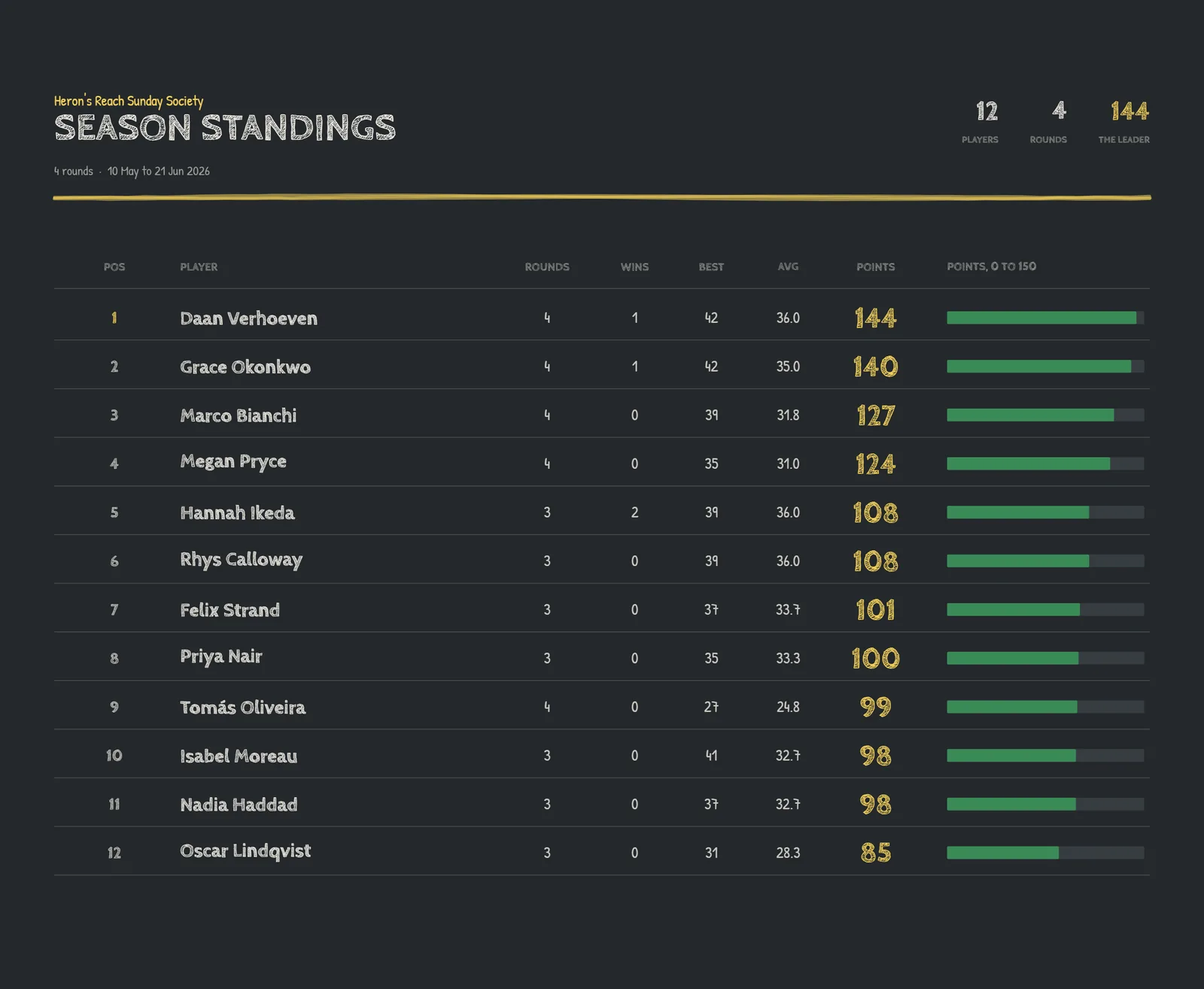
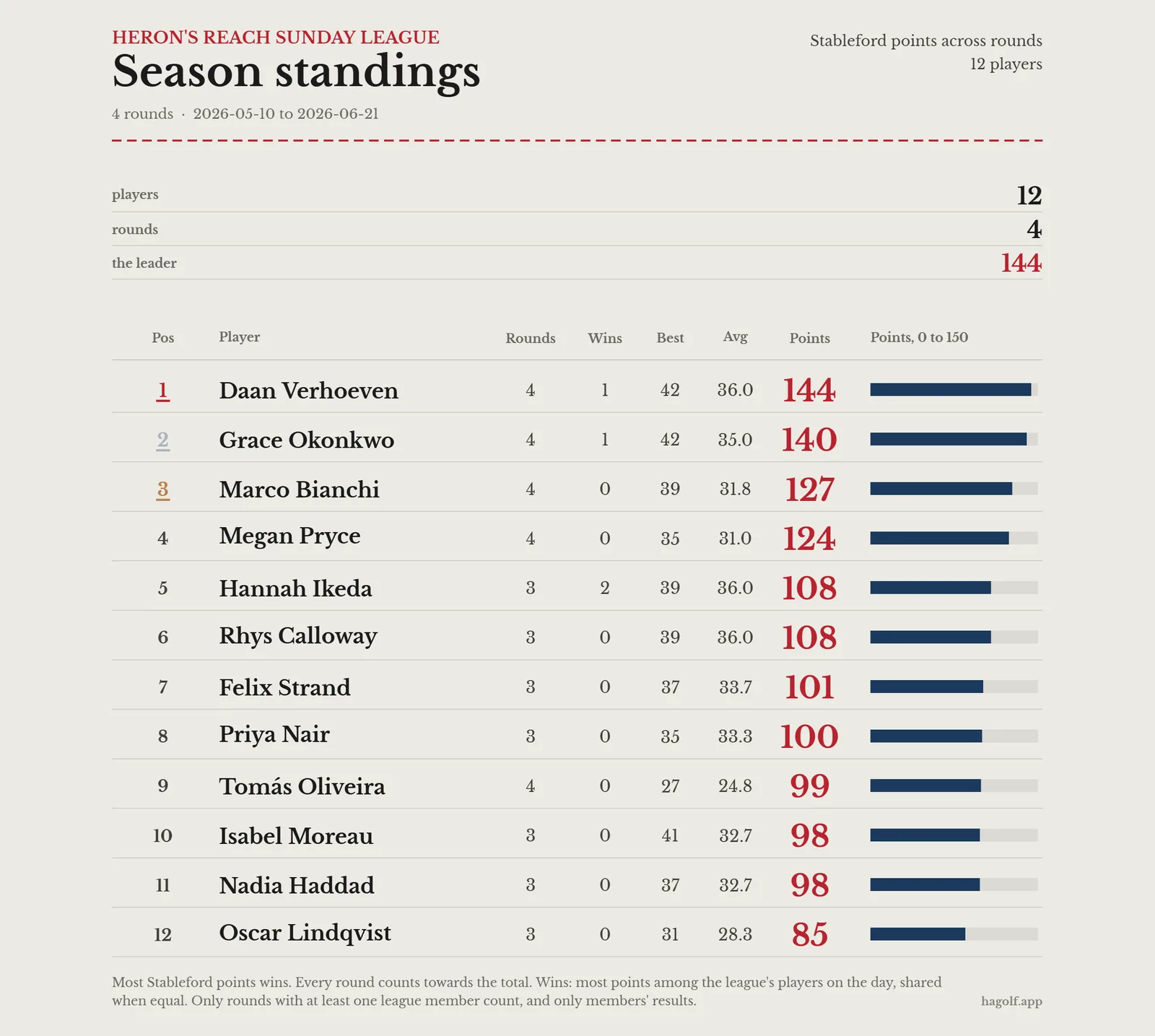
Members score their own cards, and the season table keeps itself.
- Season table
- Every card handed in counts, best-N if you like.
- Society days
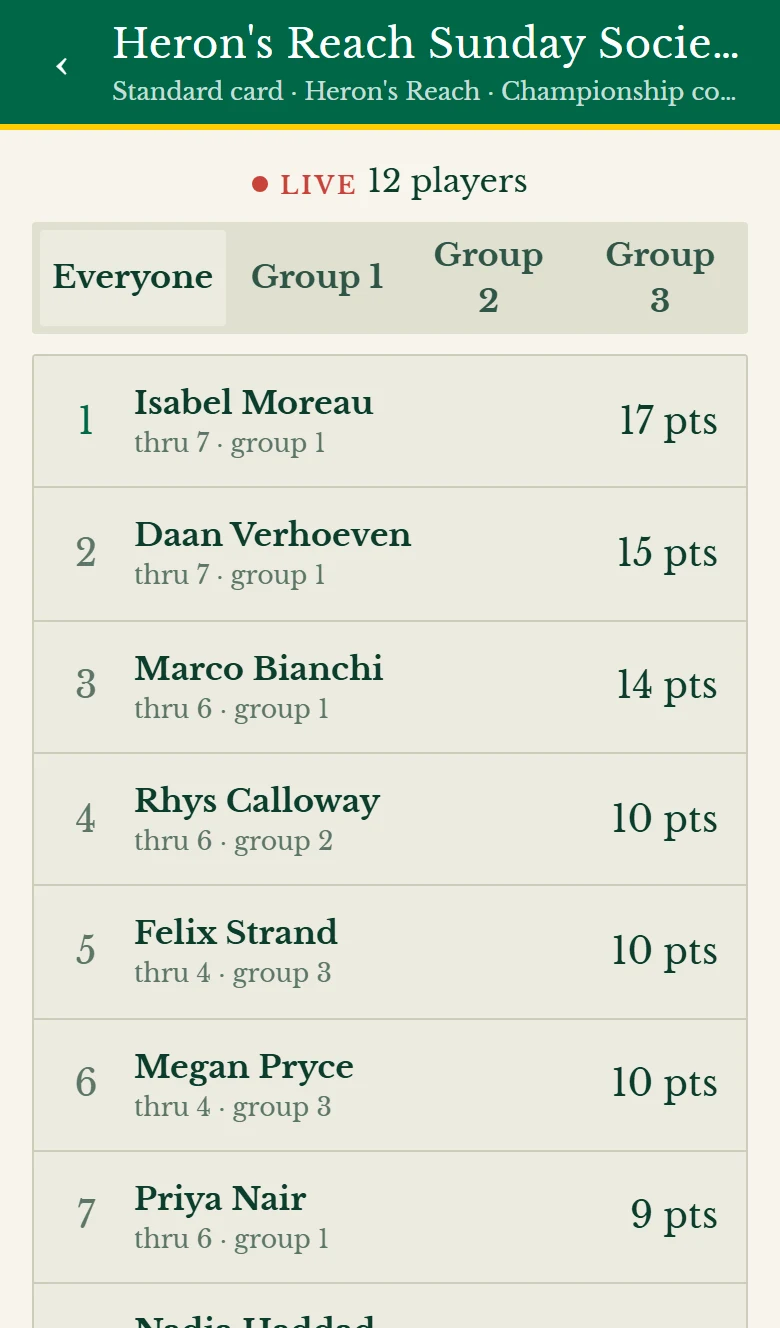
- One card for the day, every group on one live board.
- Events
- Tee times, the draw and teams, sent to everyone ahead.
- Laptop or phone
- Run it all from the phone, or open the settings wide on a laptop with the board beside them.
Leaderboards and player cards
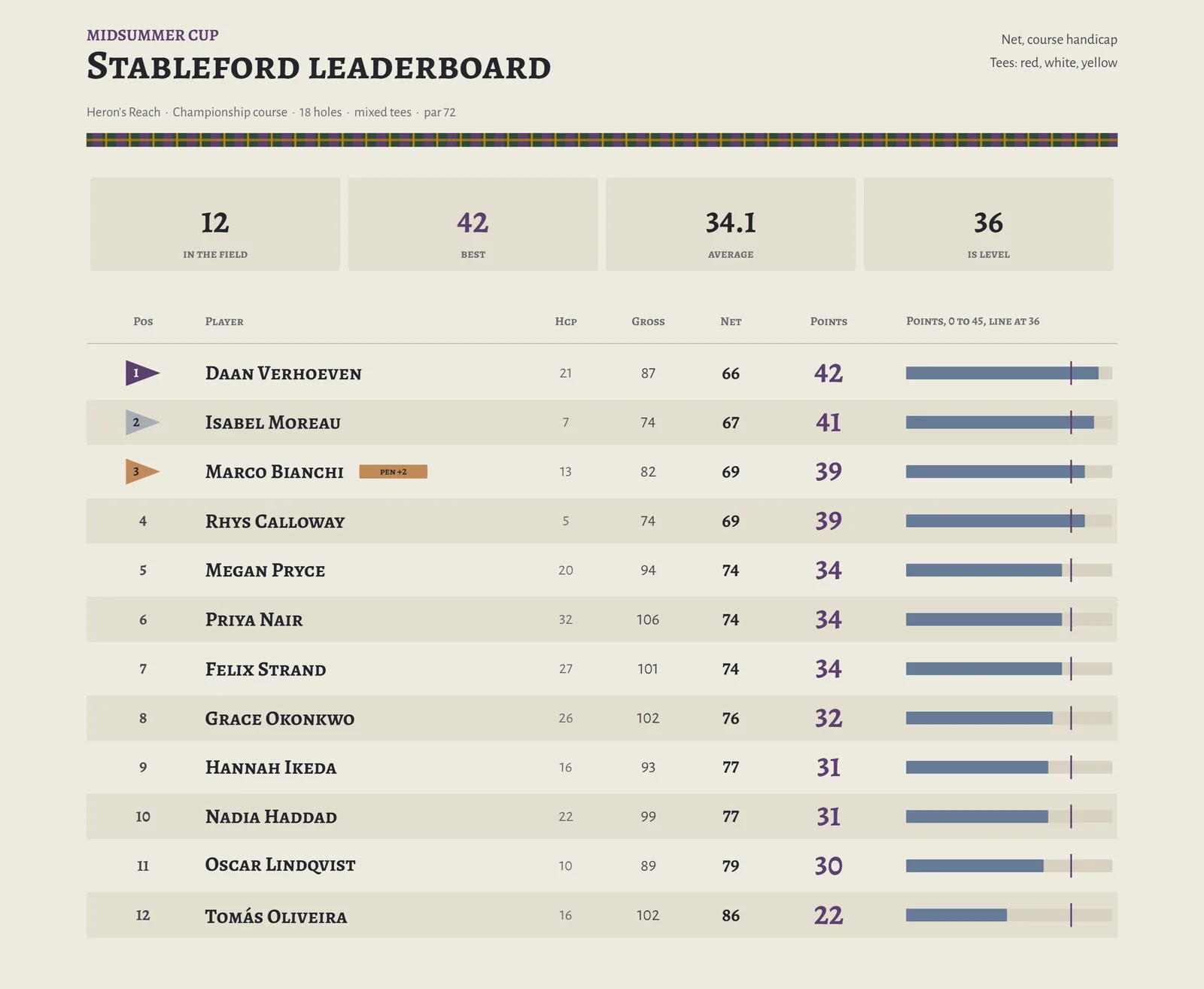
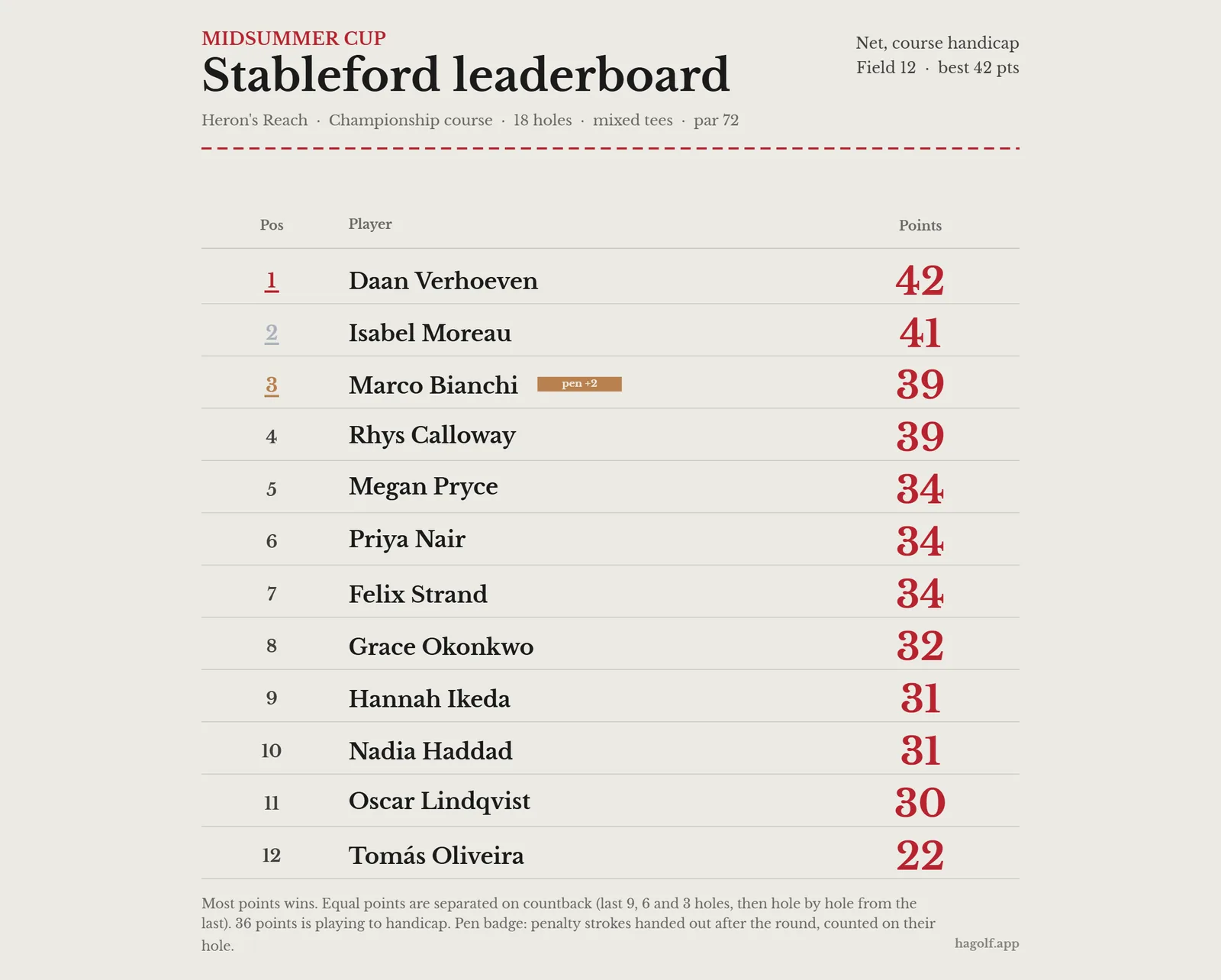
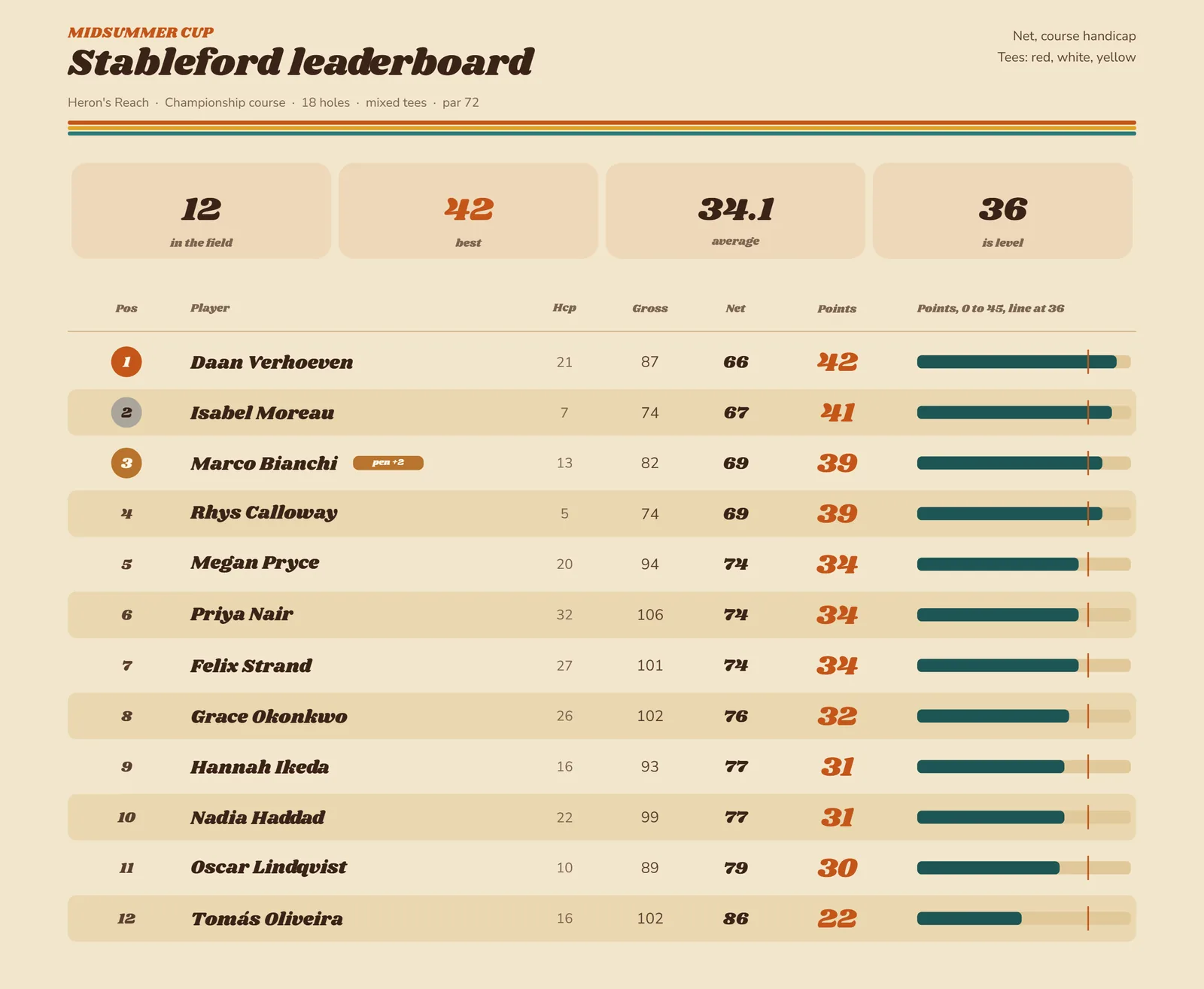
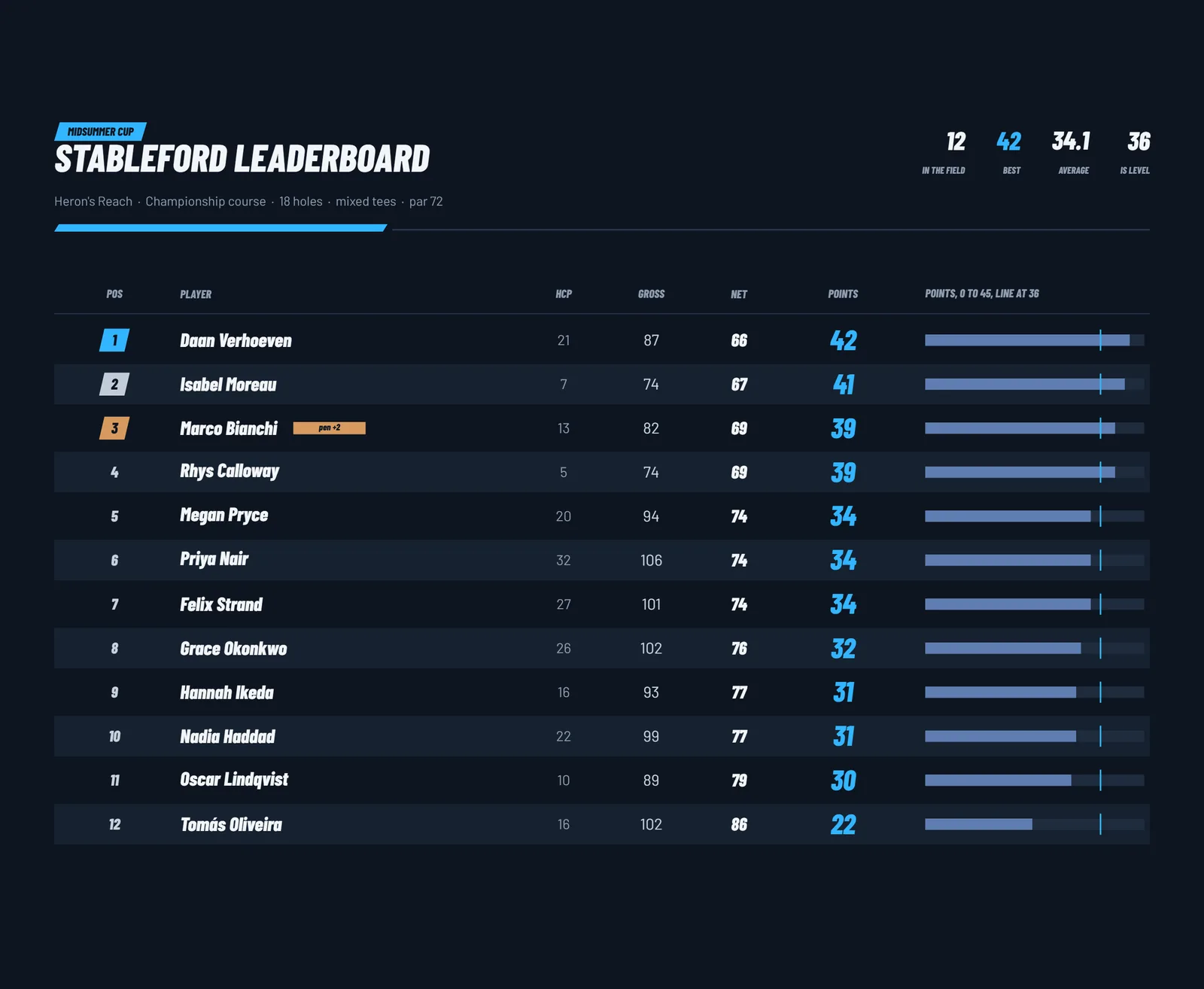
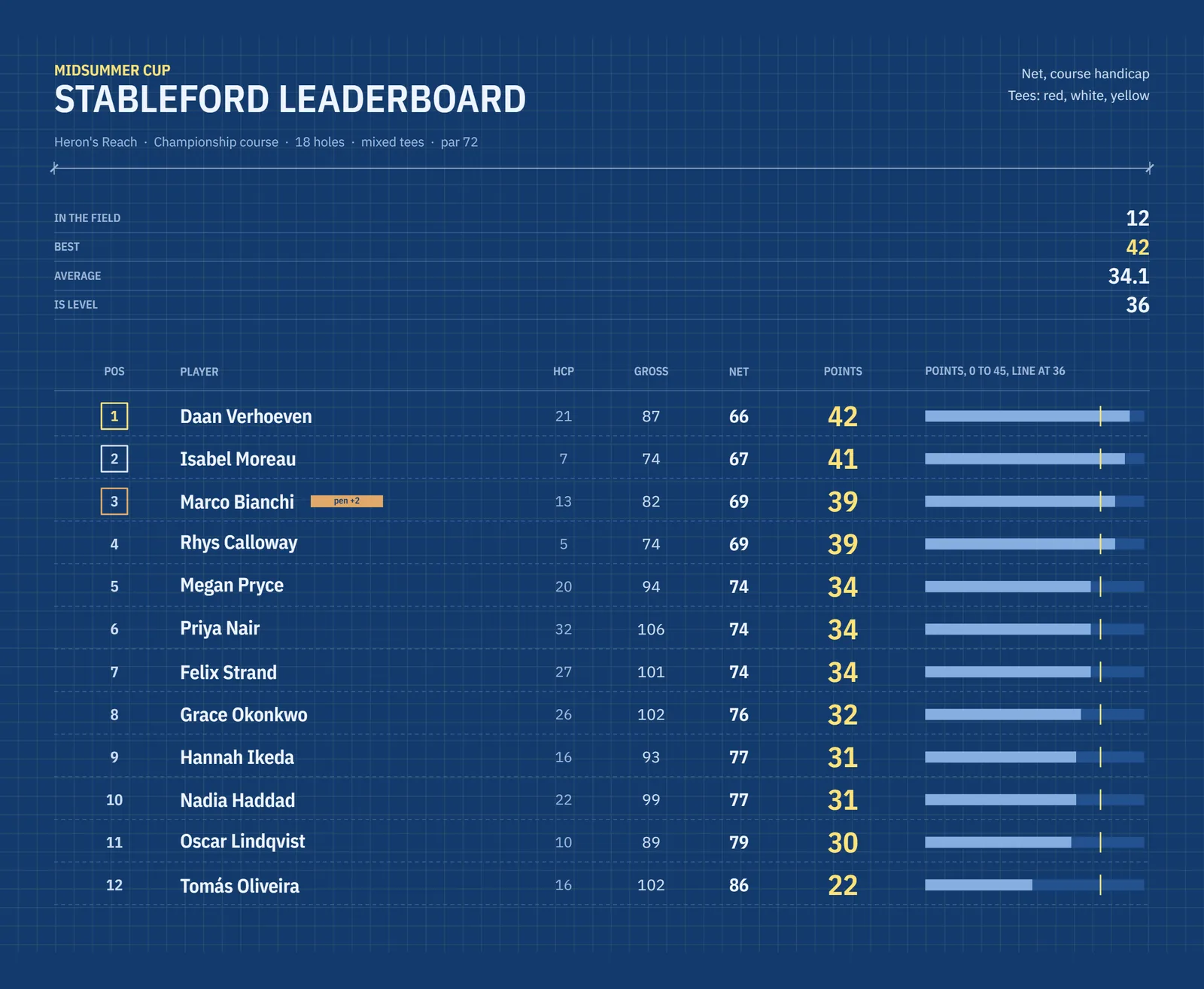
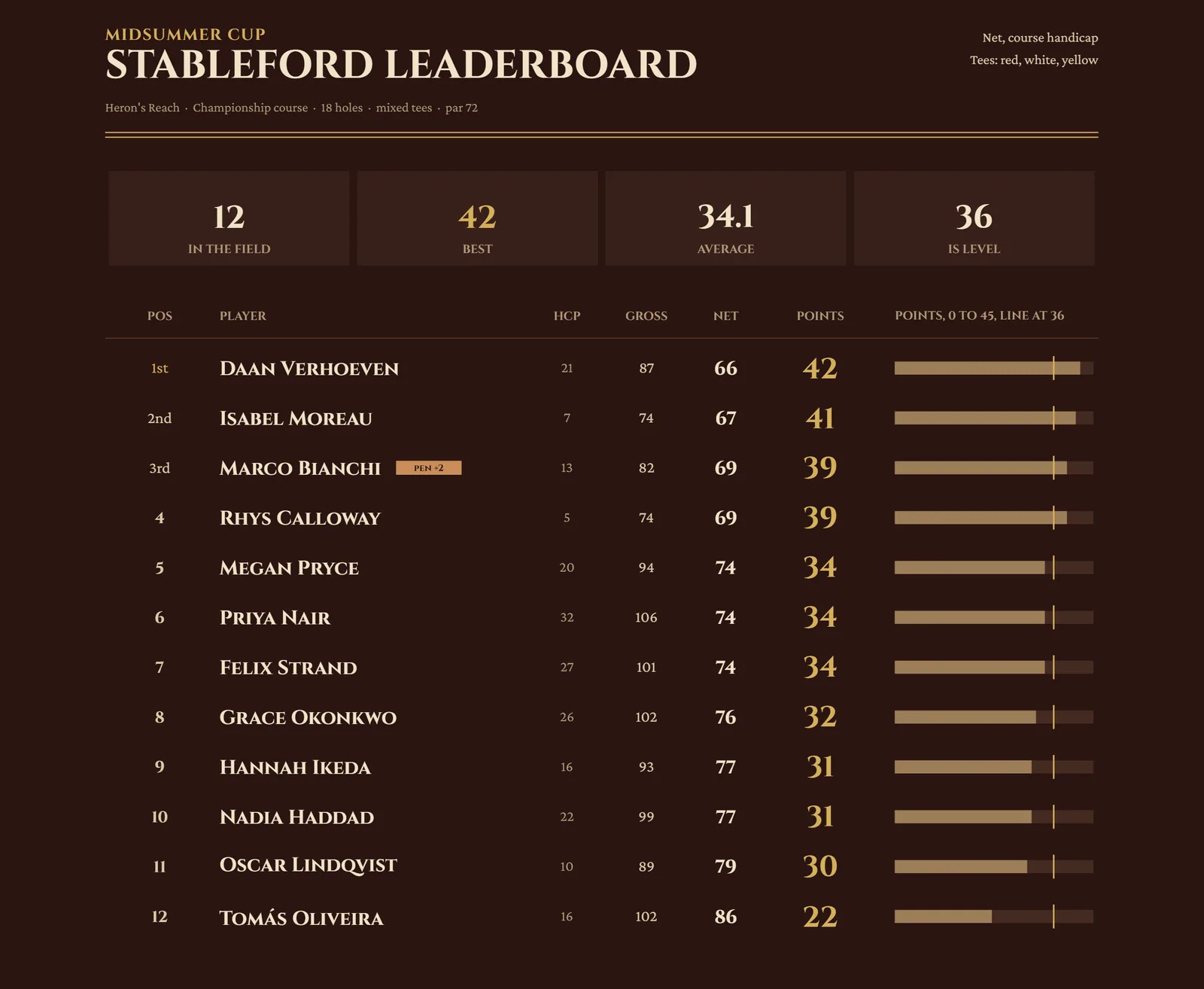
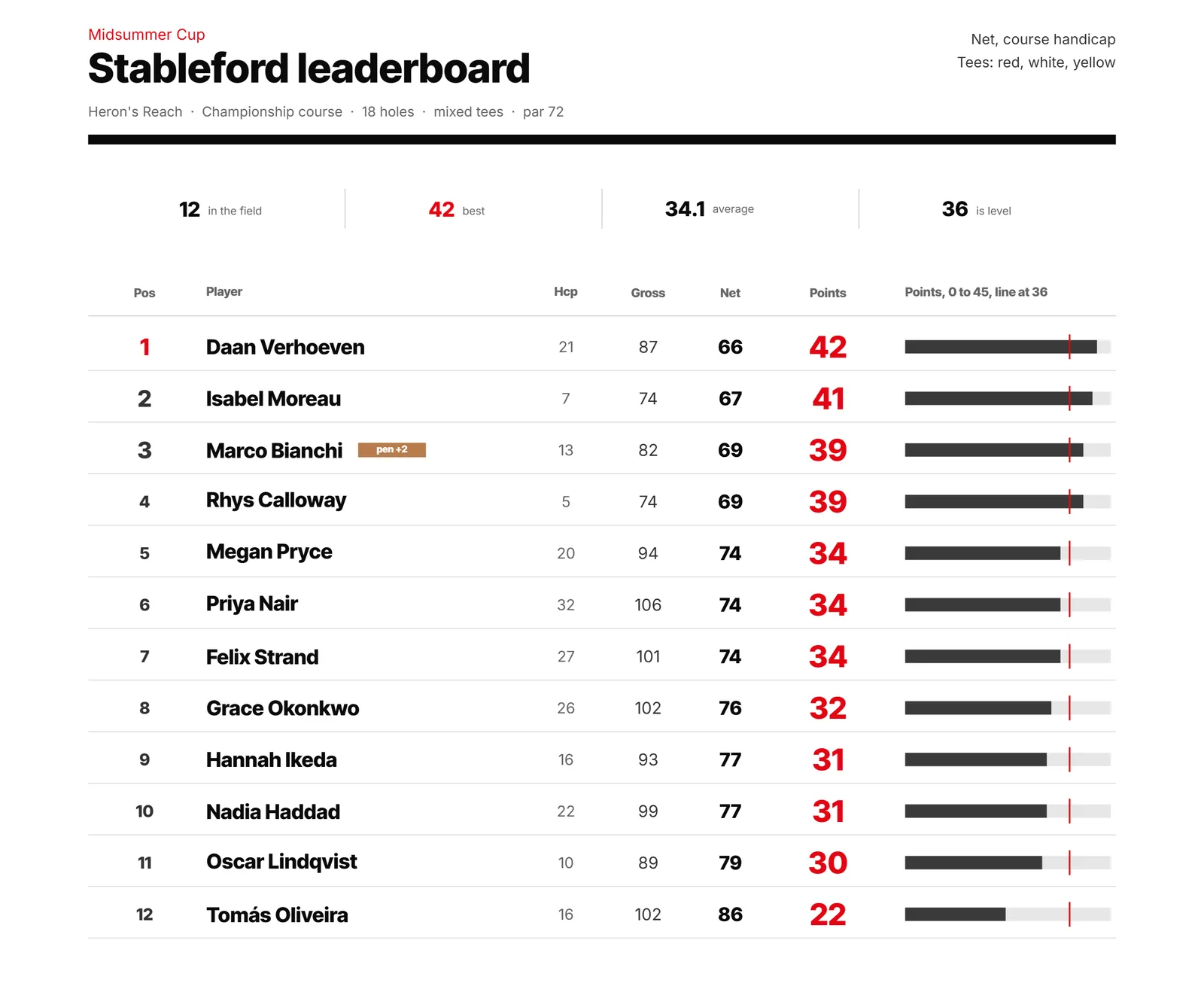
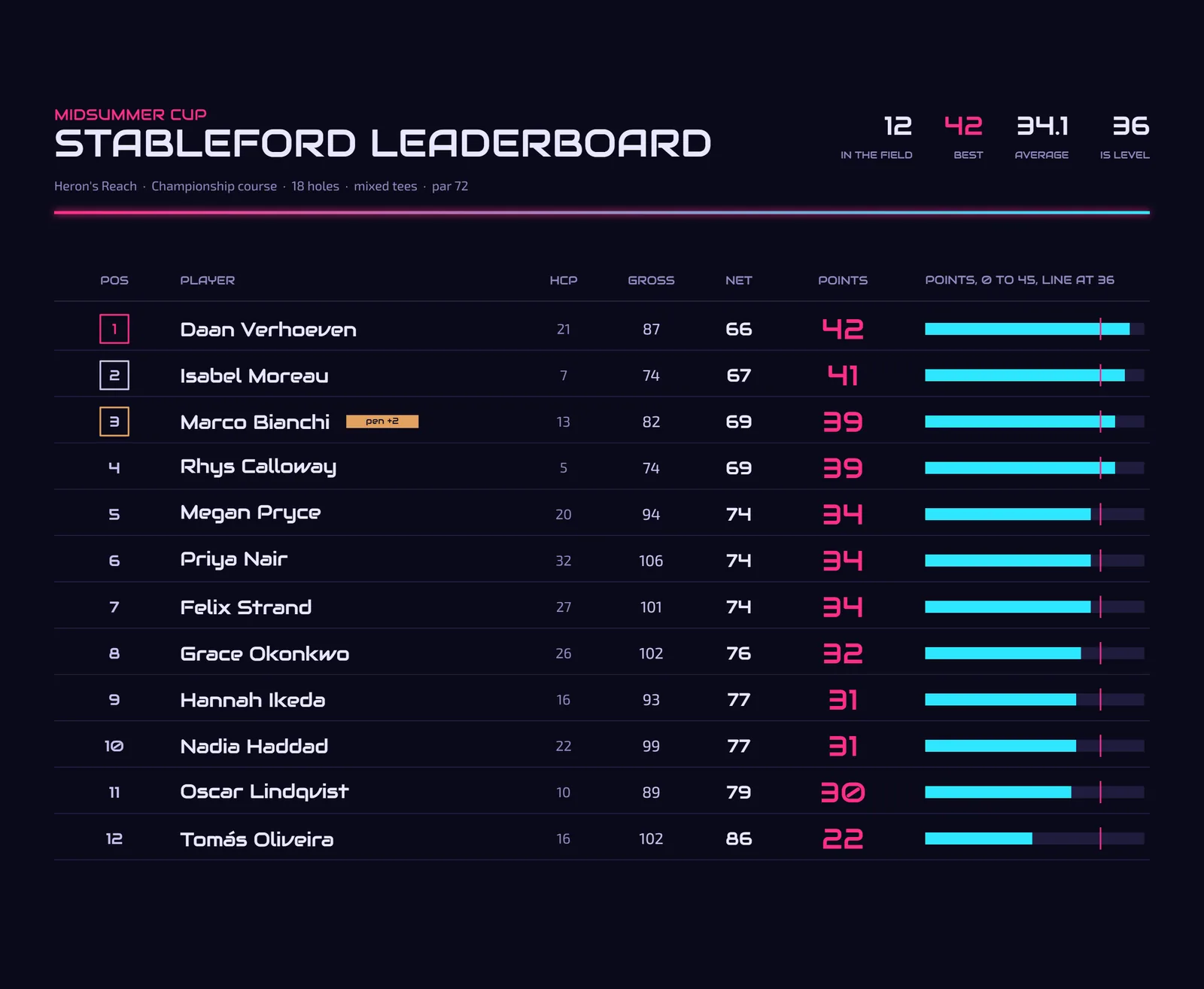
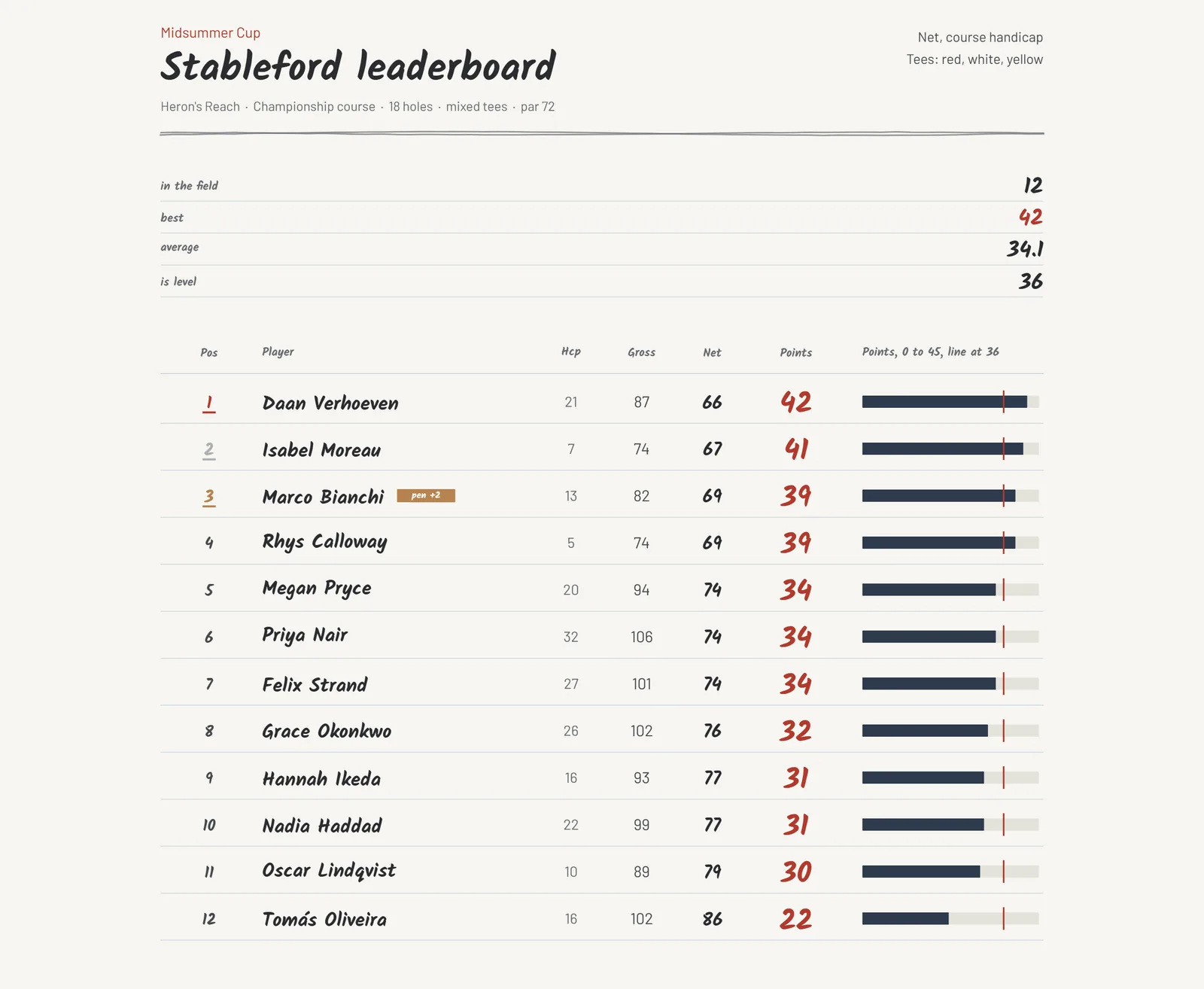
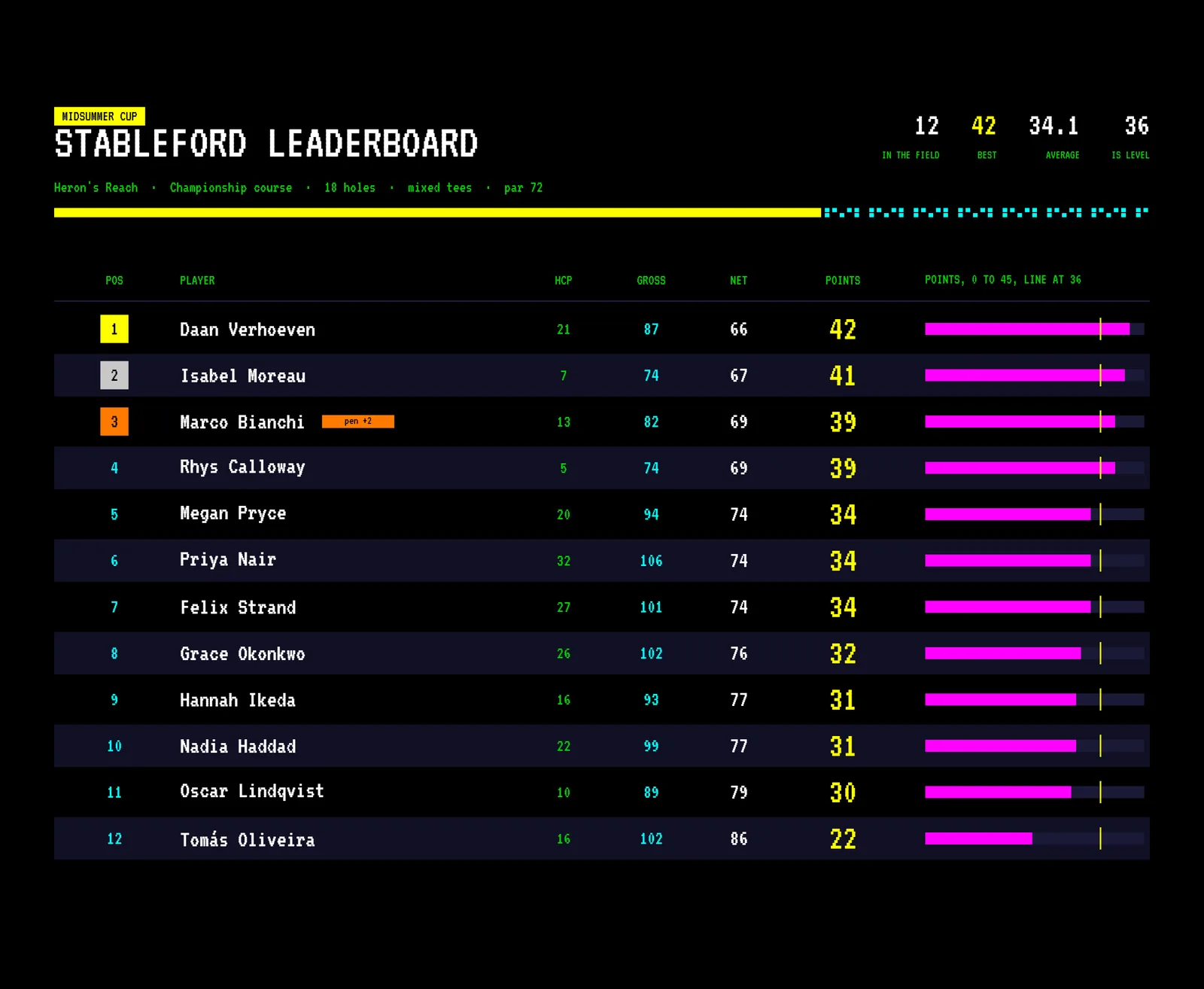
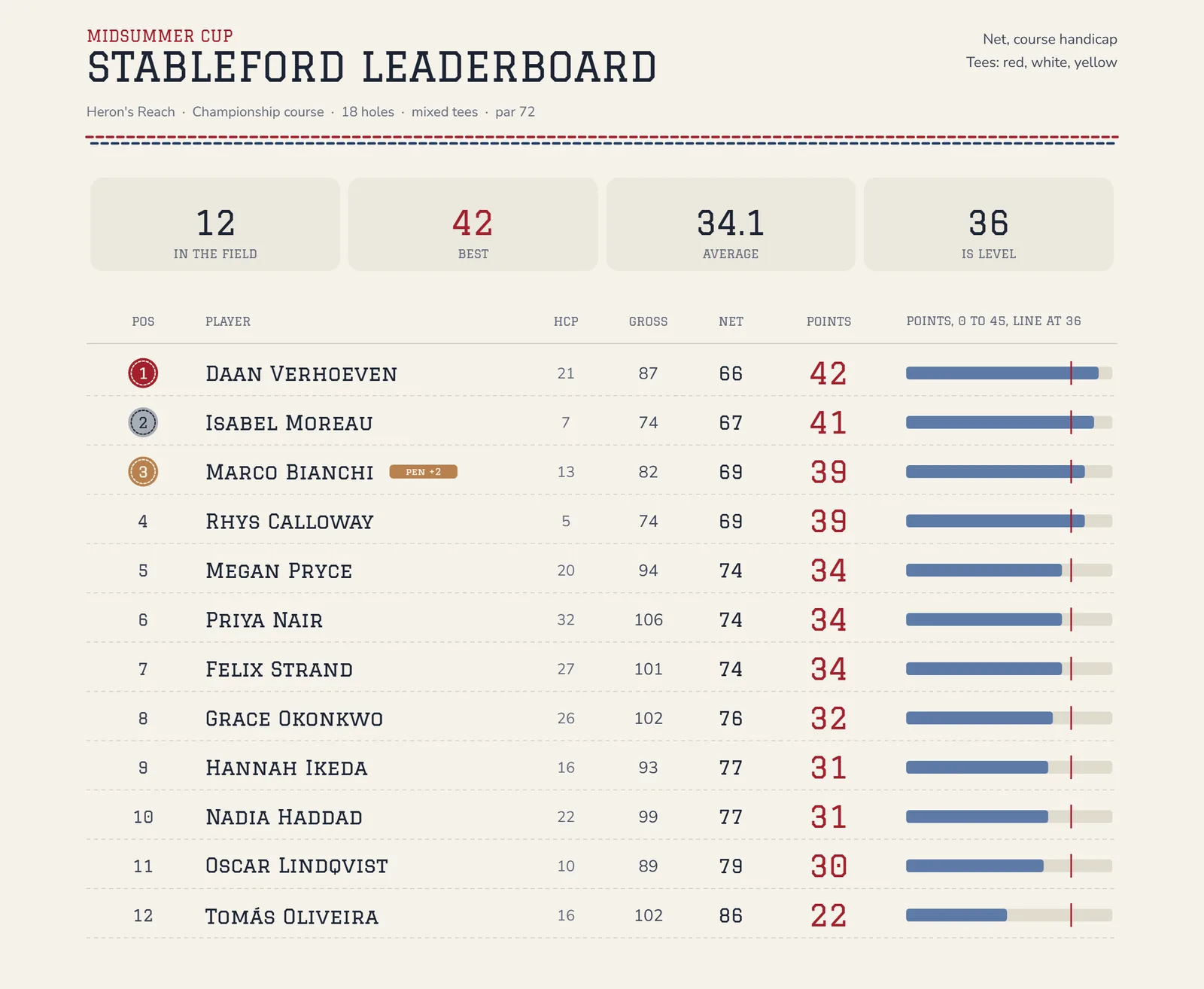
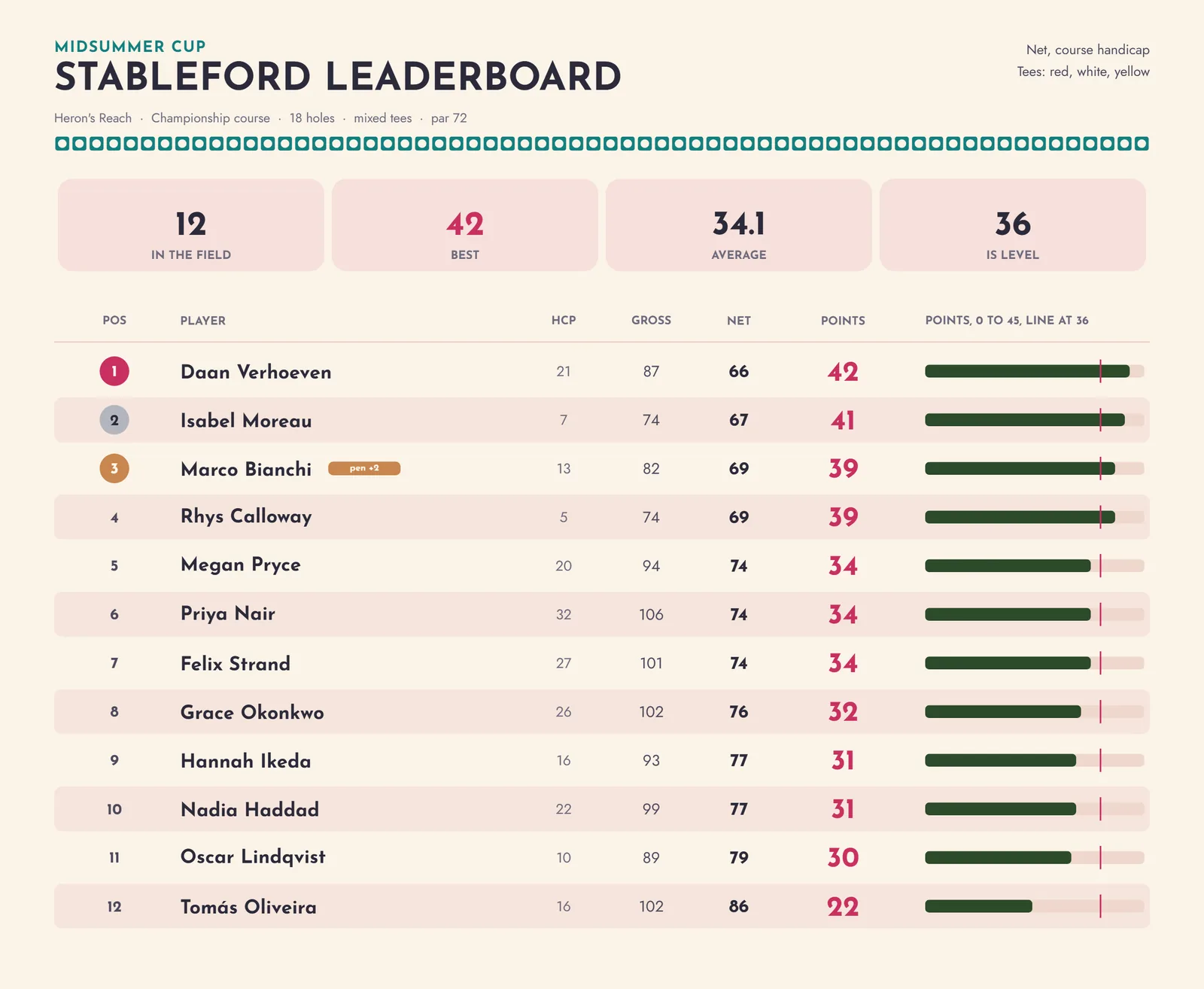
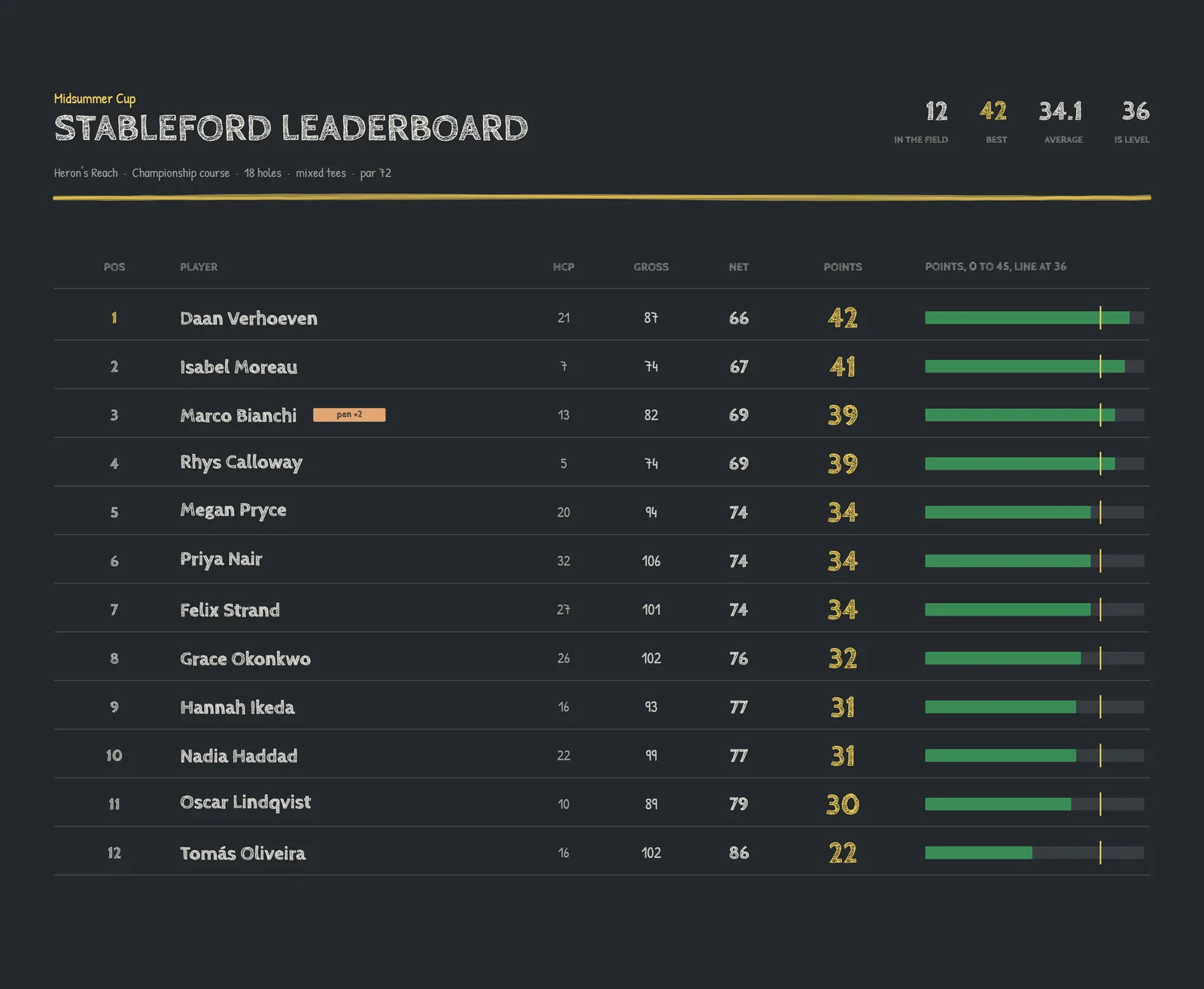
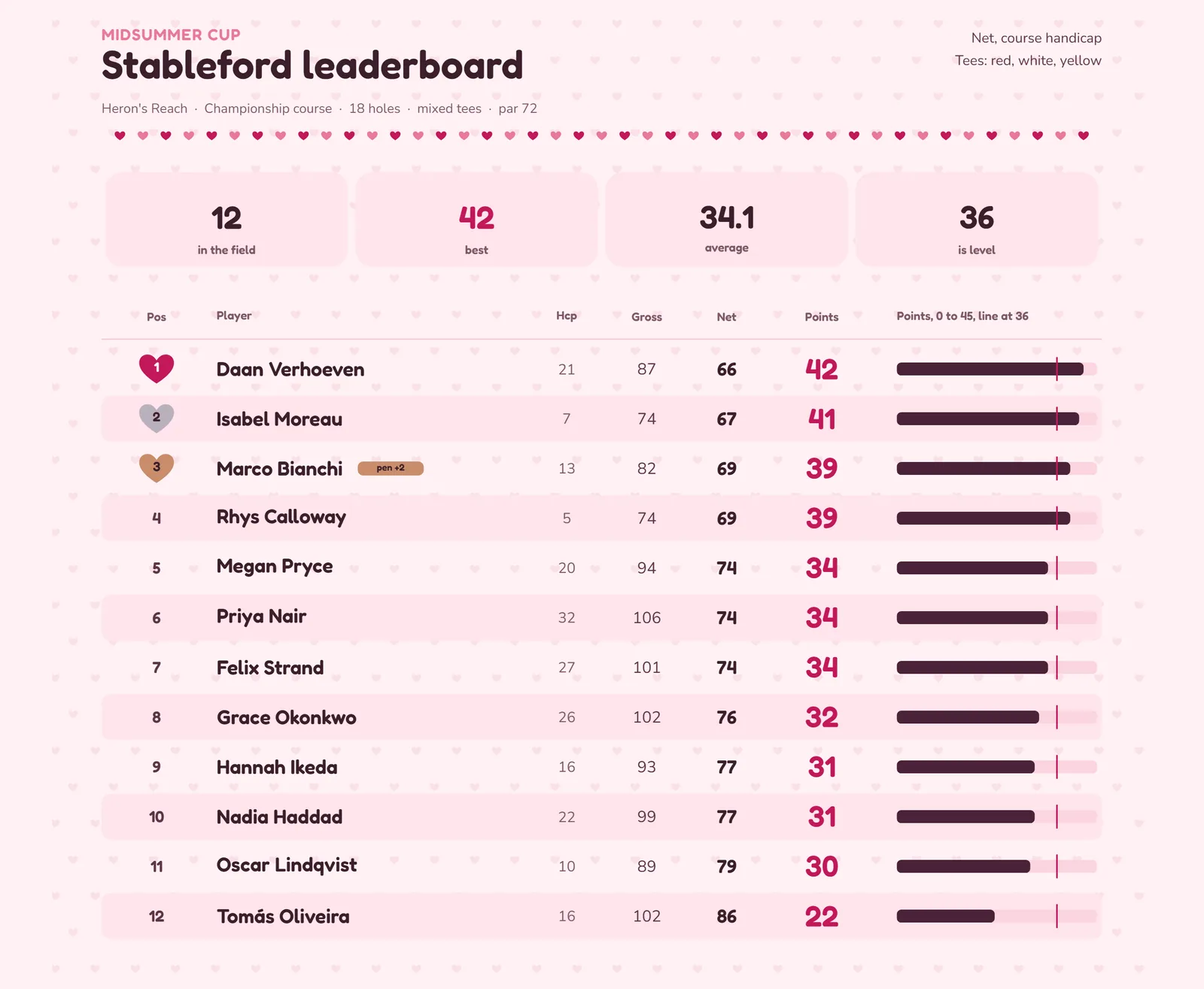
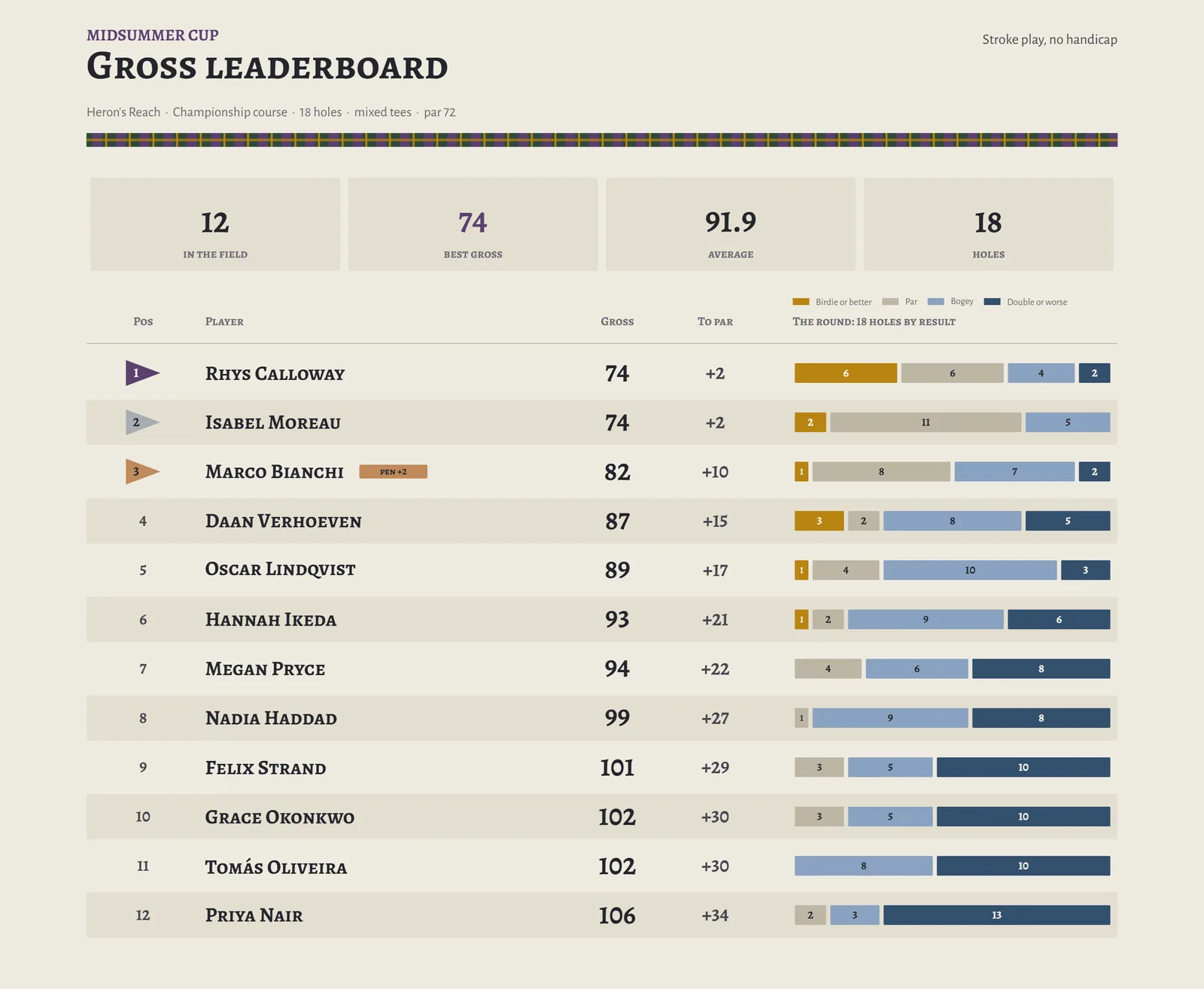
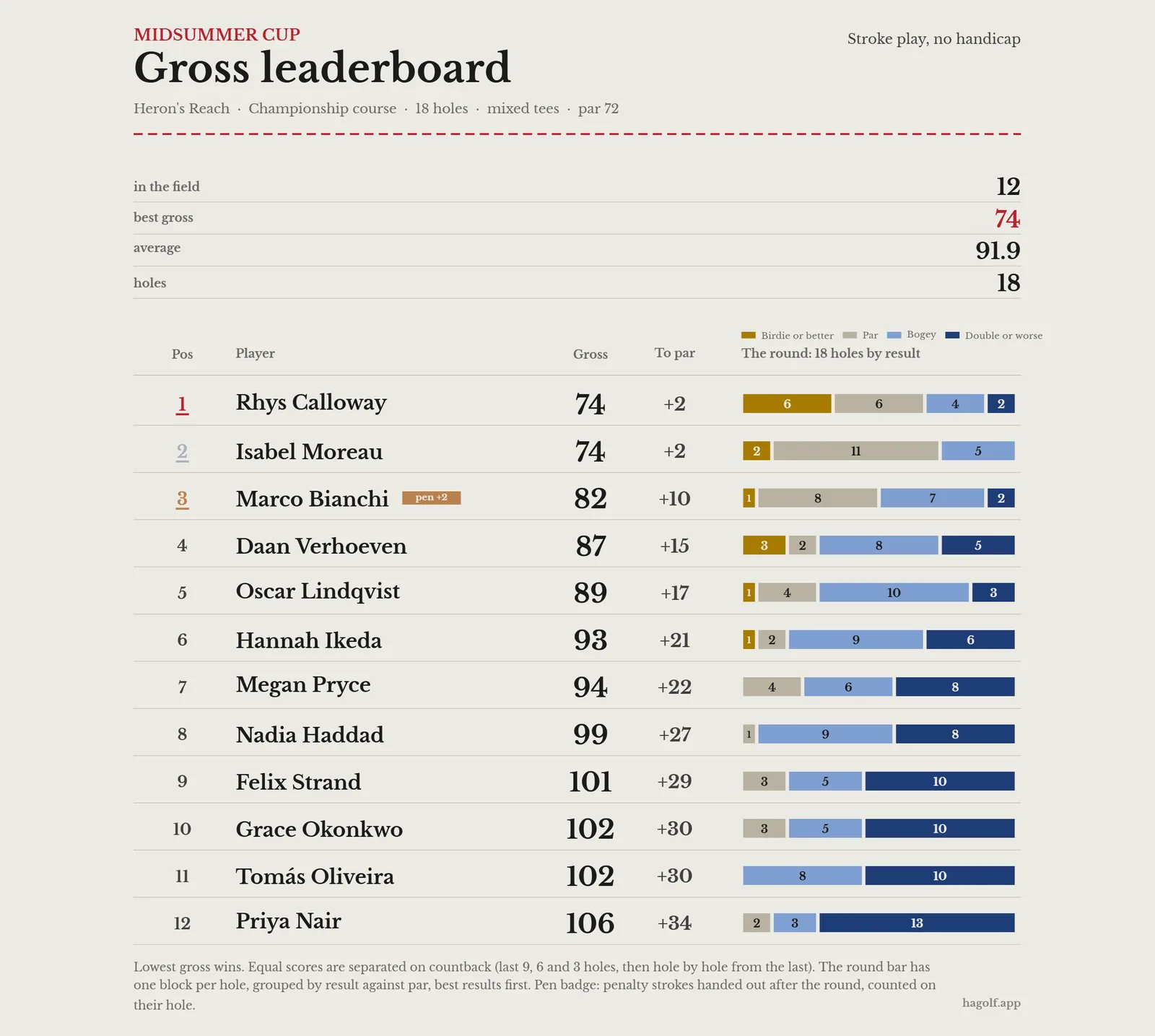
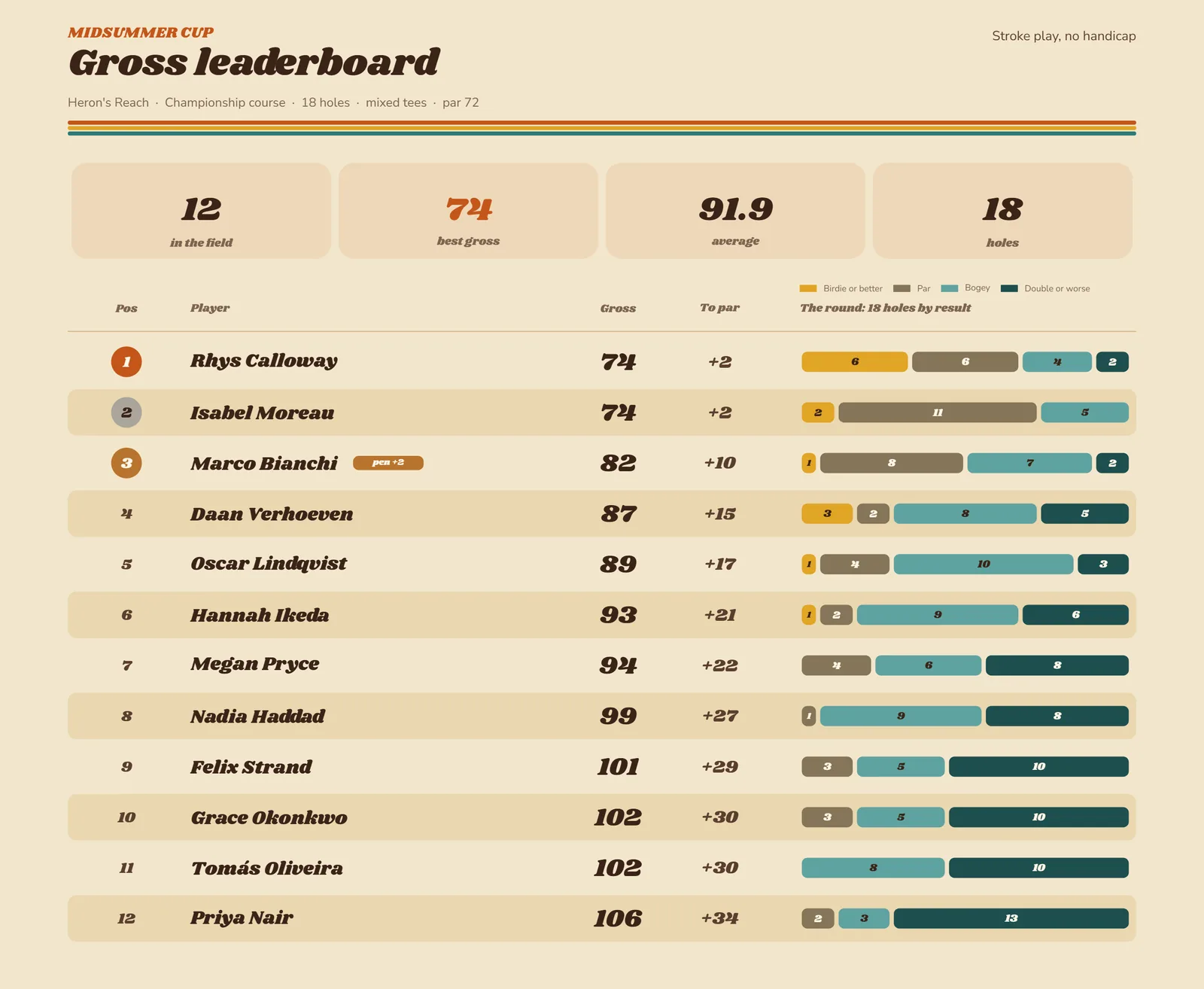
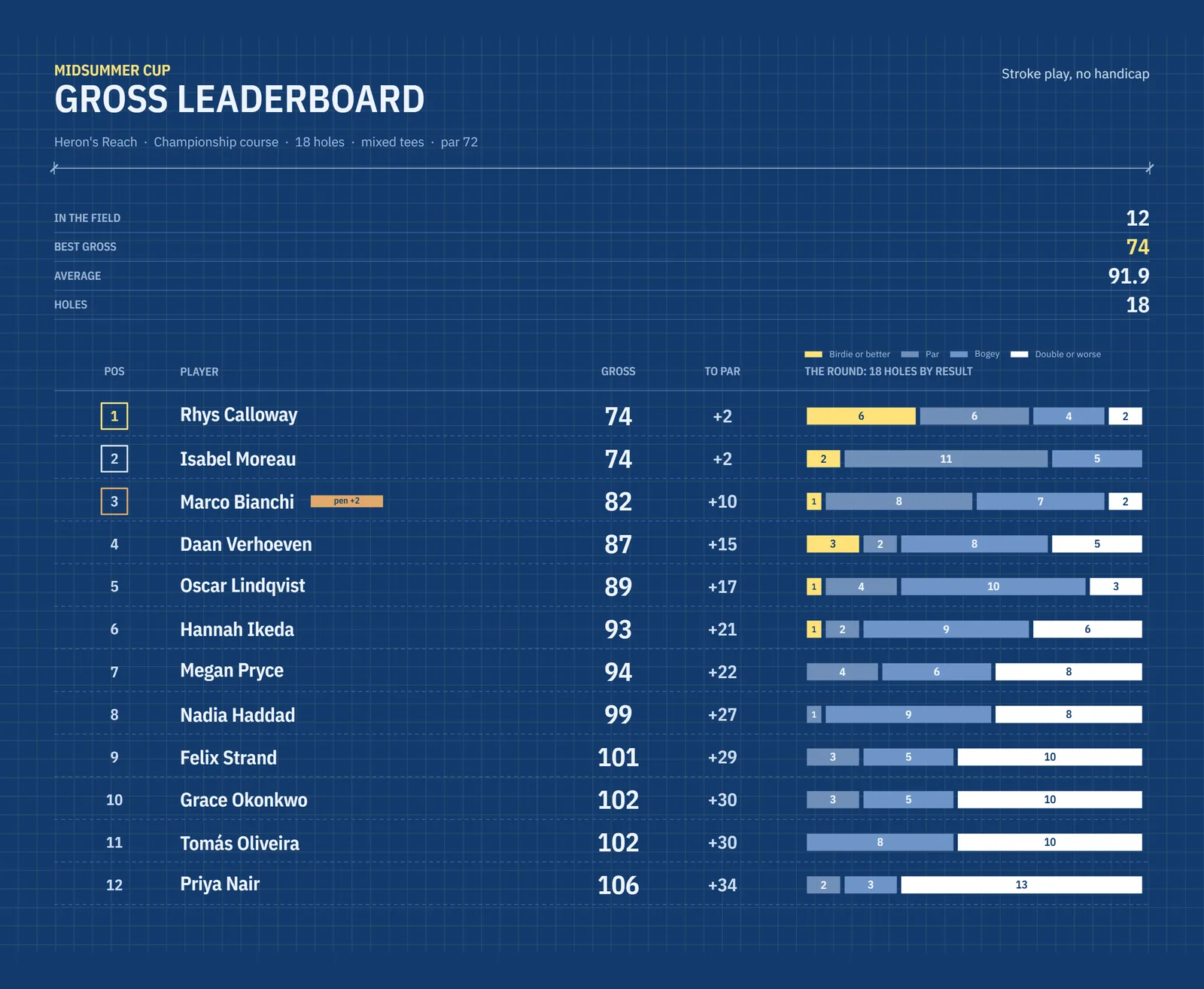
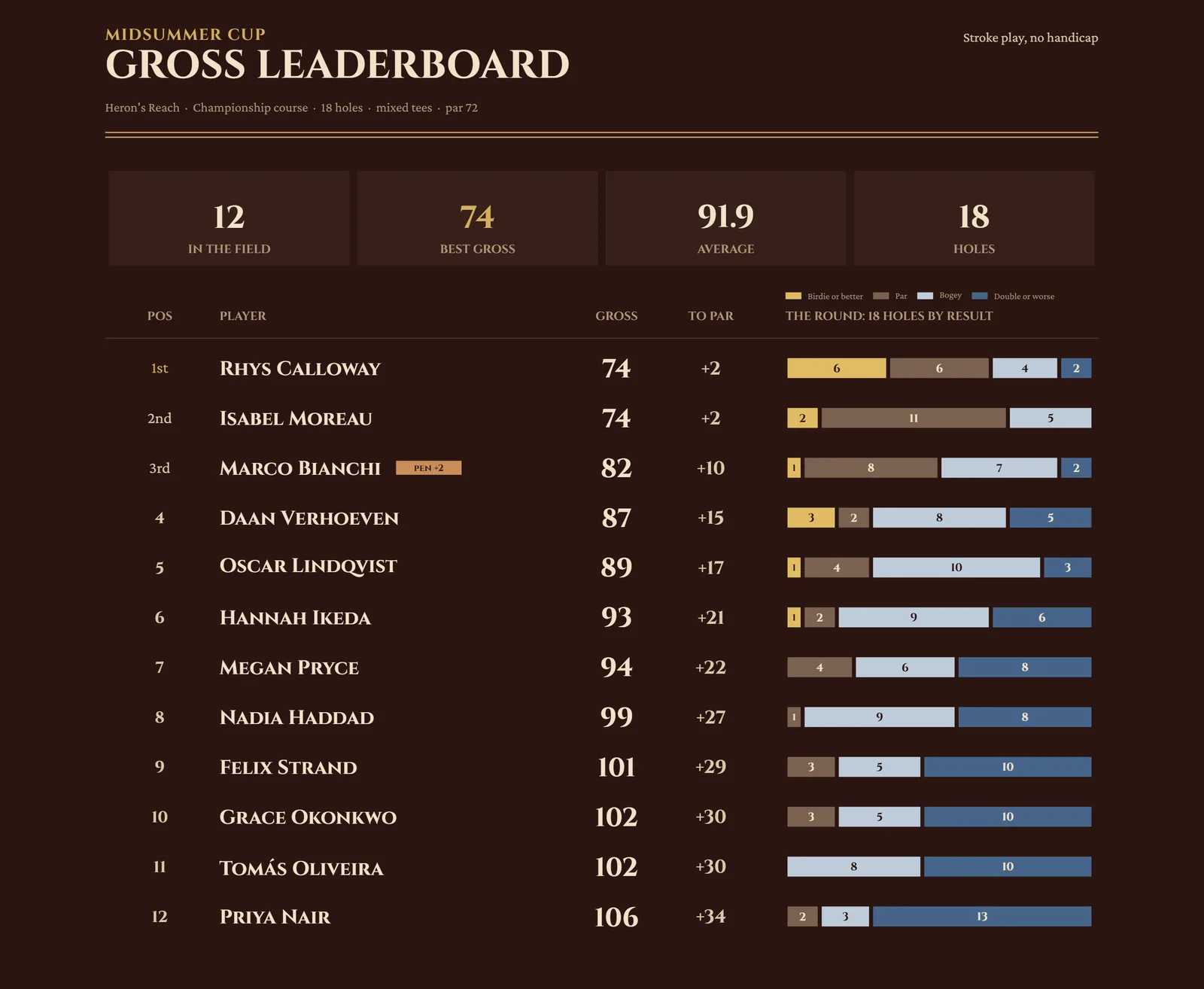
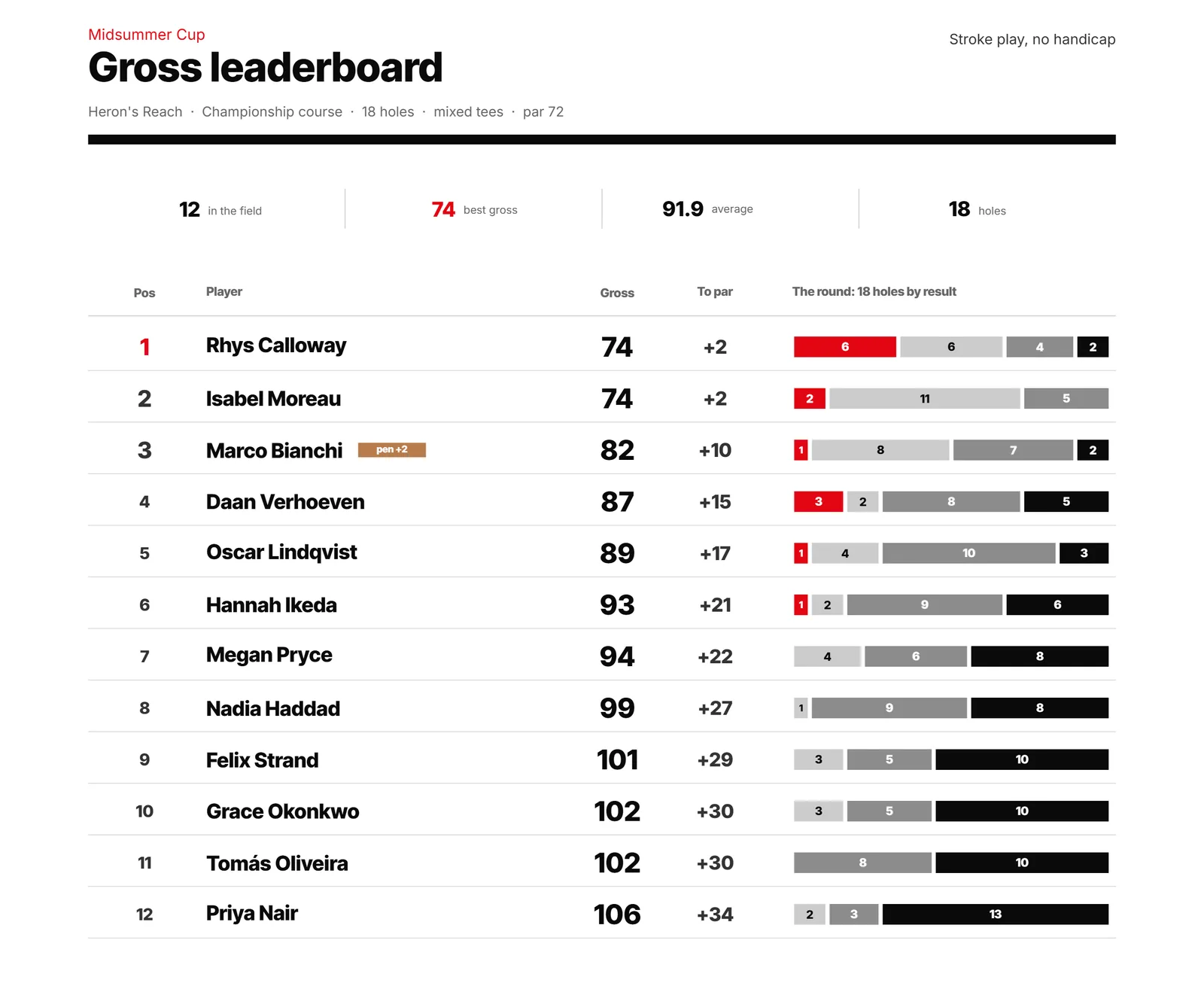
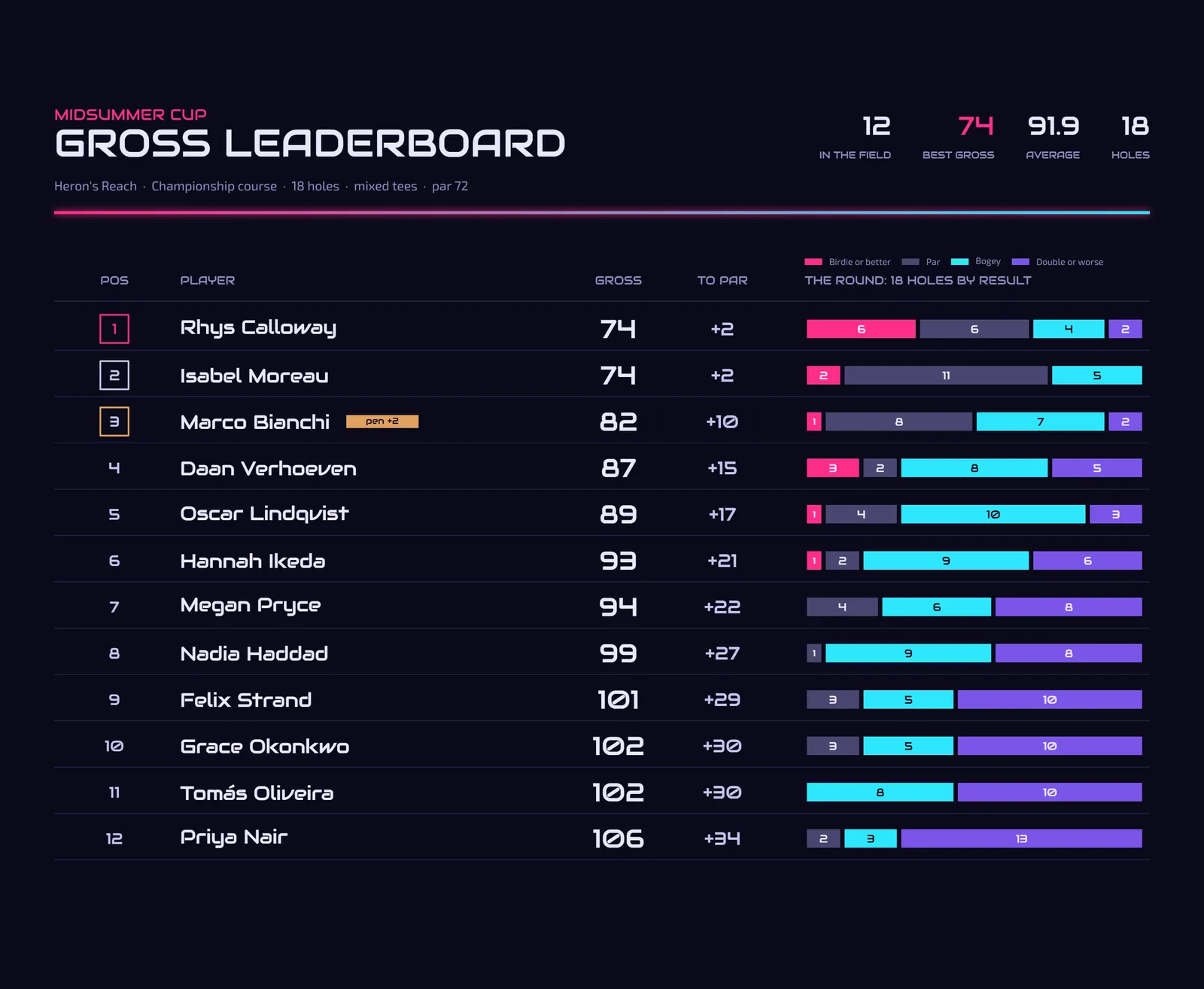
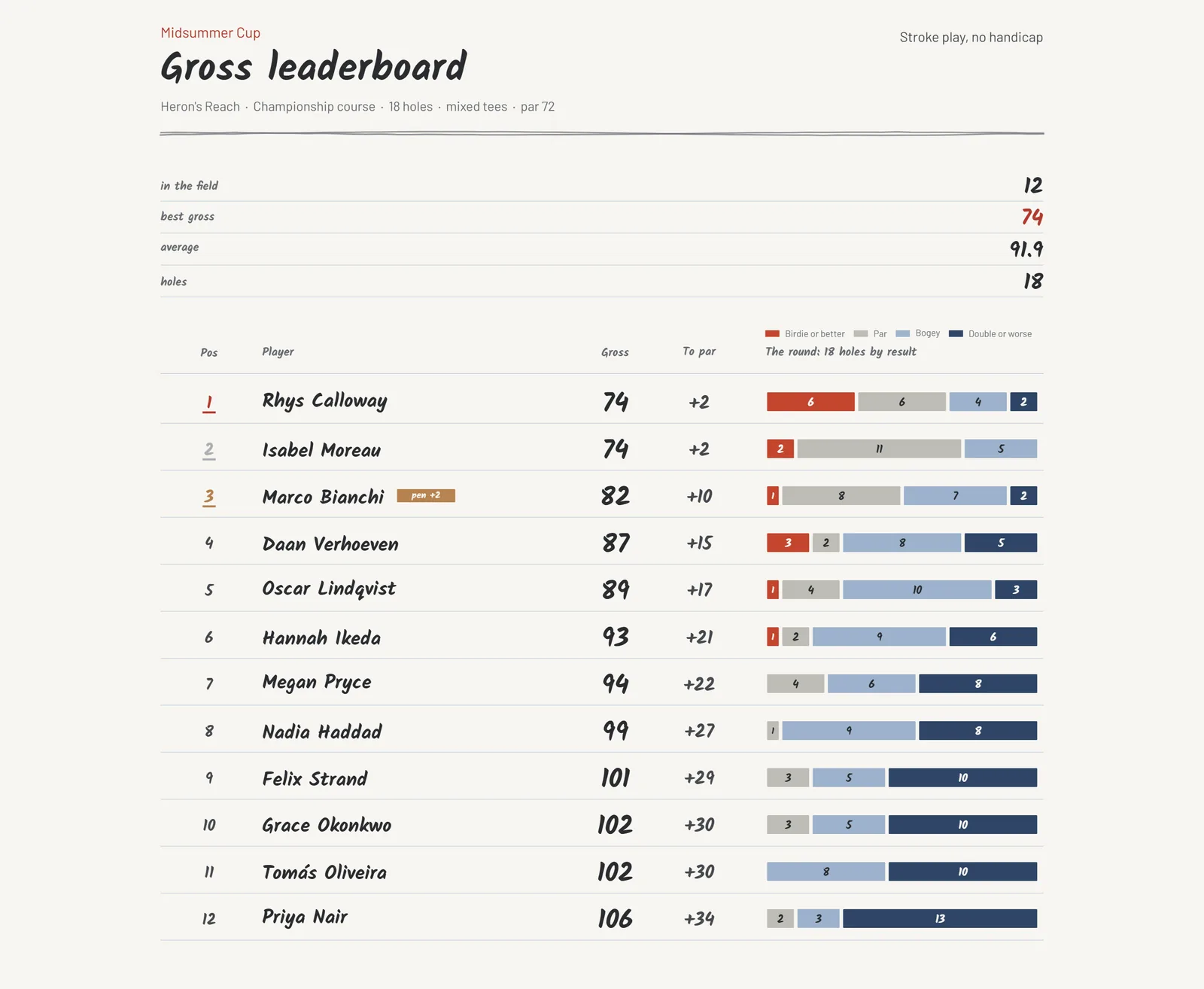
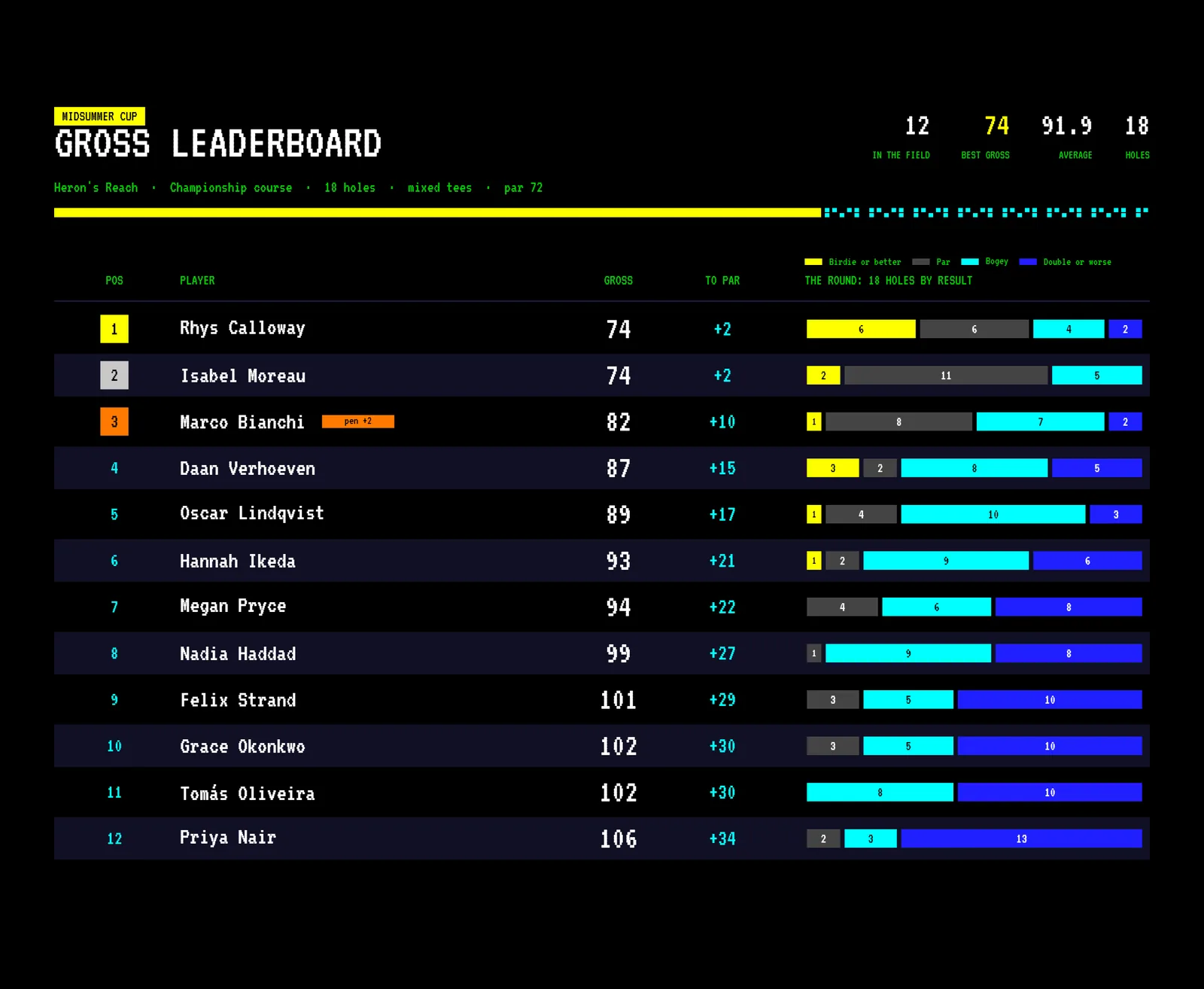
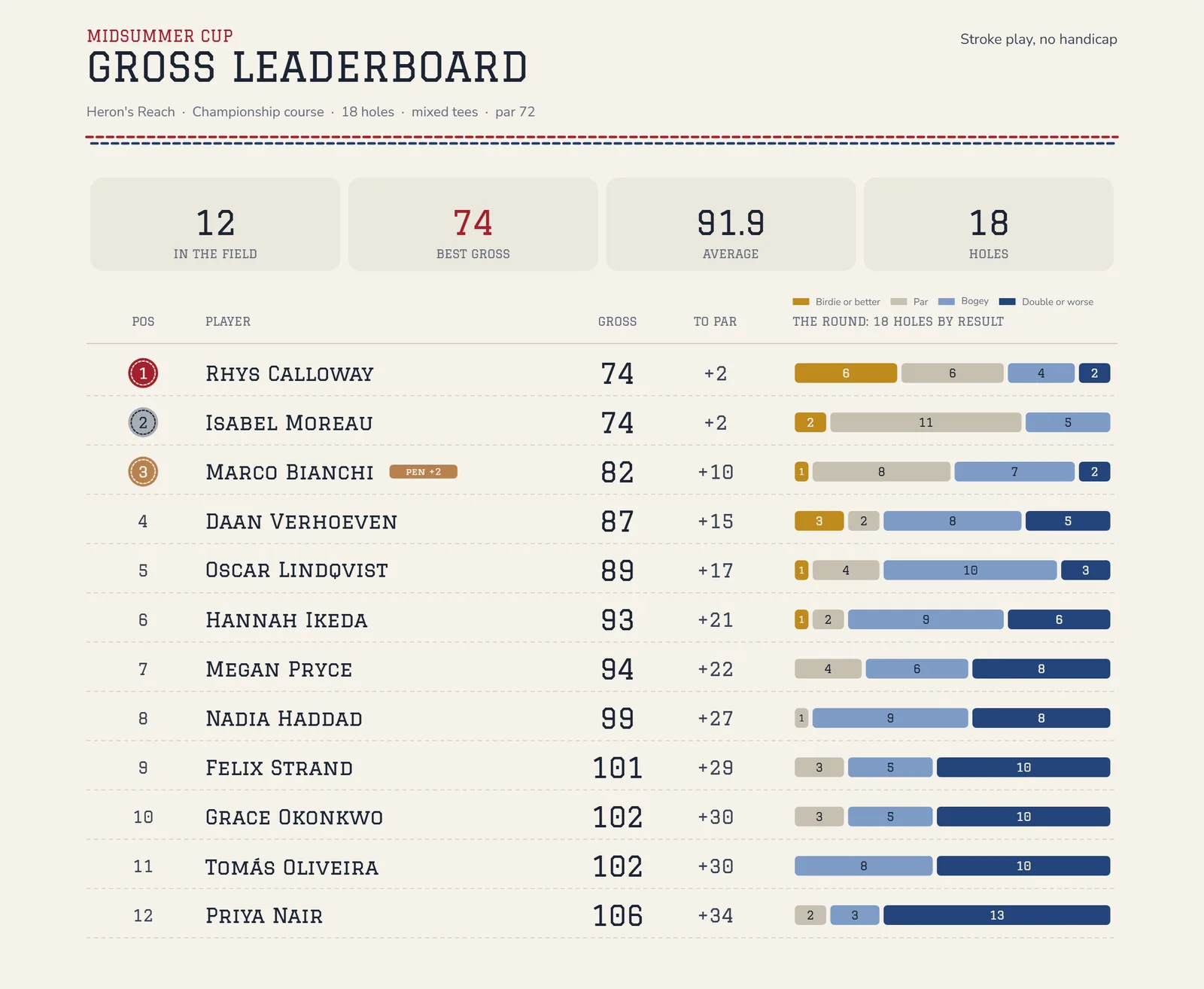
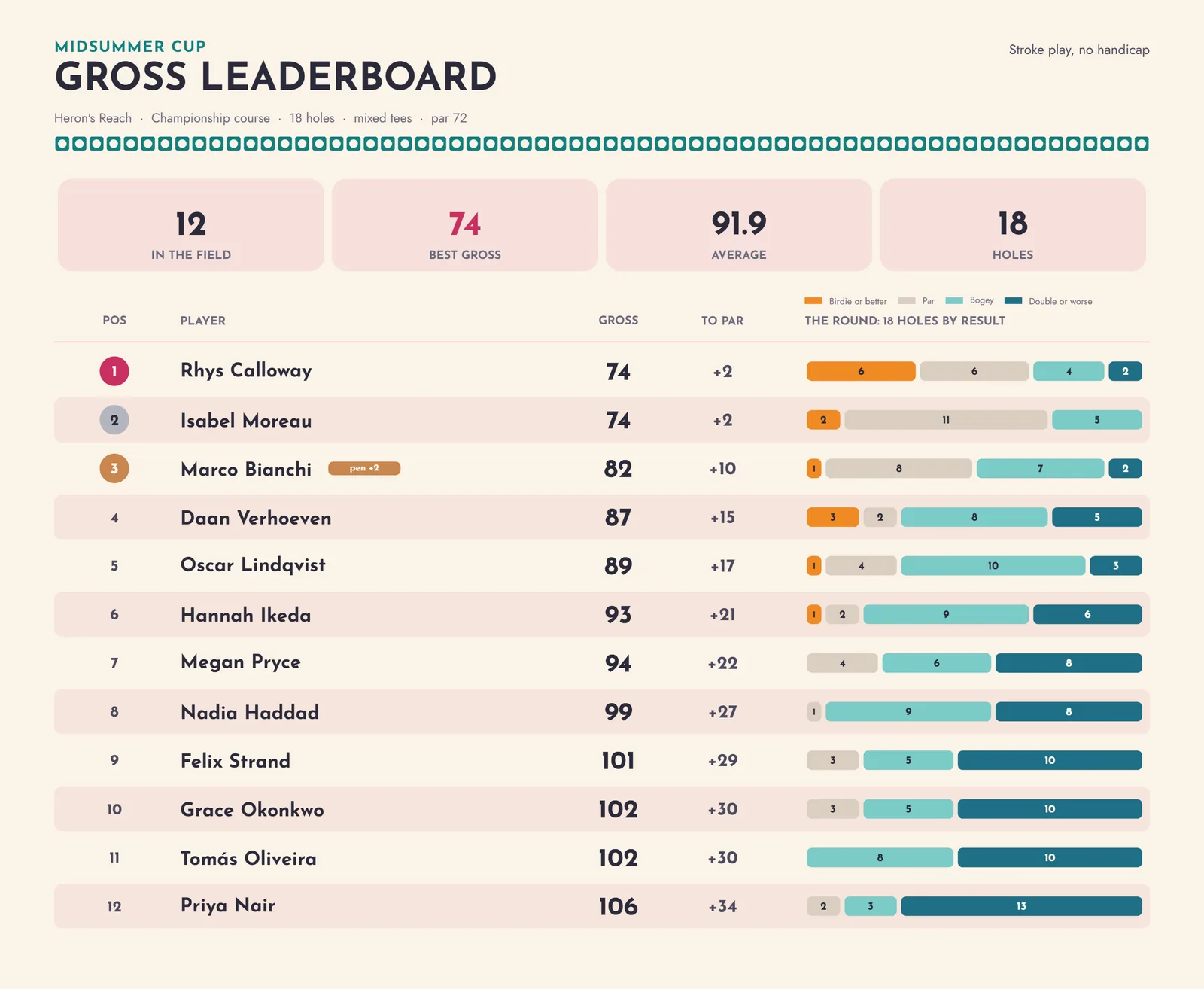
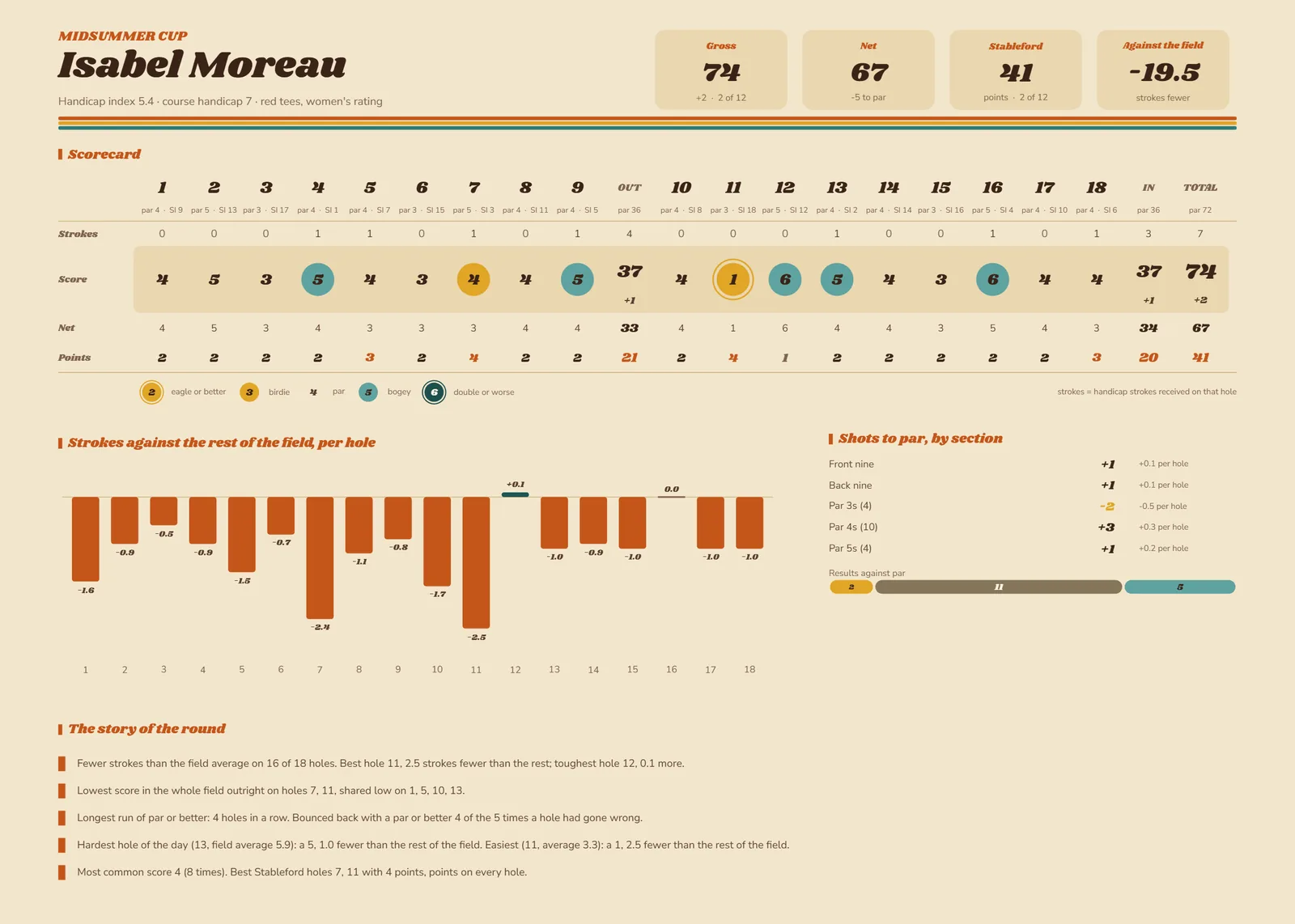
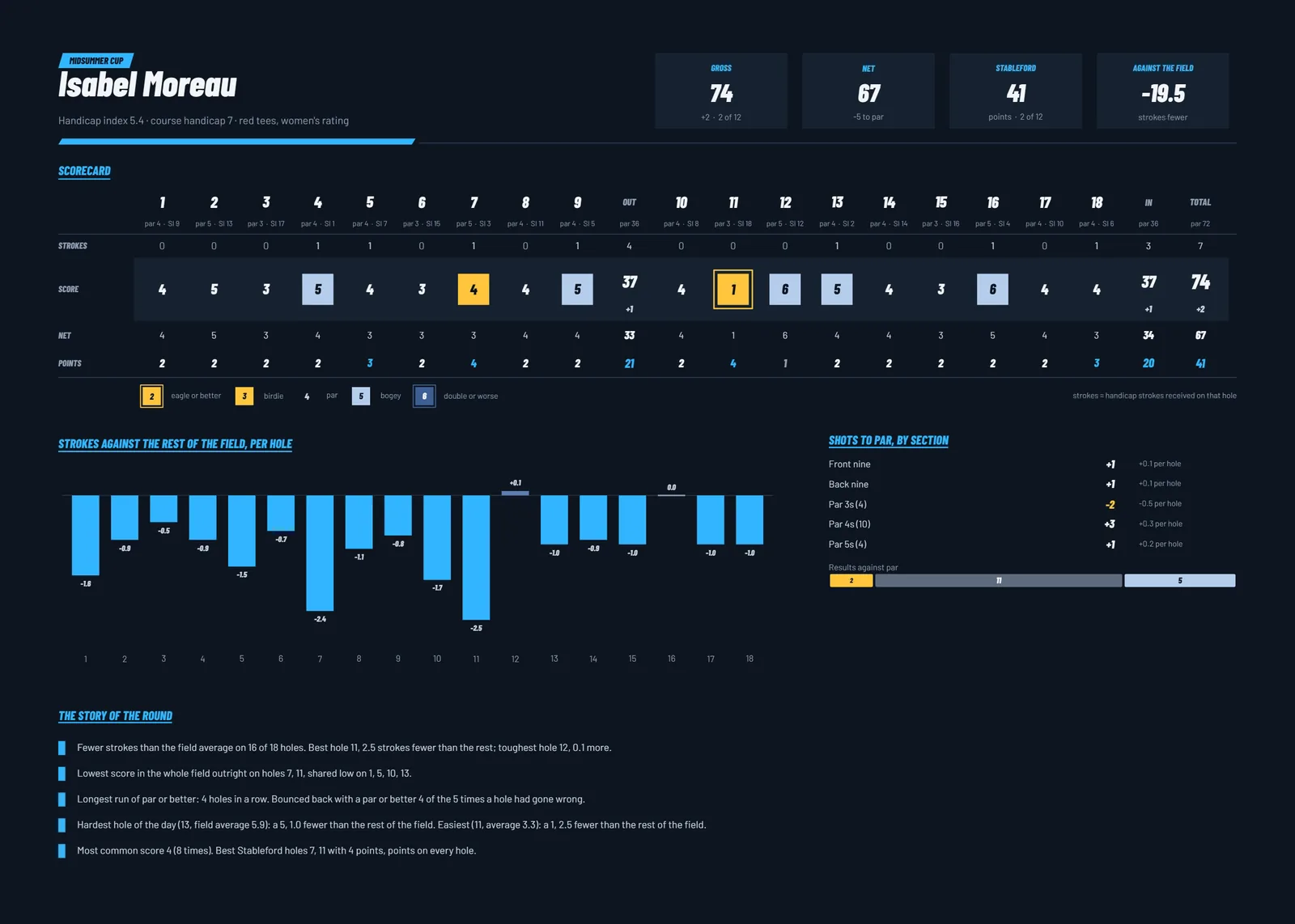
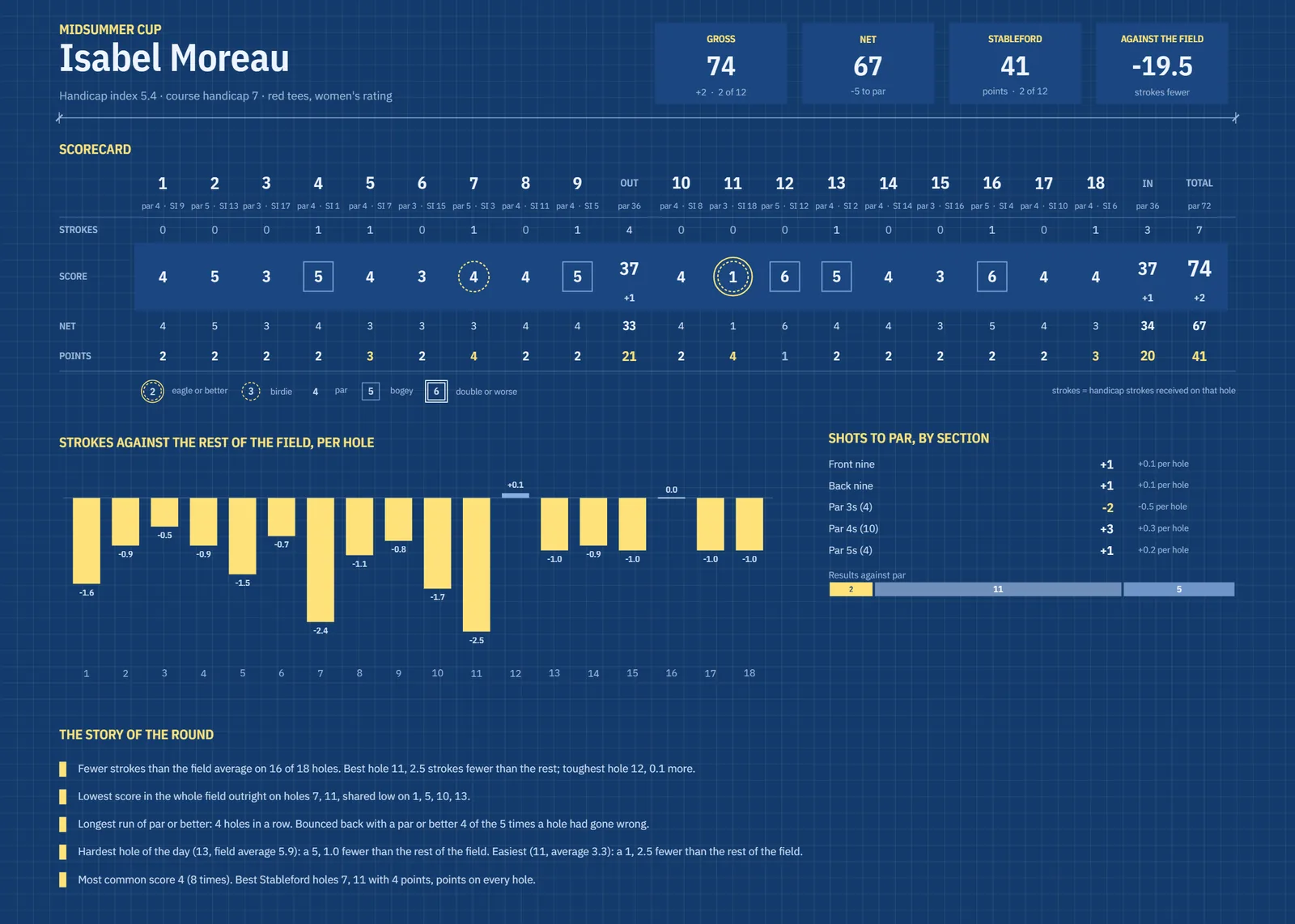
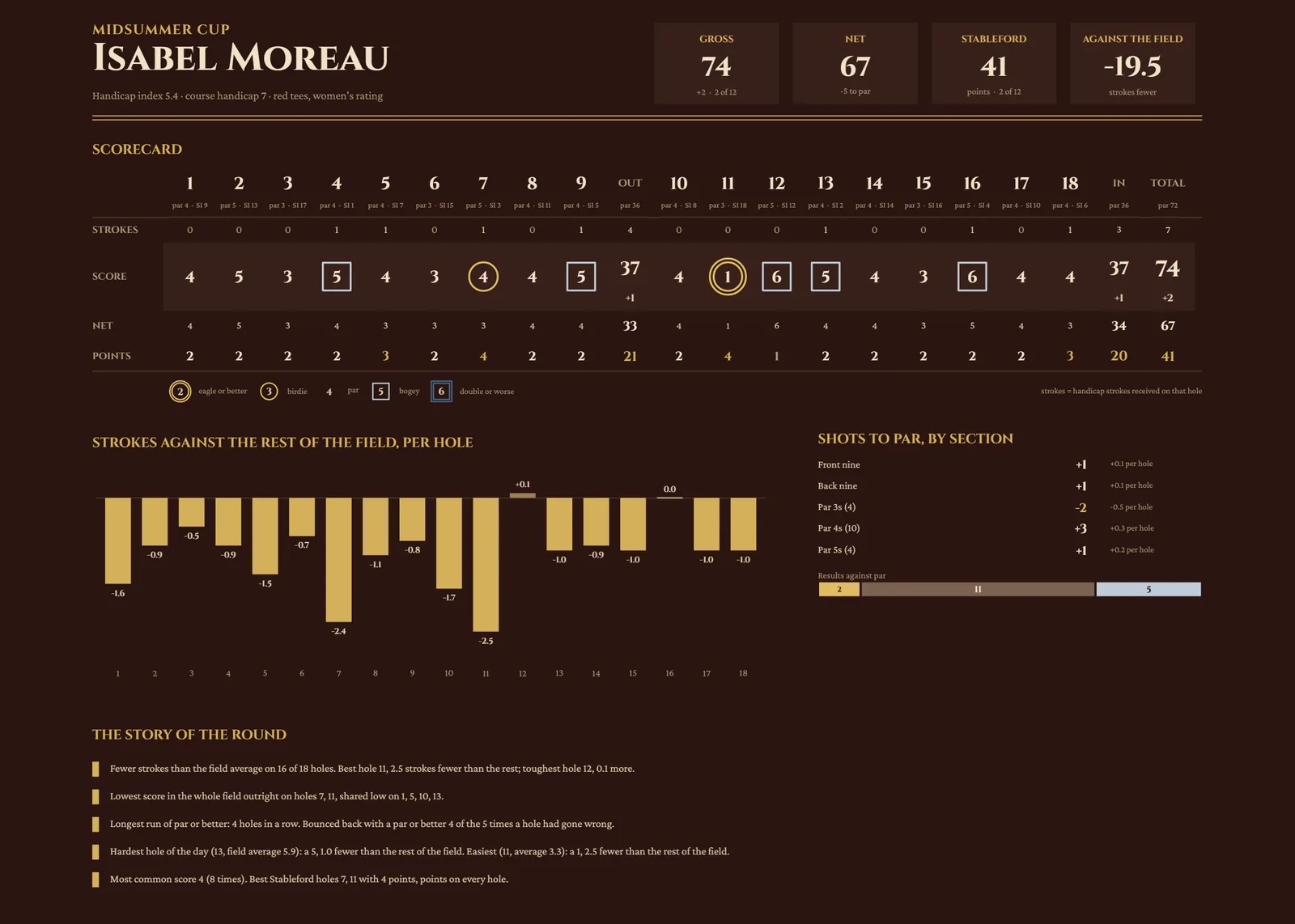
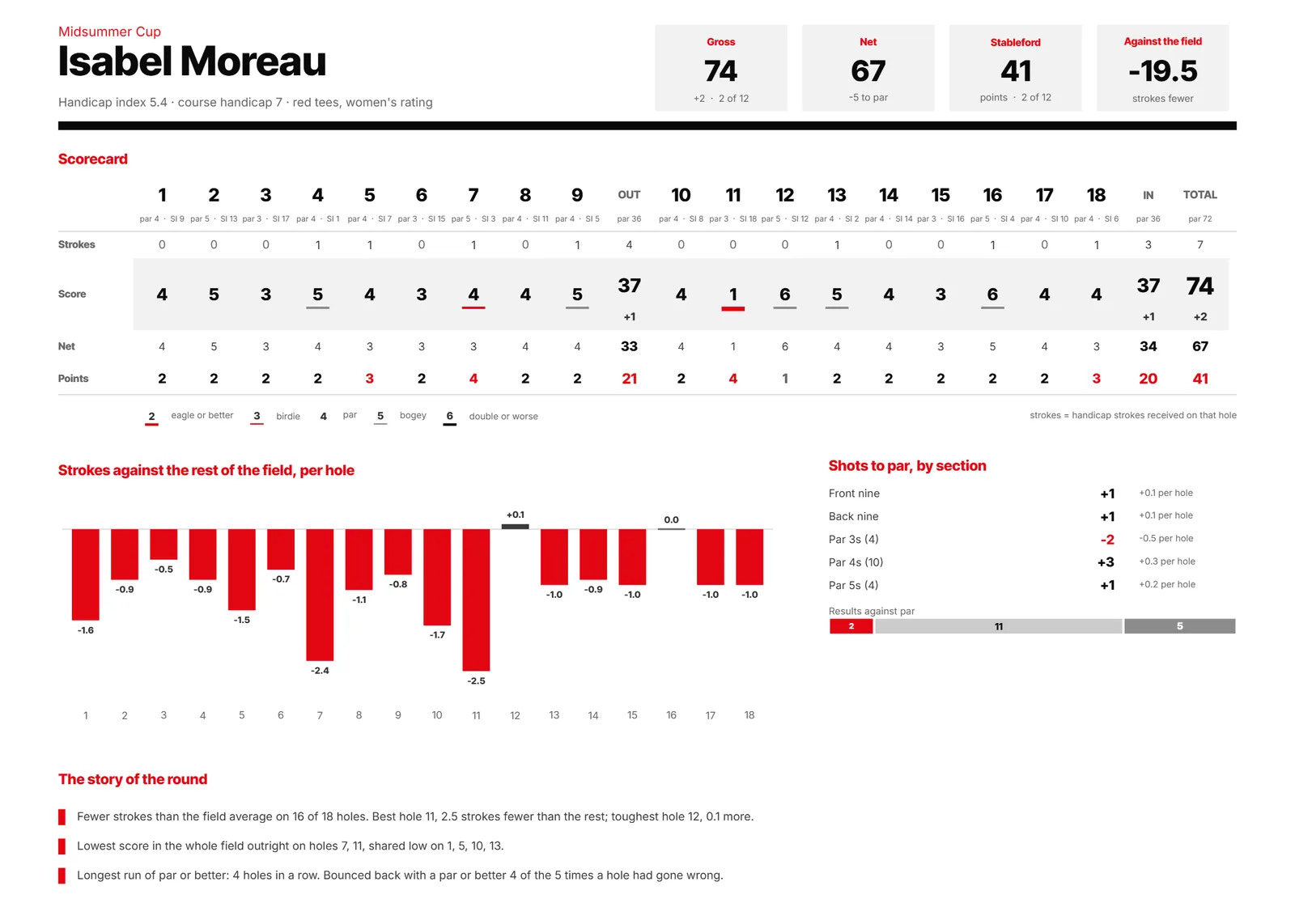
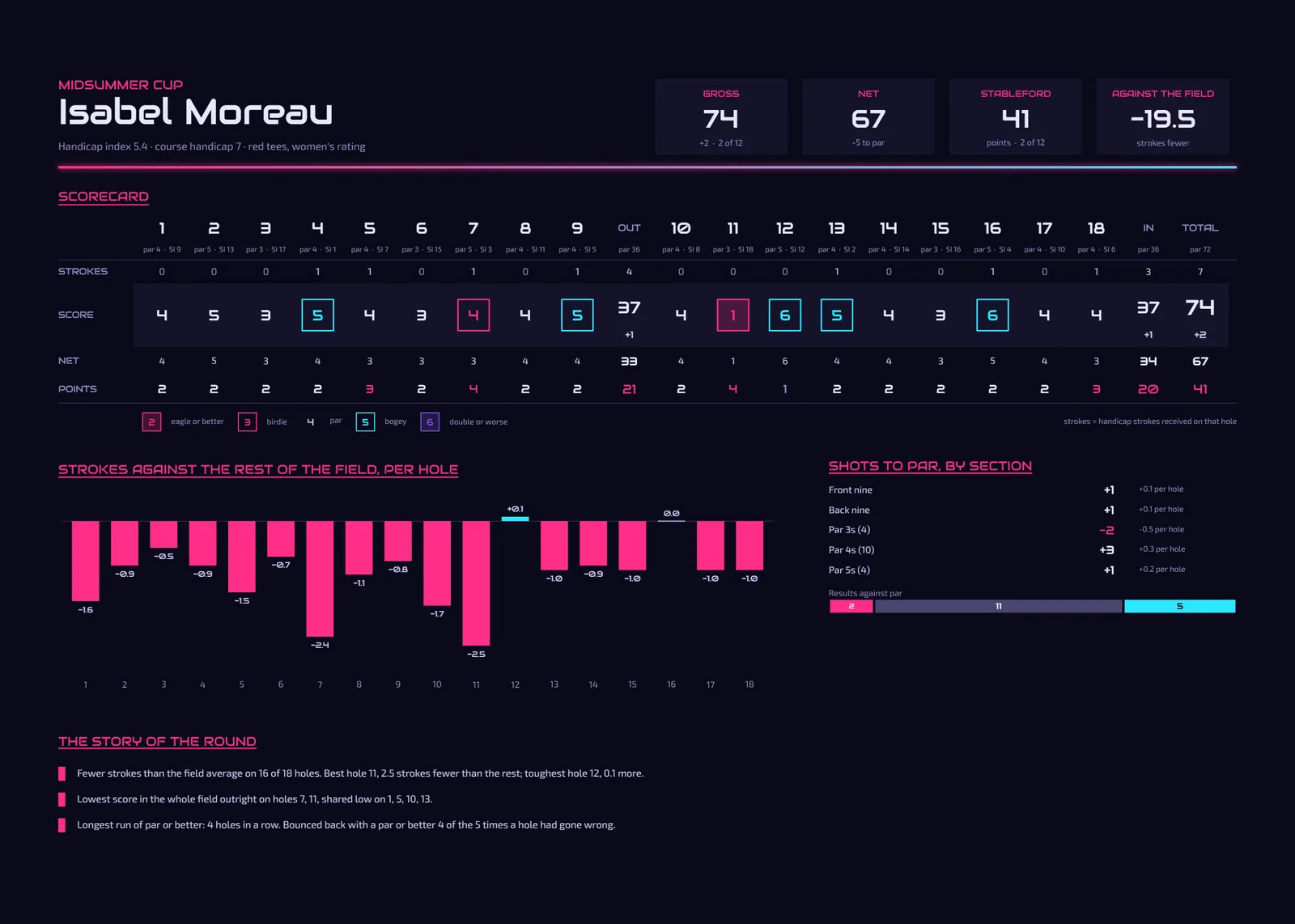
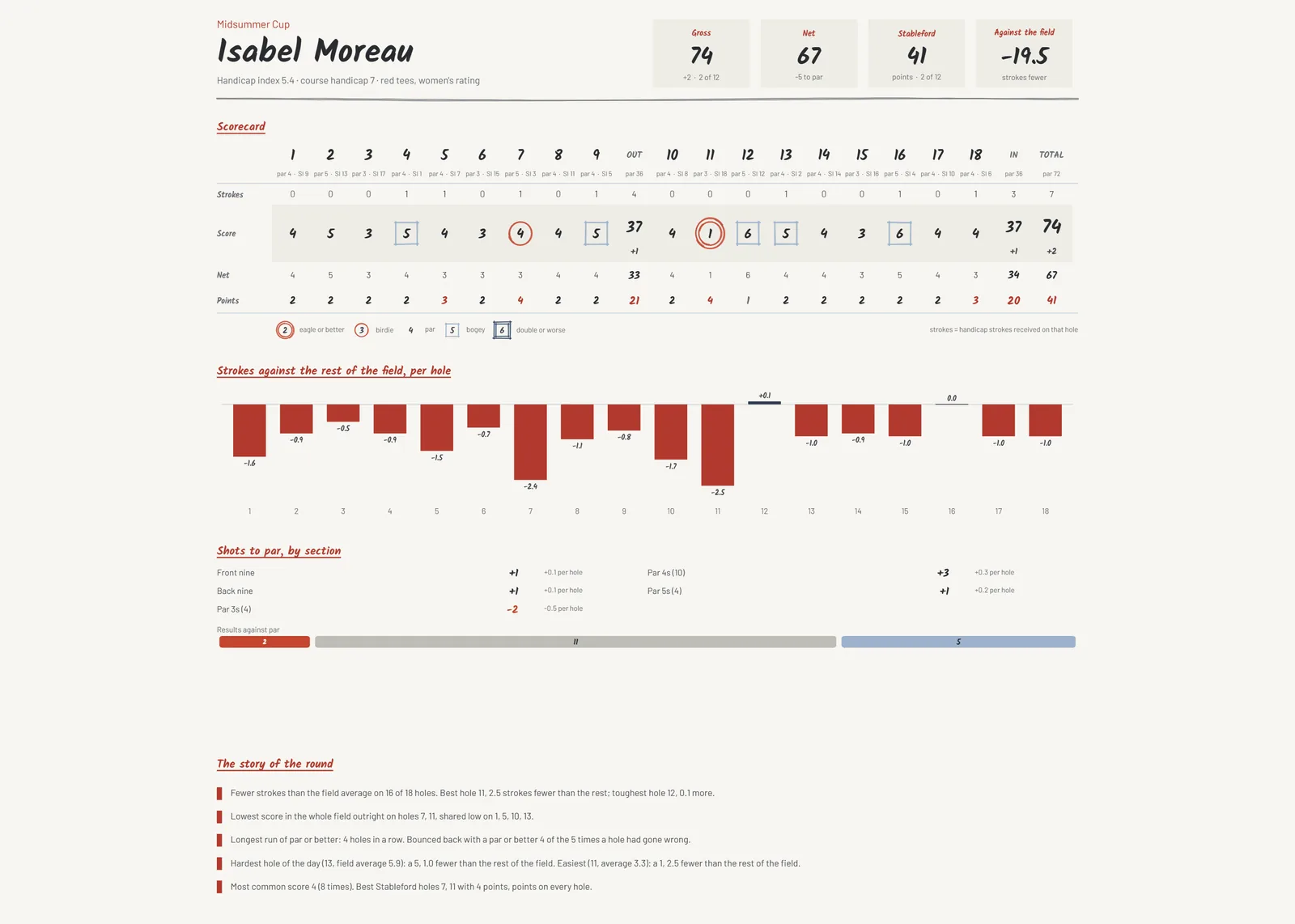
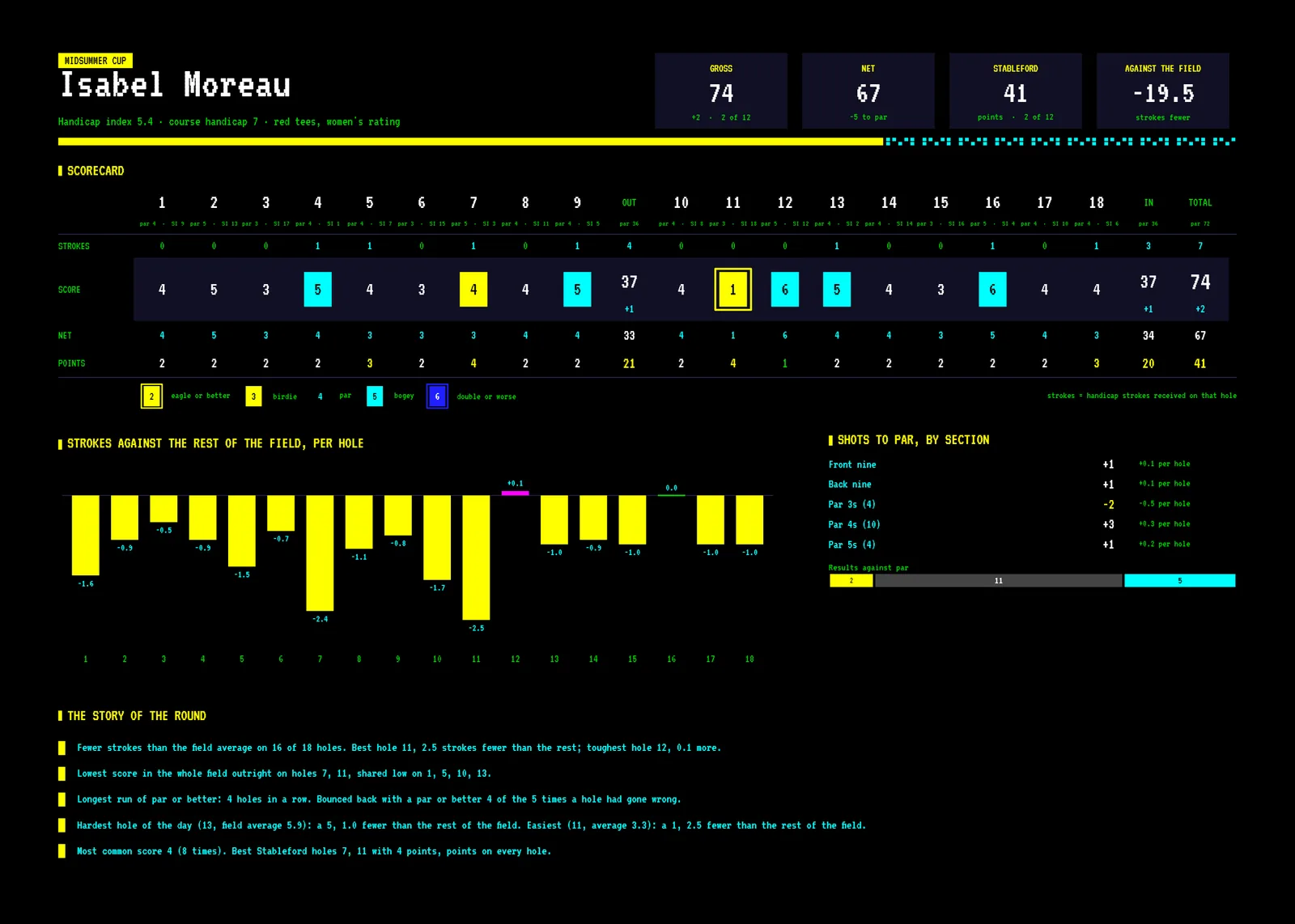
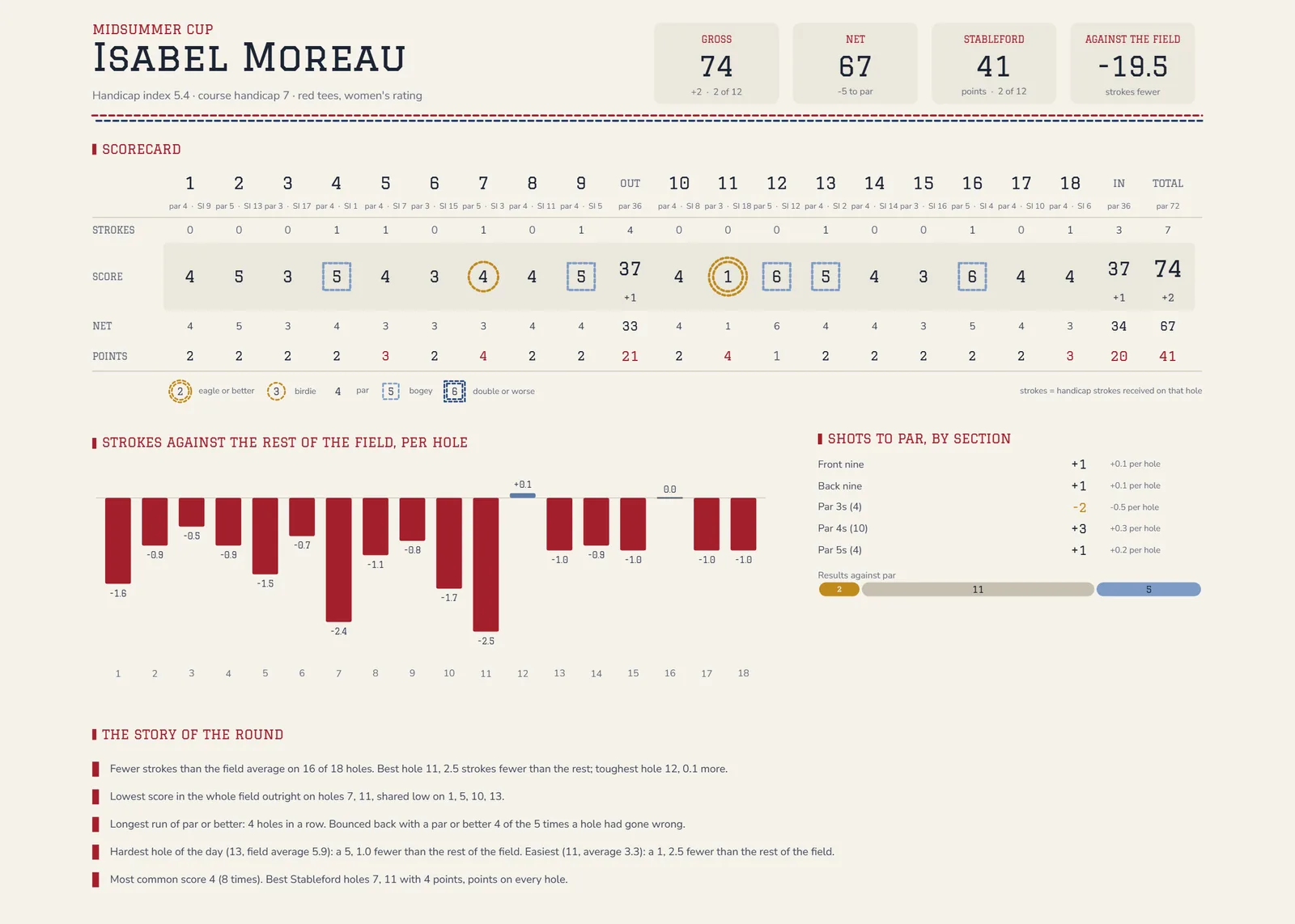
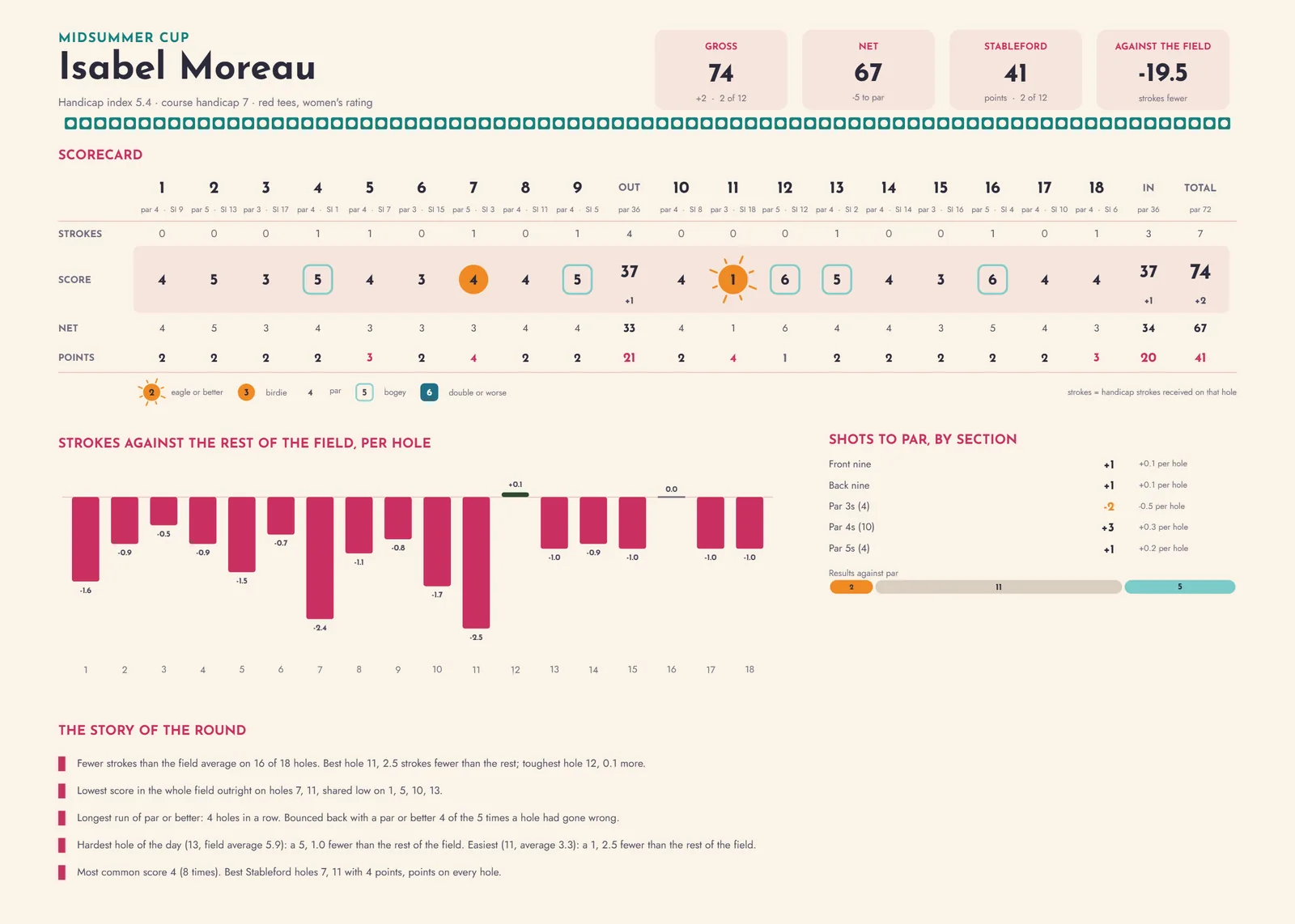
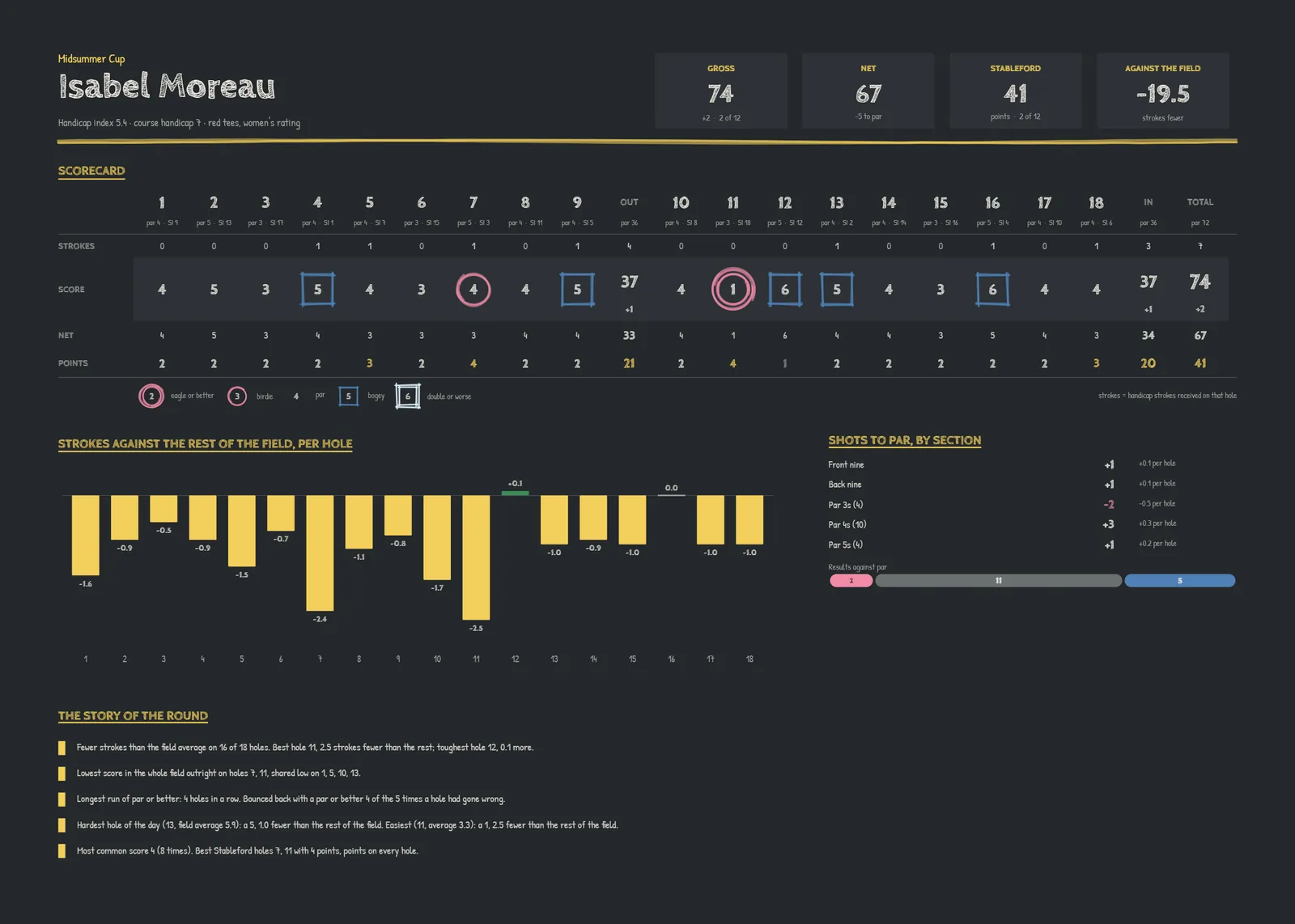
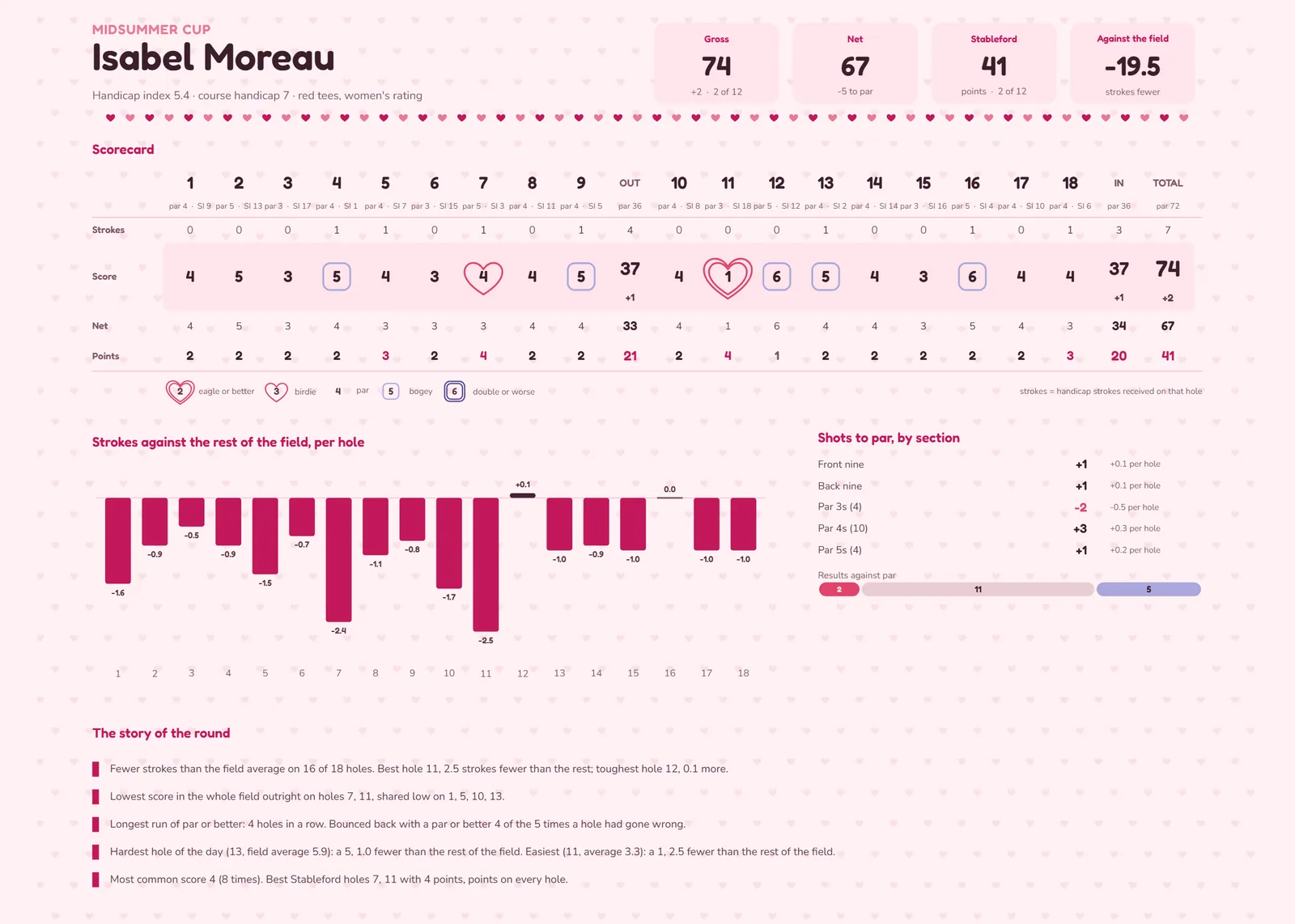
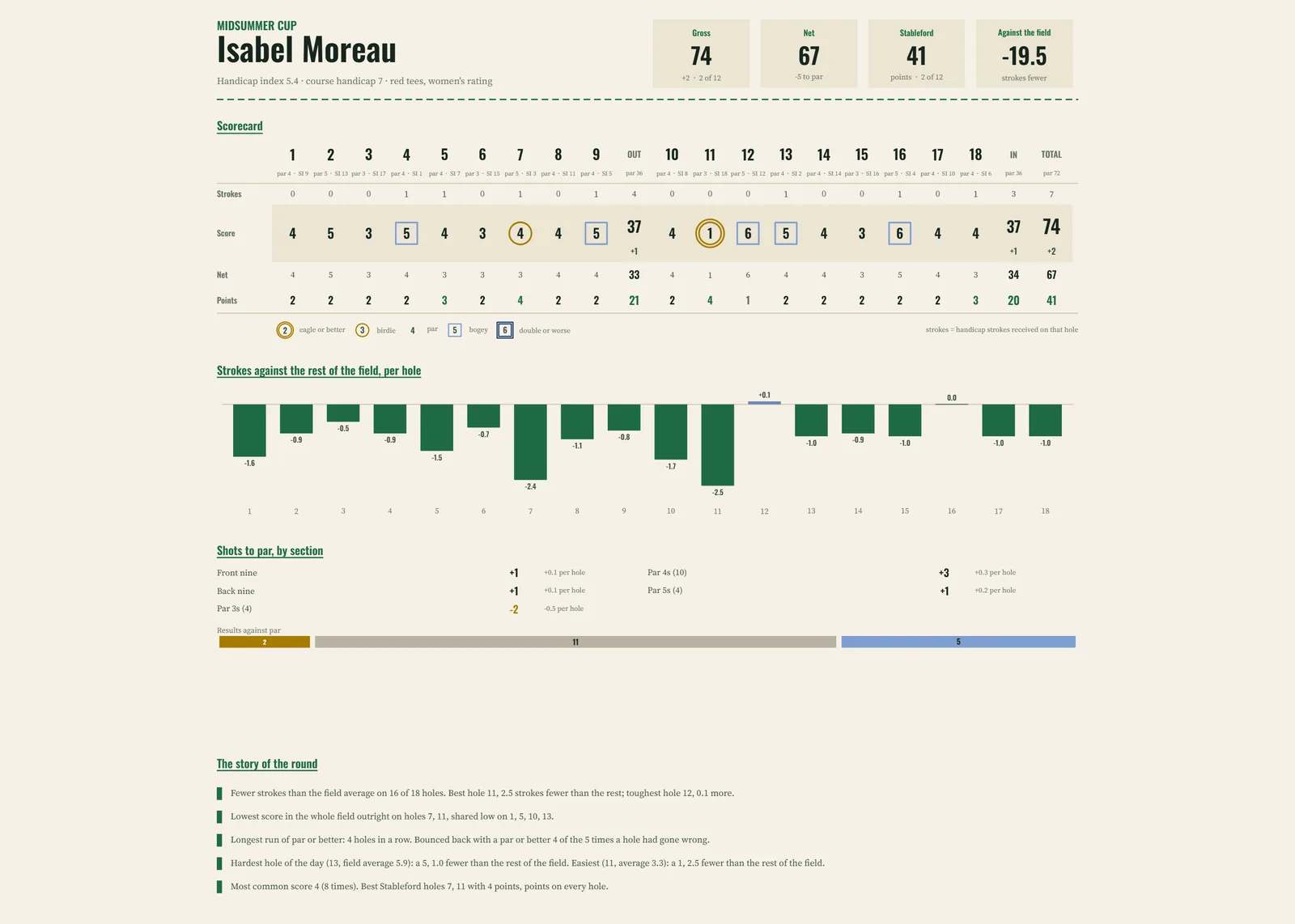
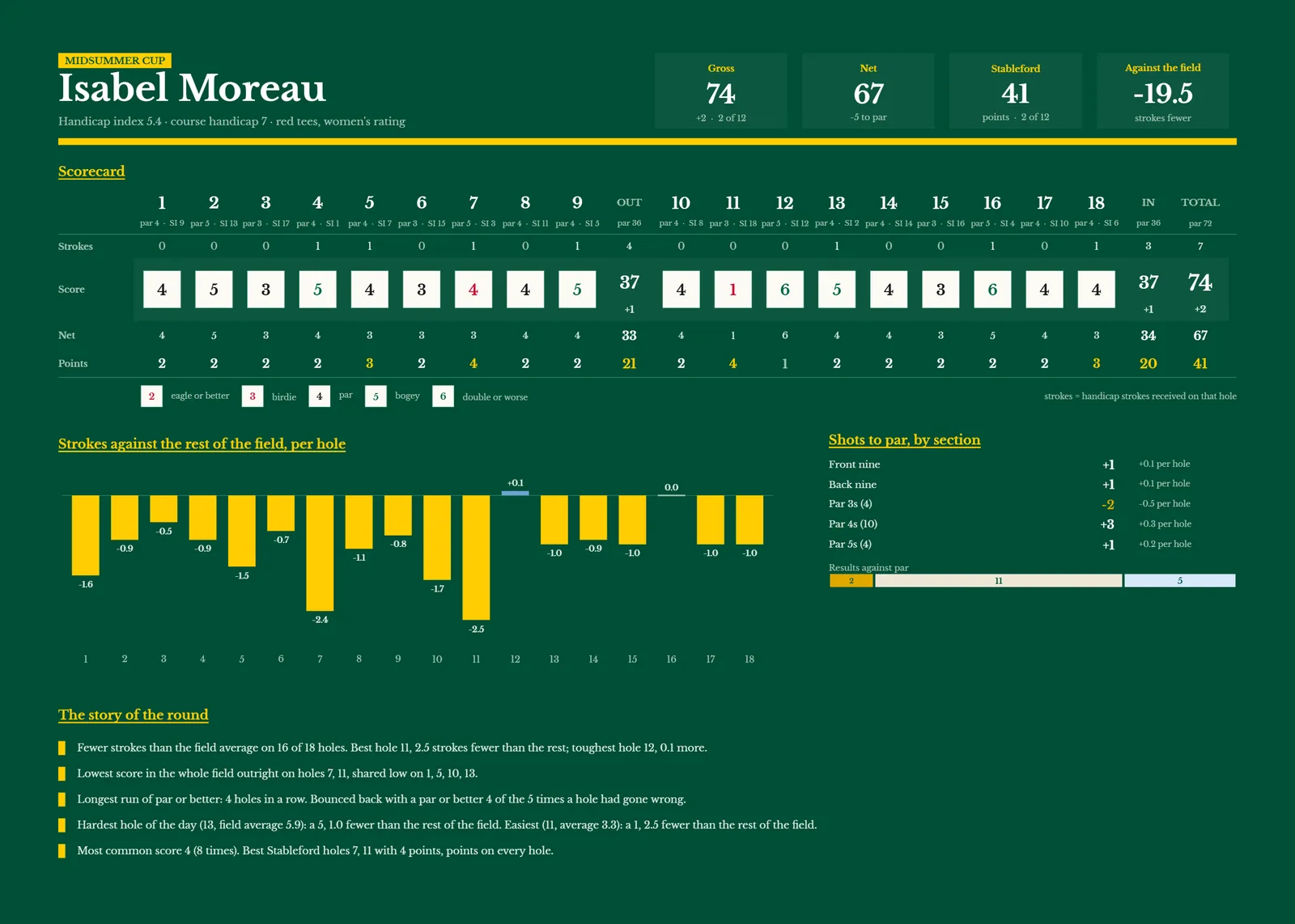
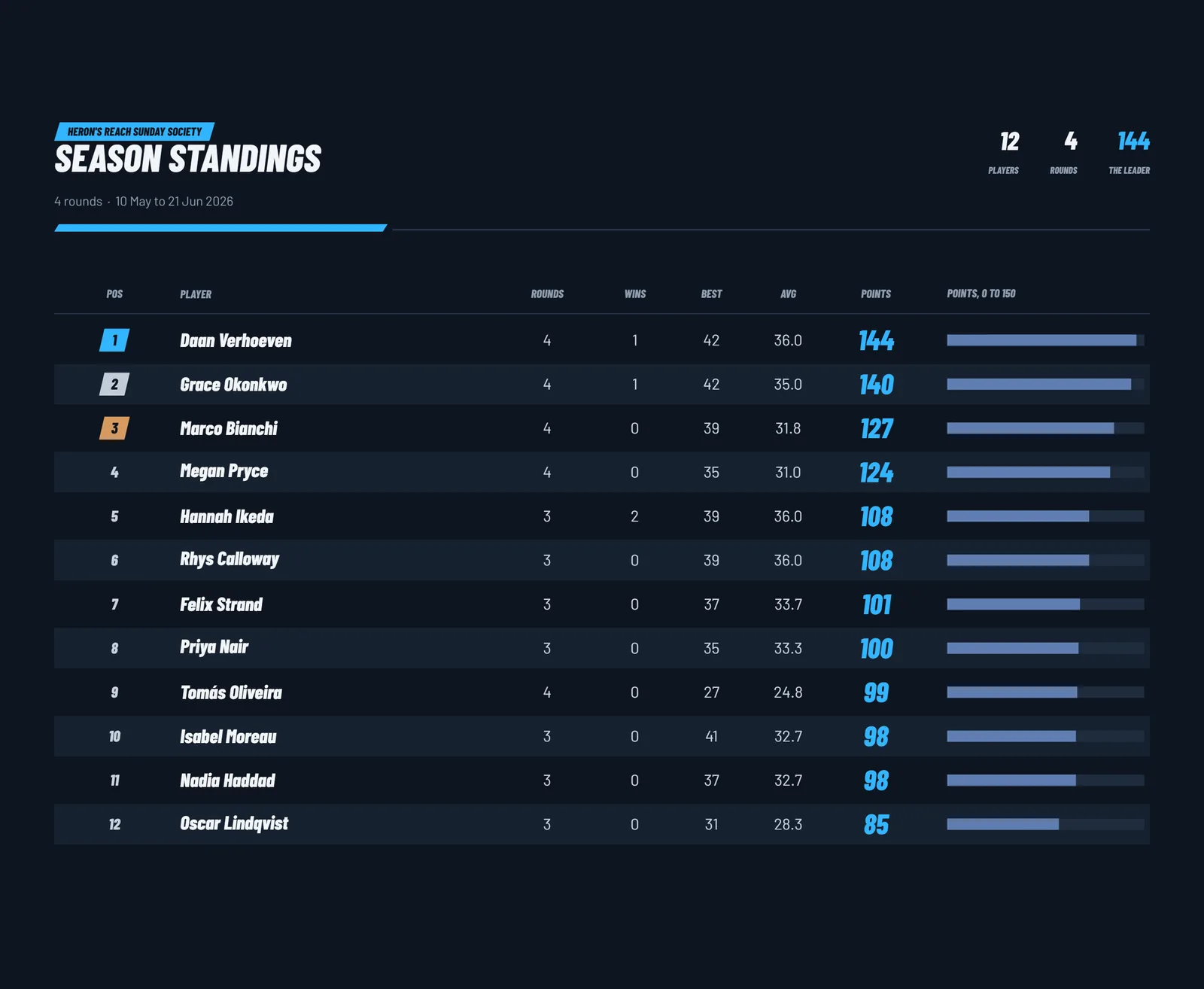
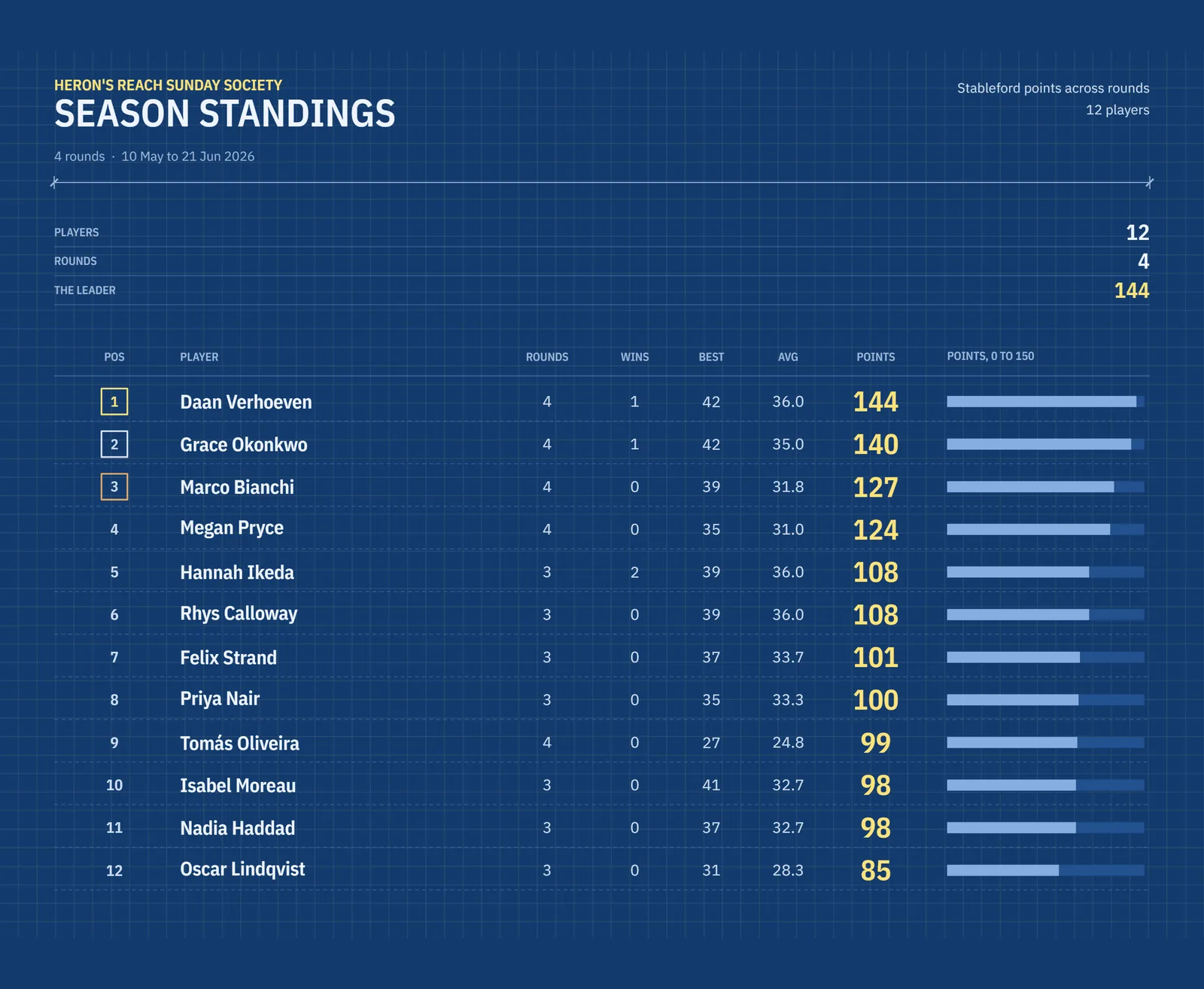
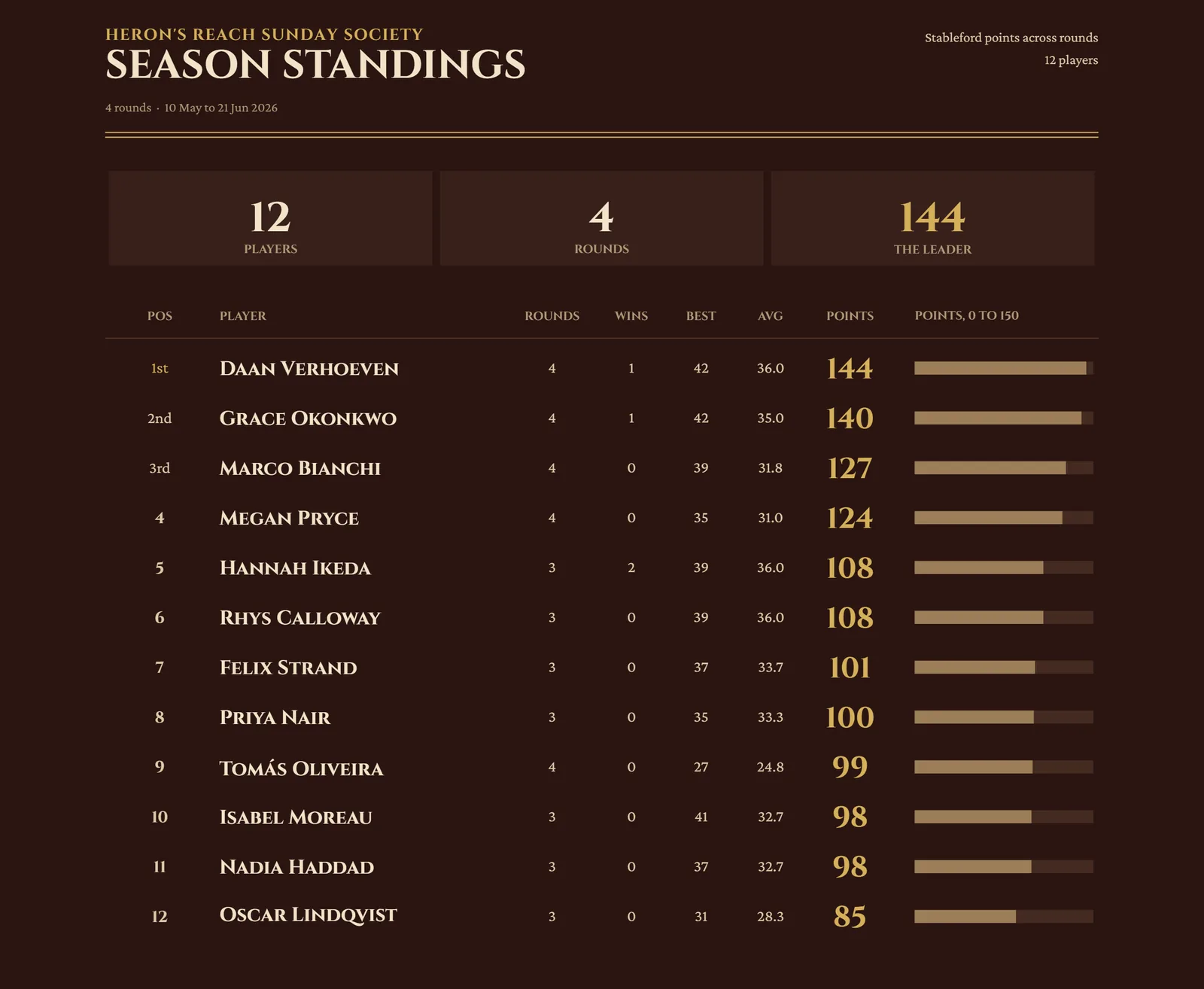
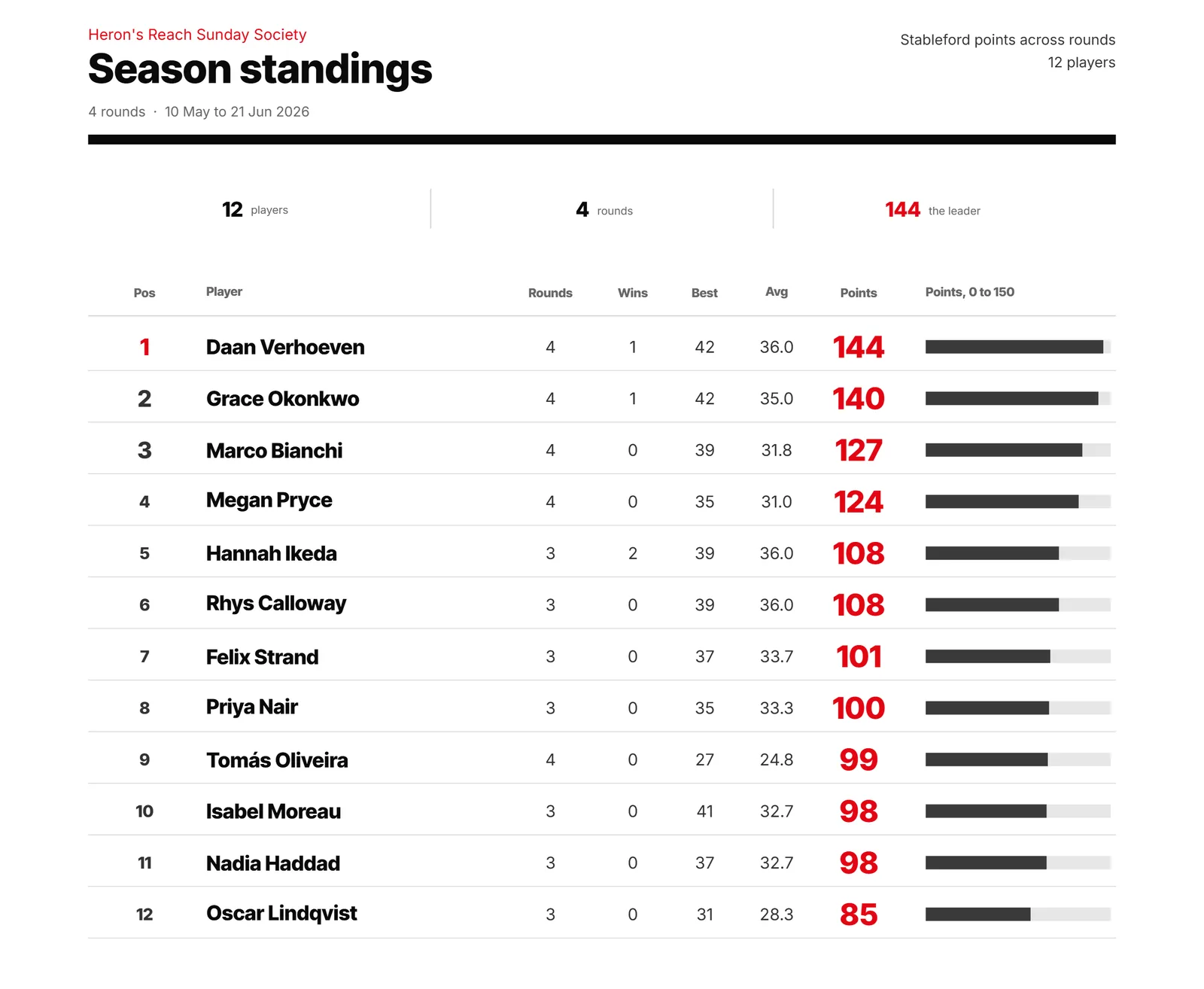
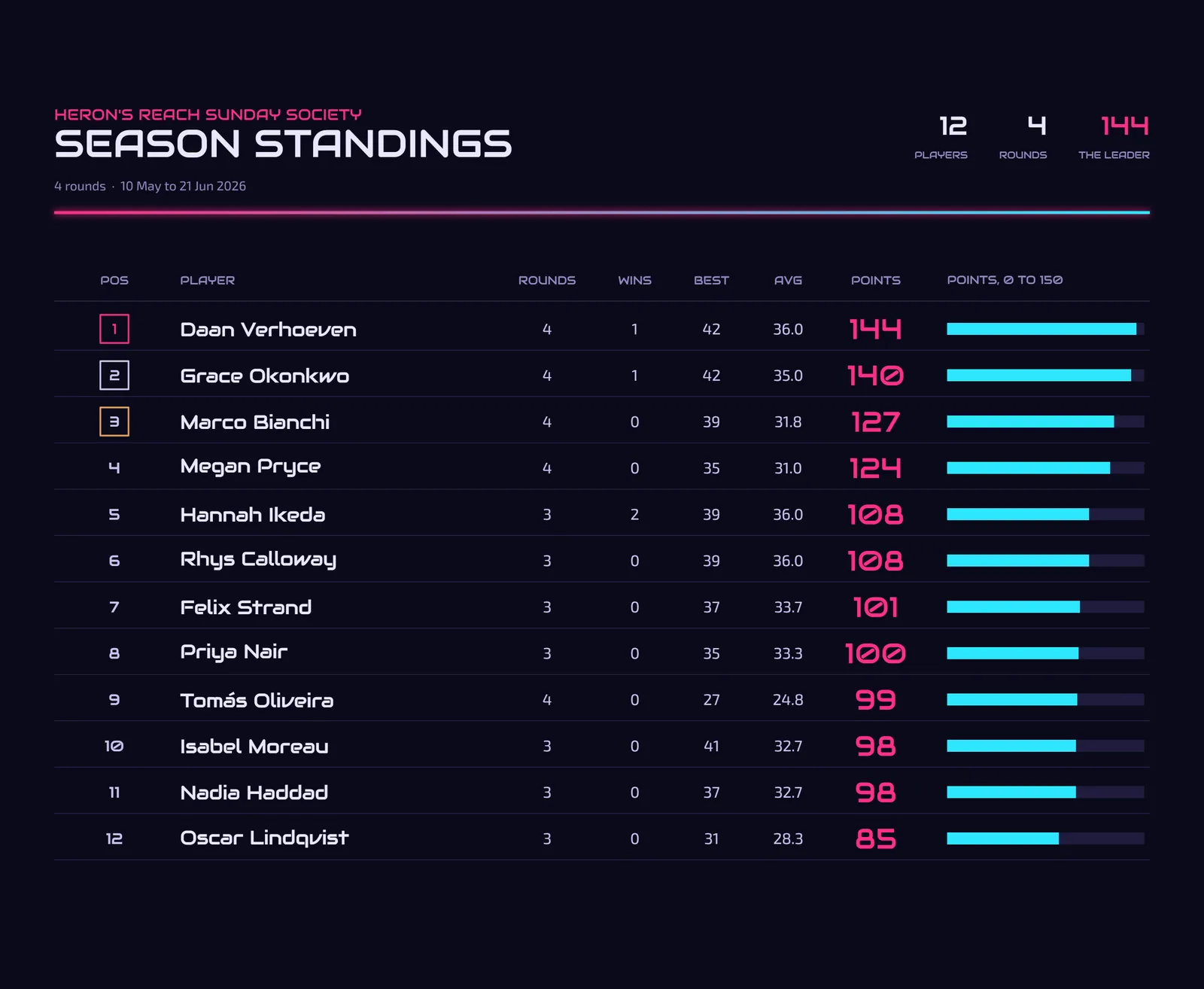
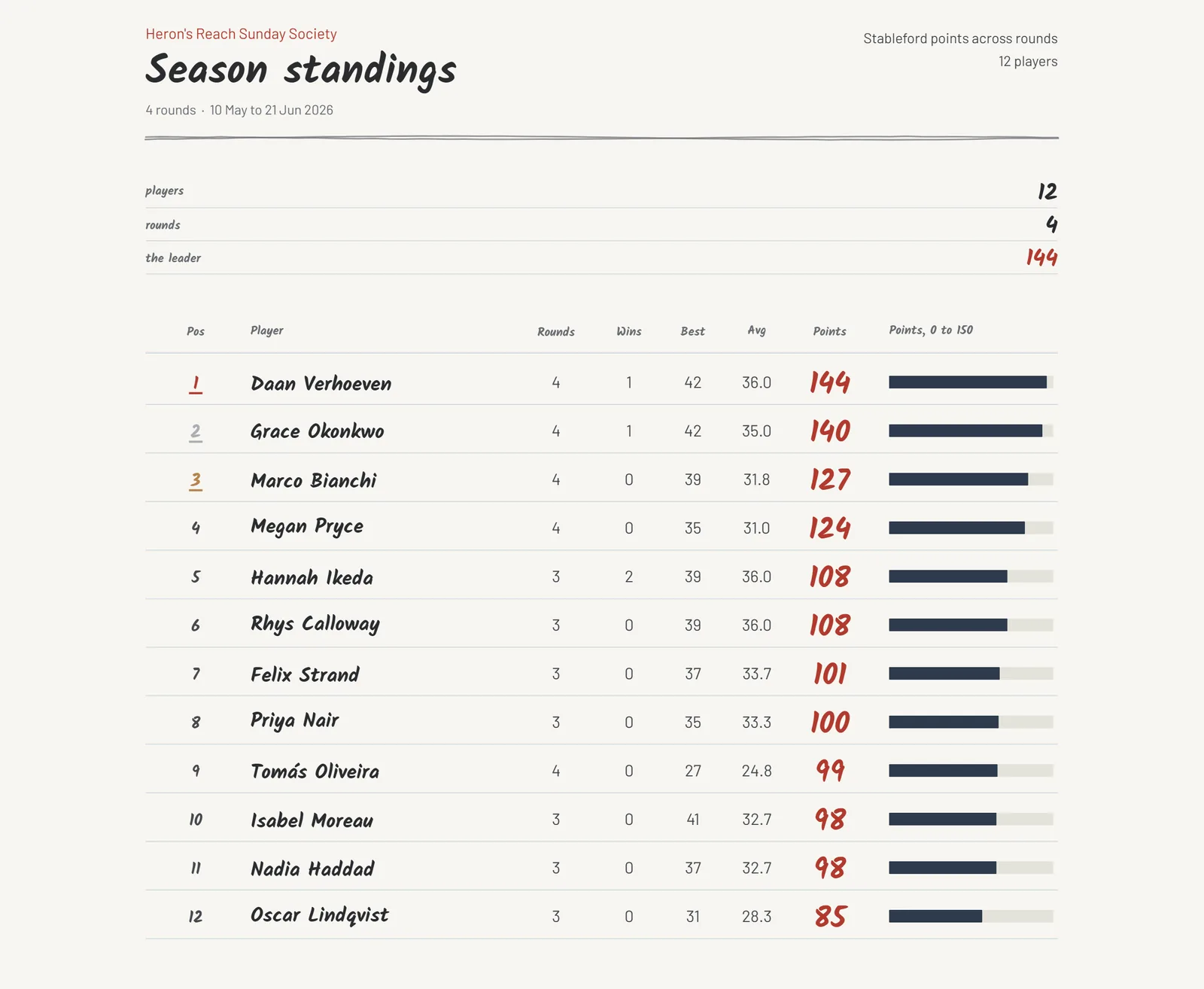
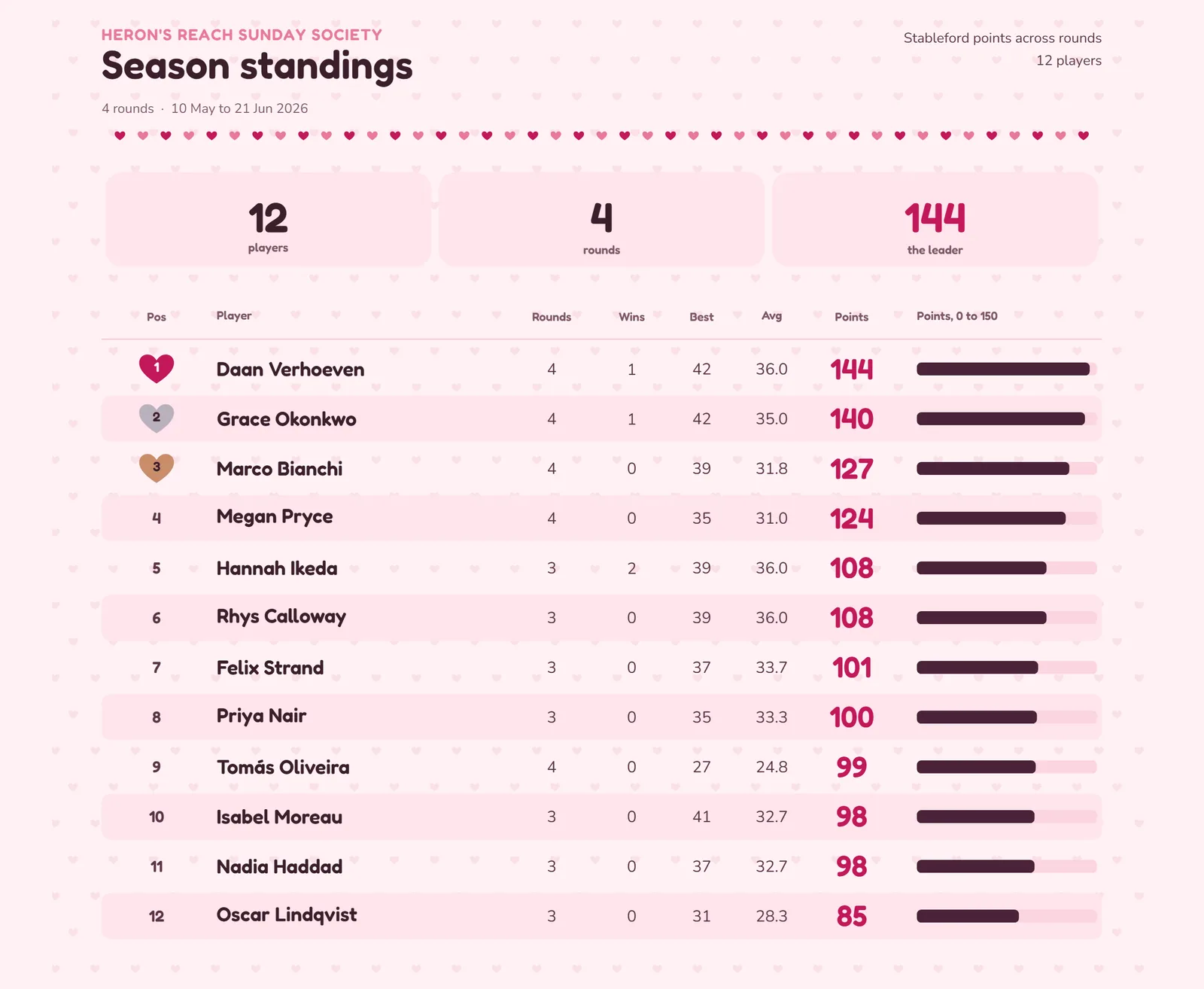
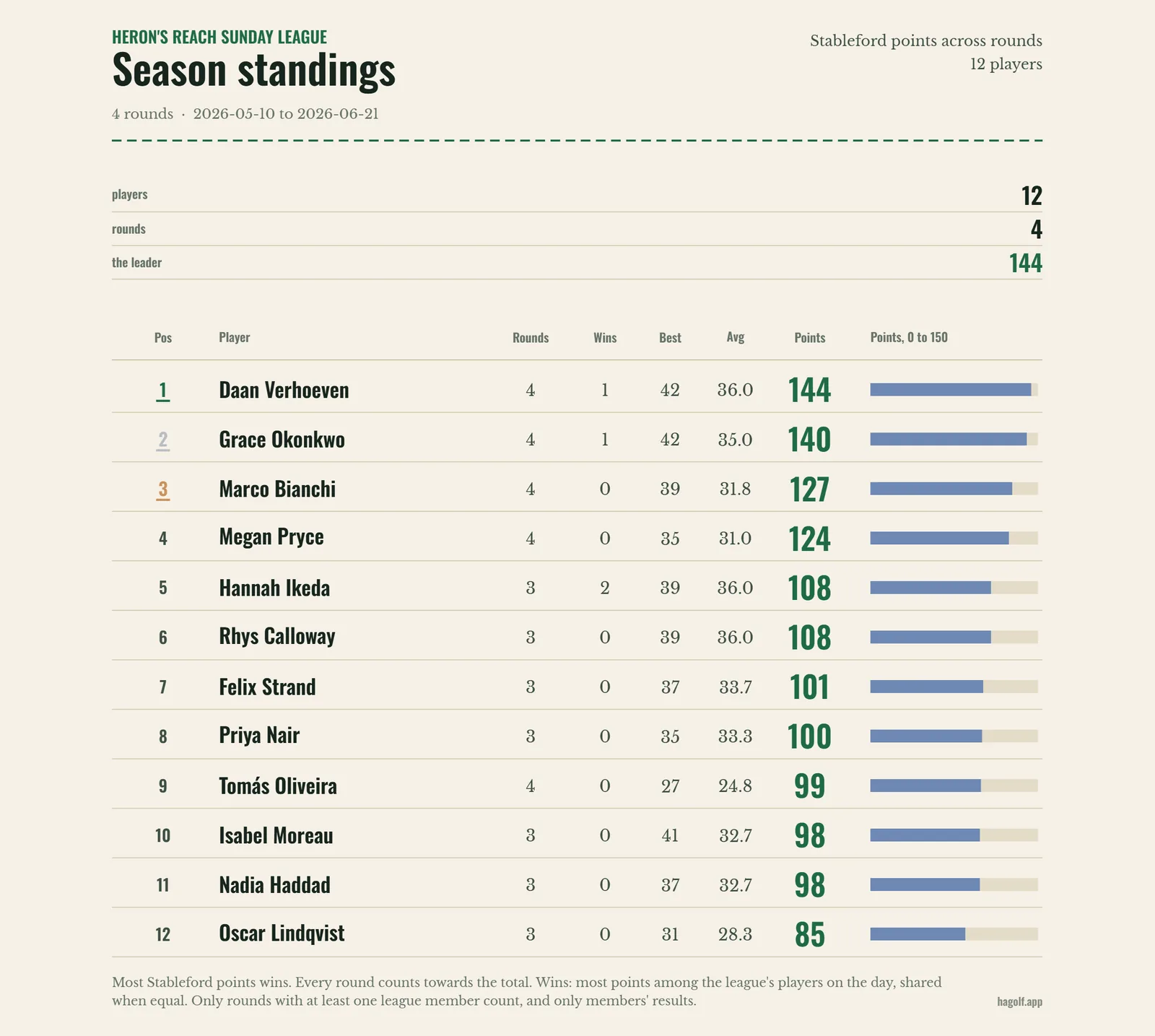
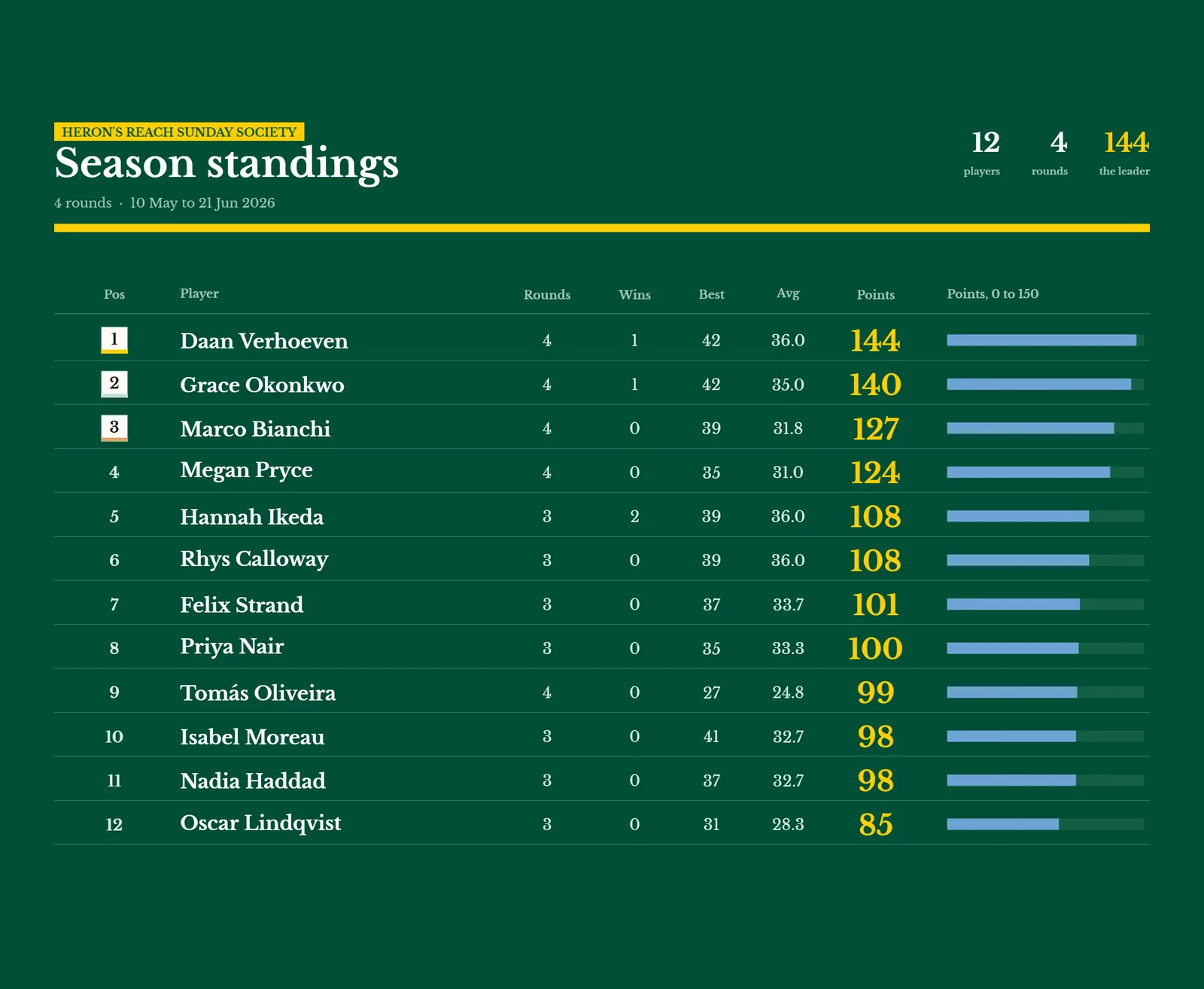
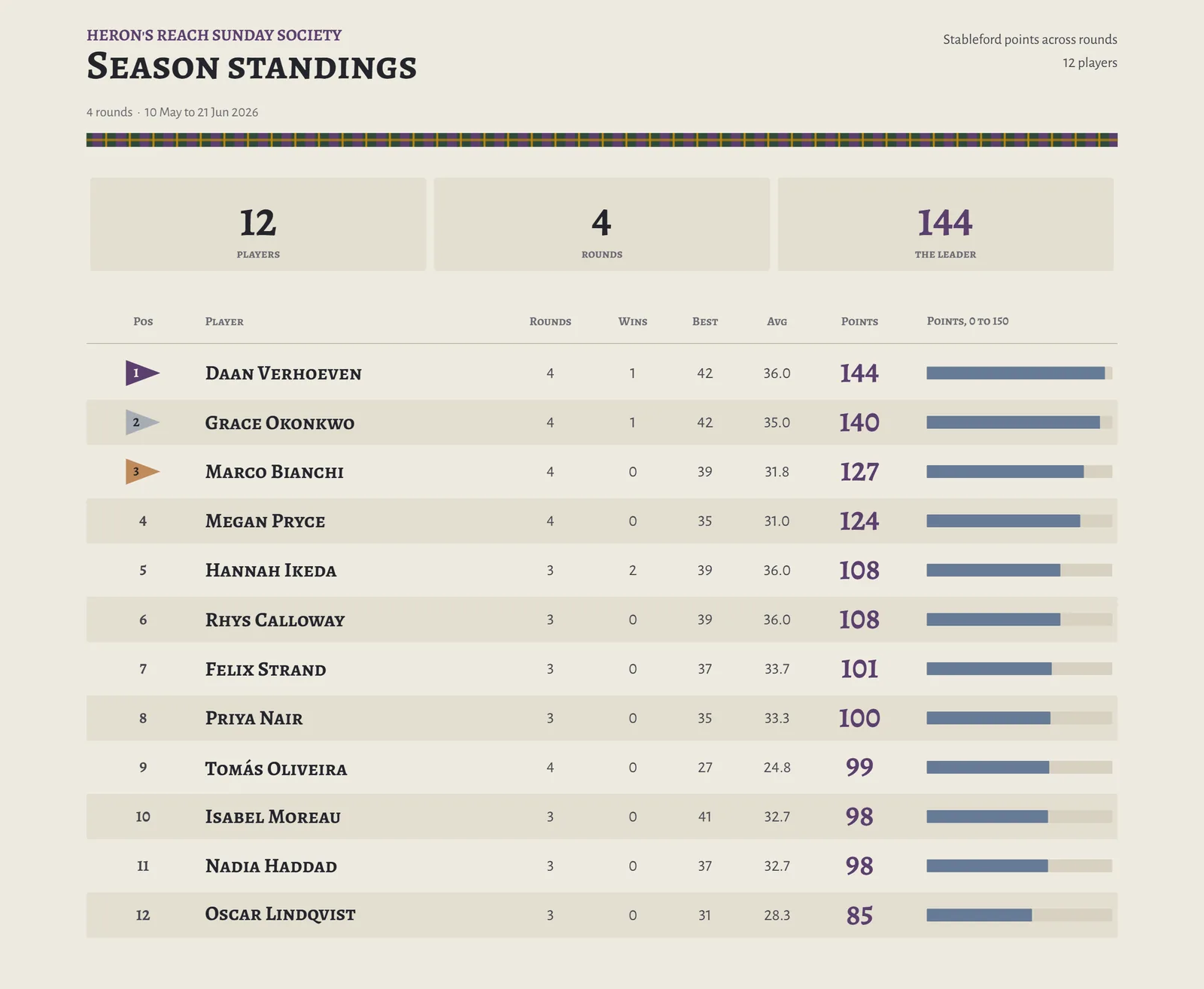
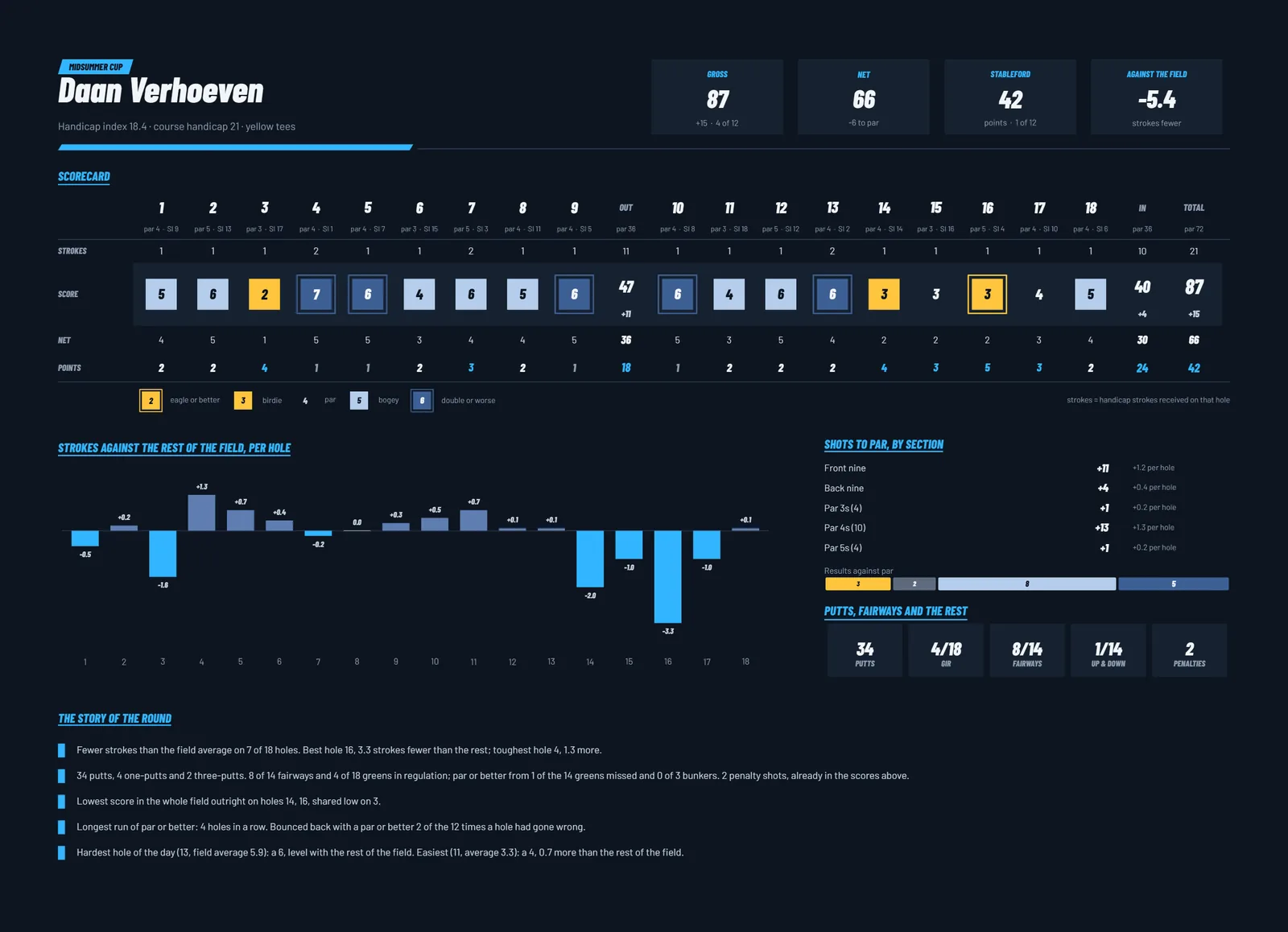
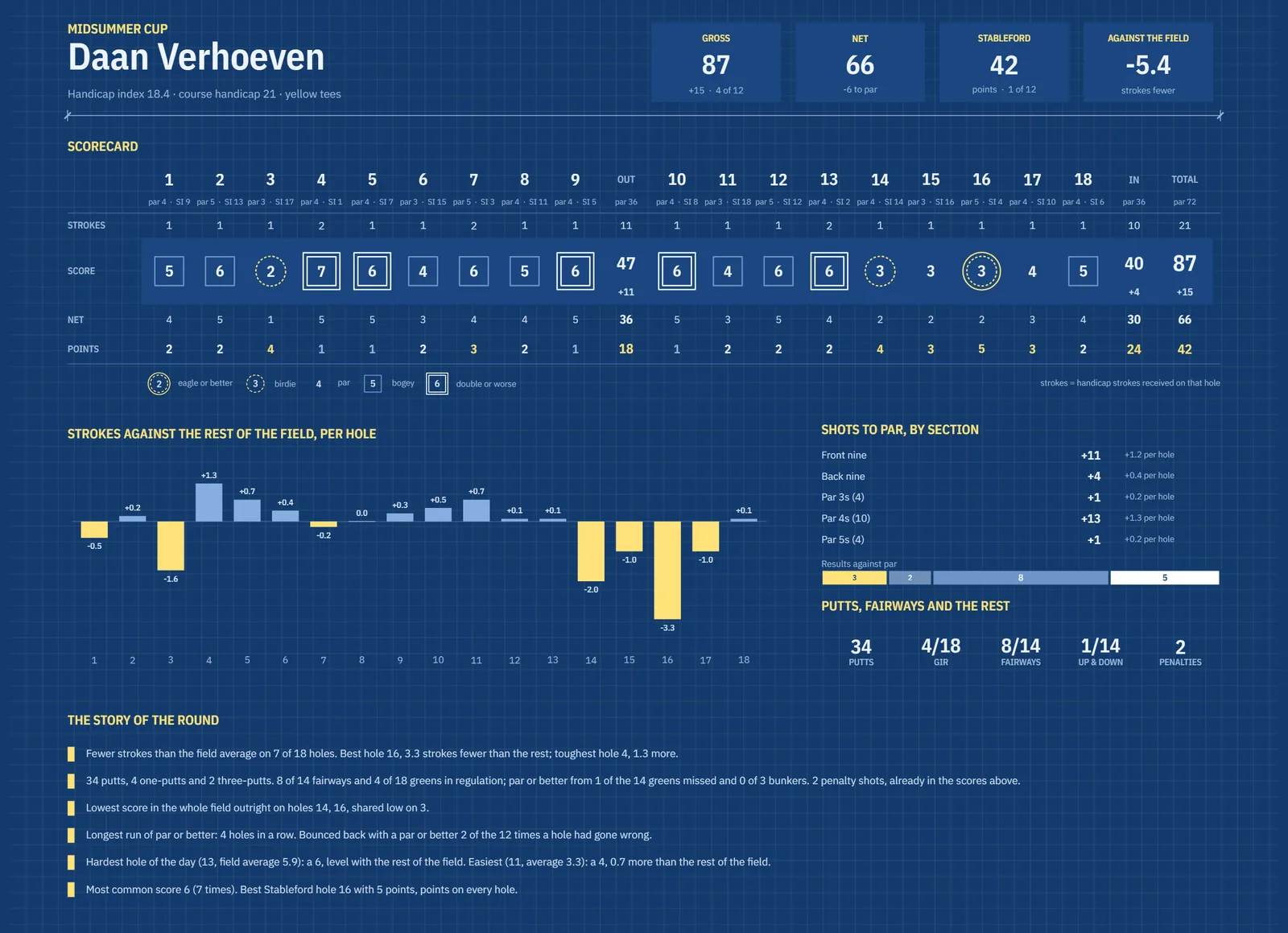
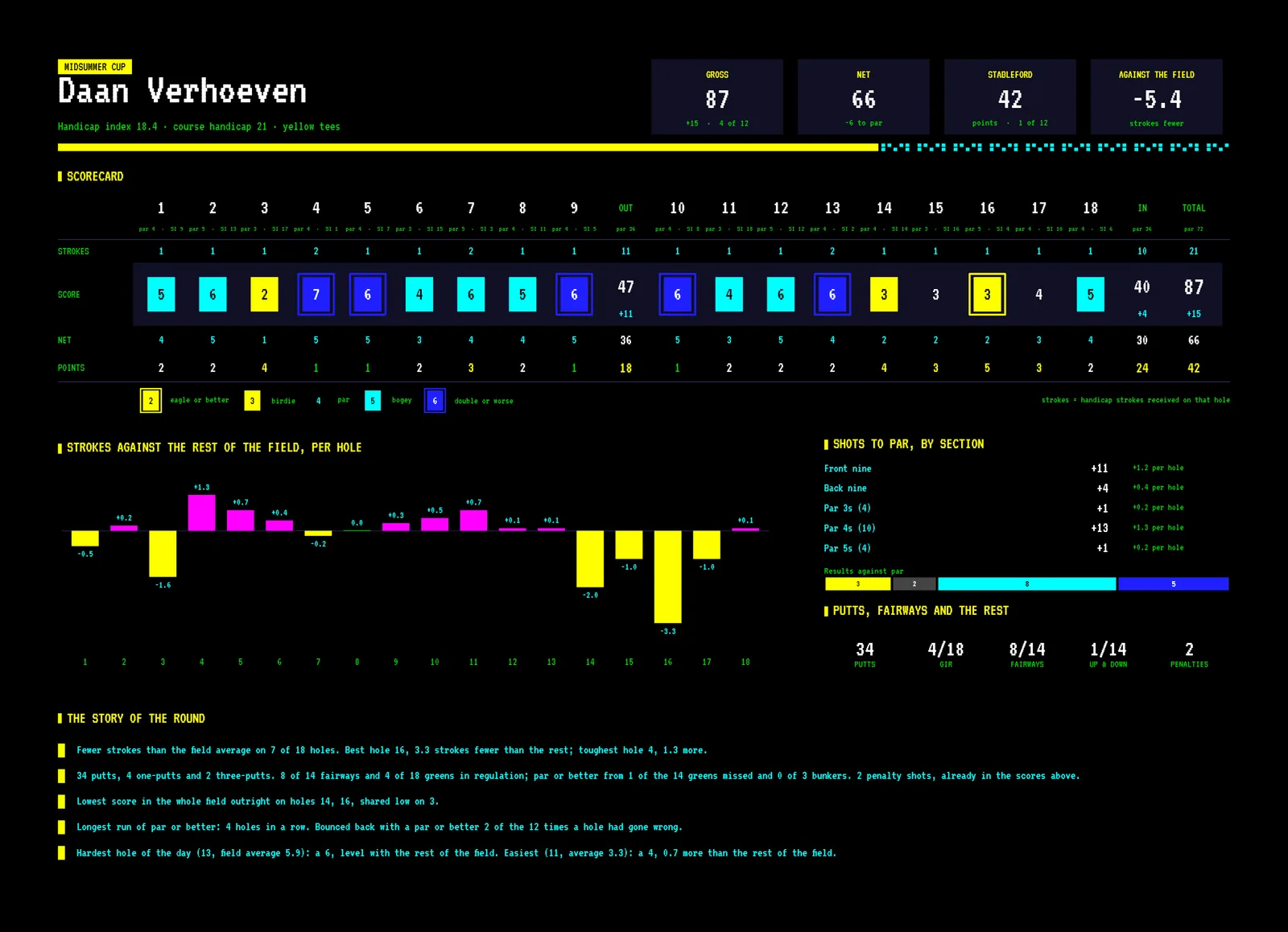
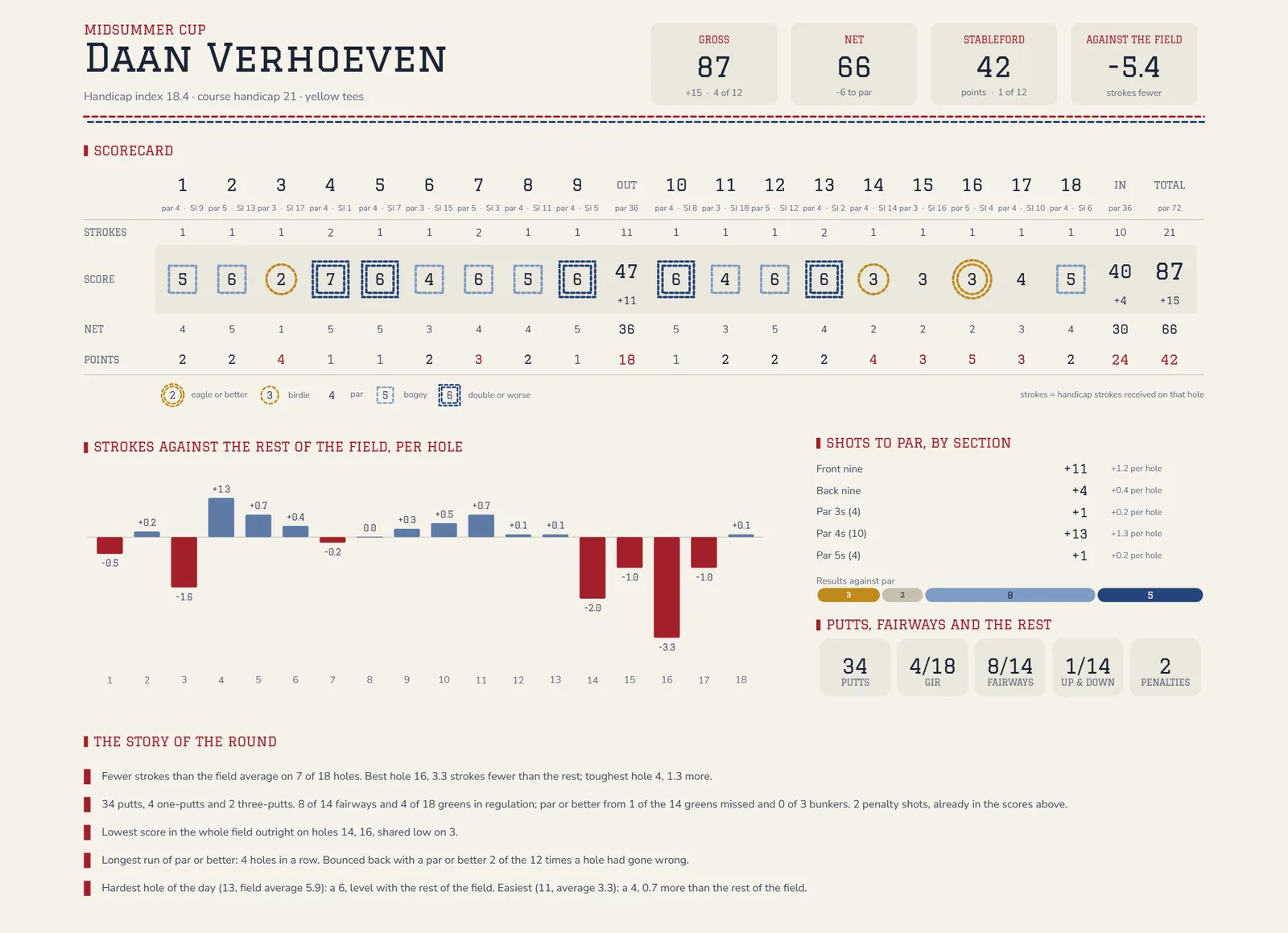
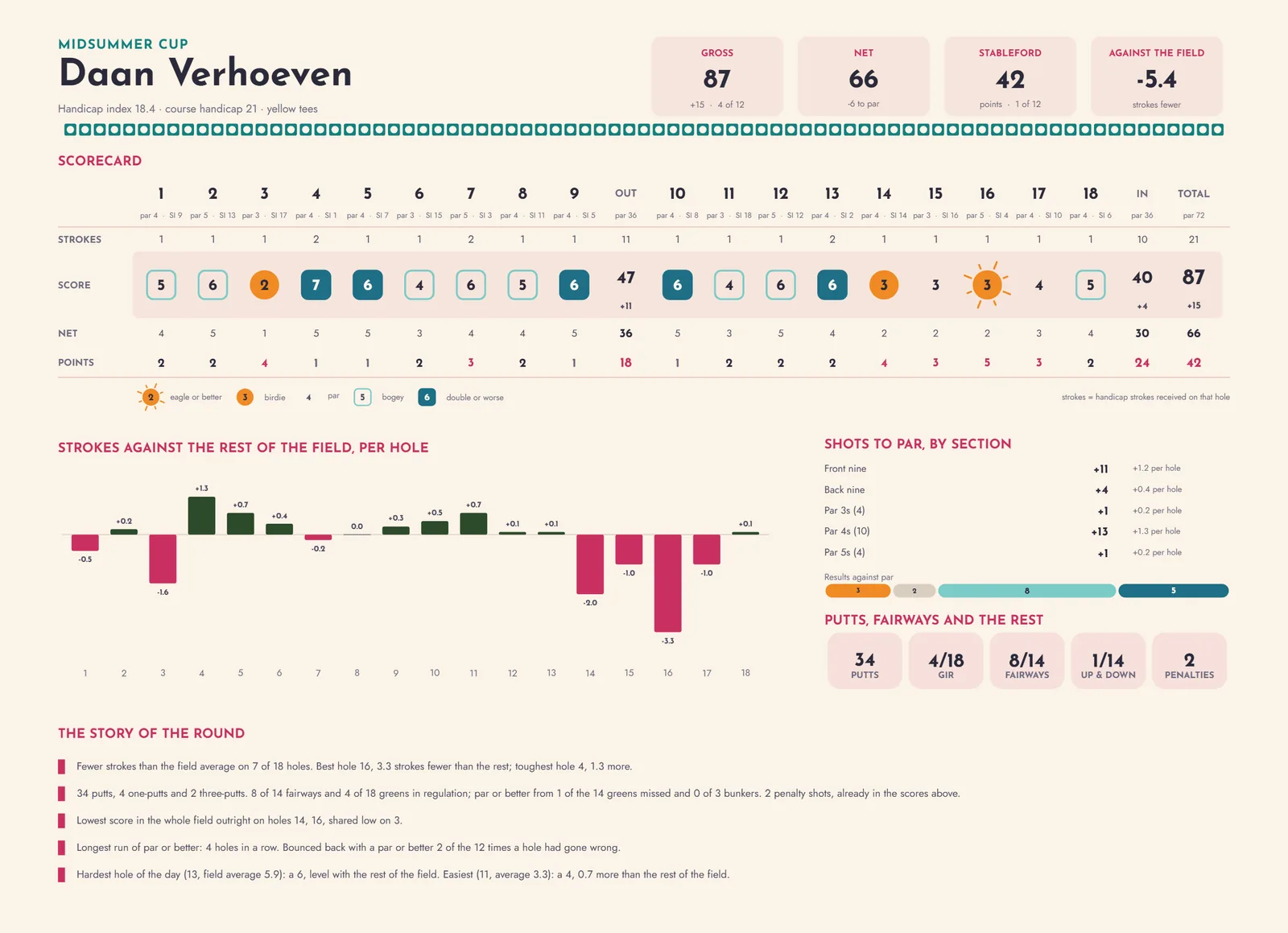
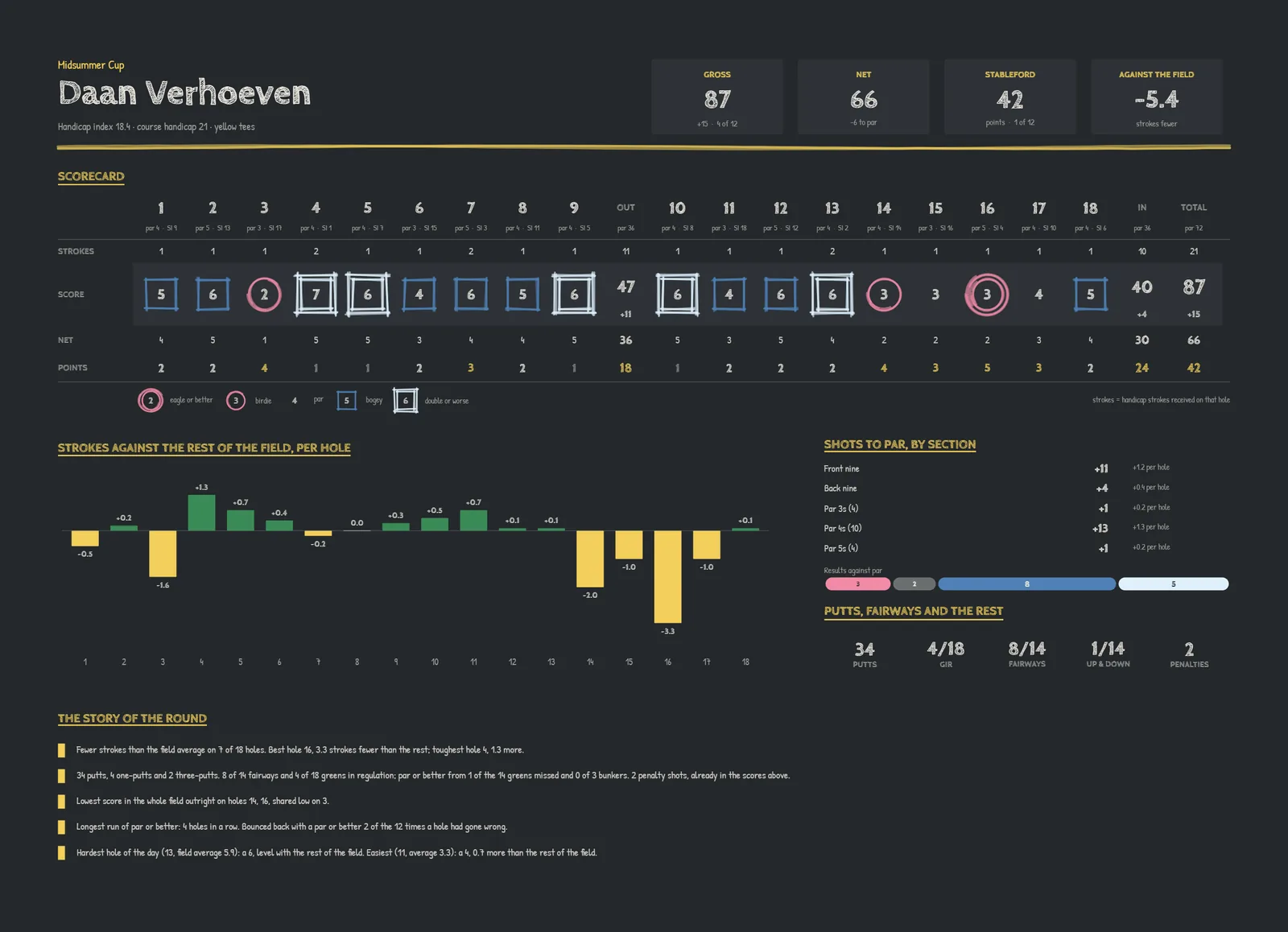
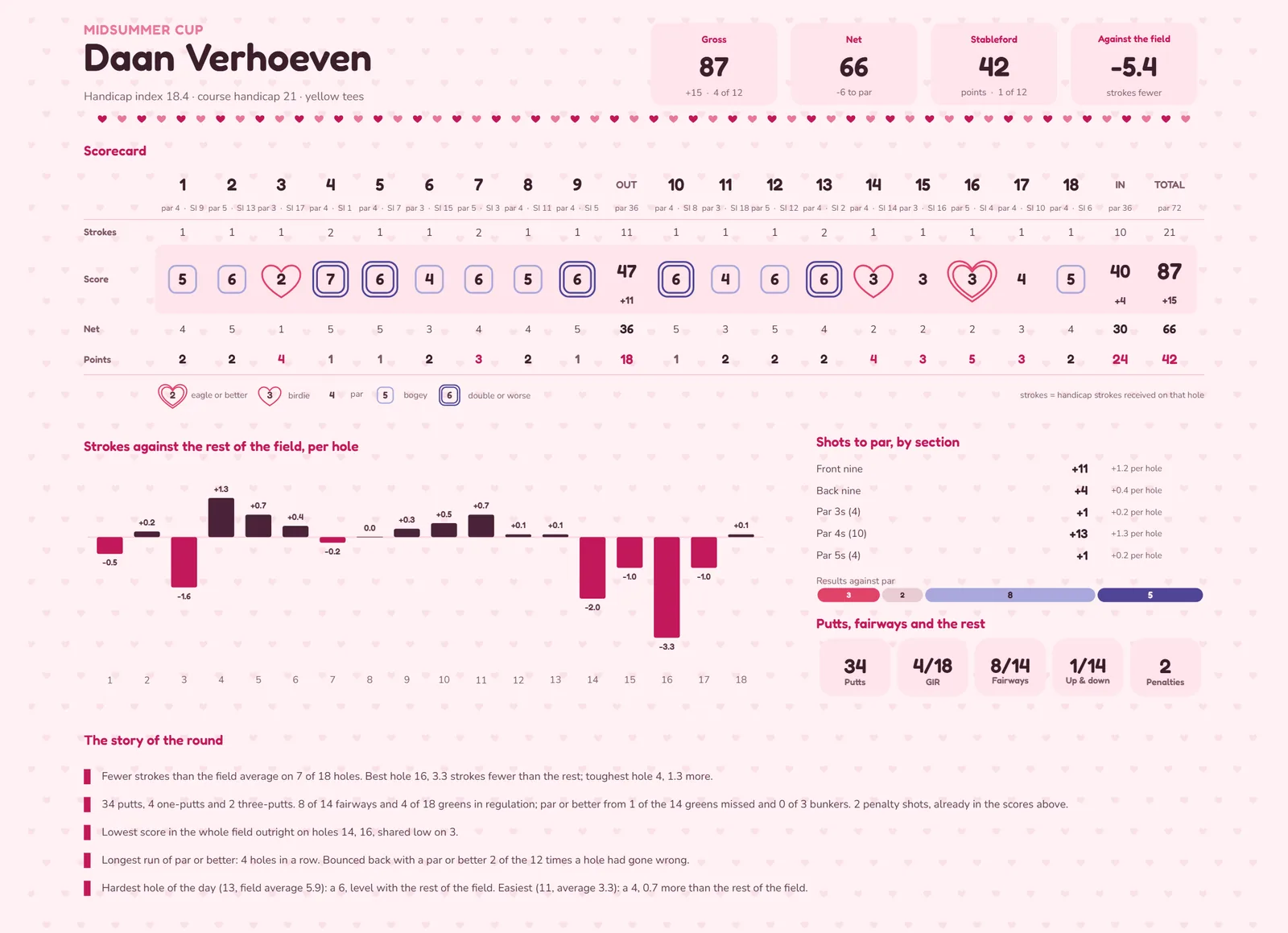
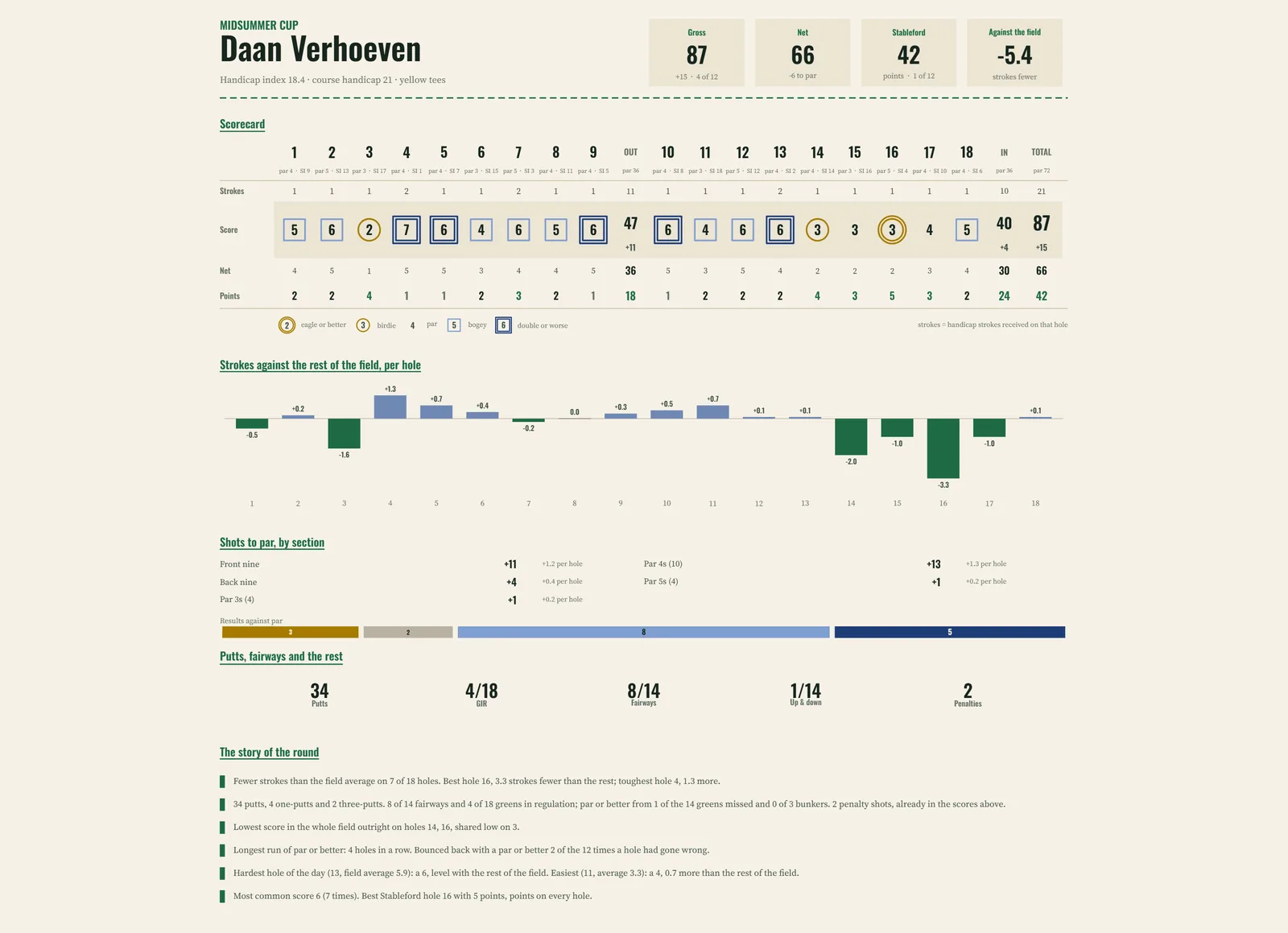
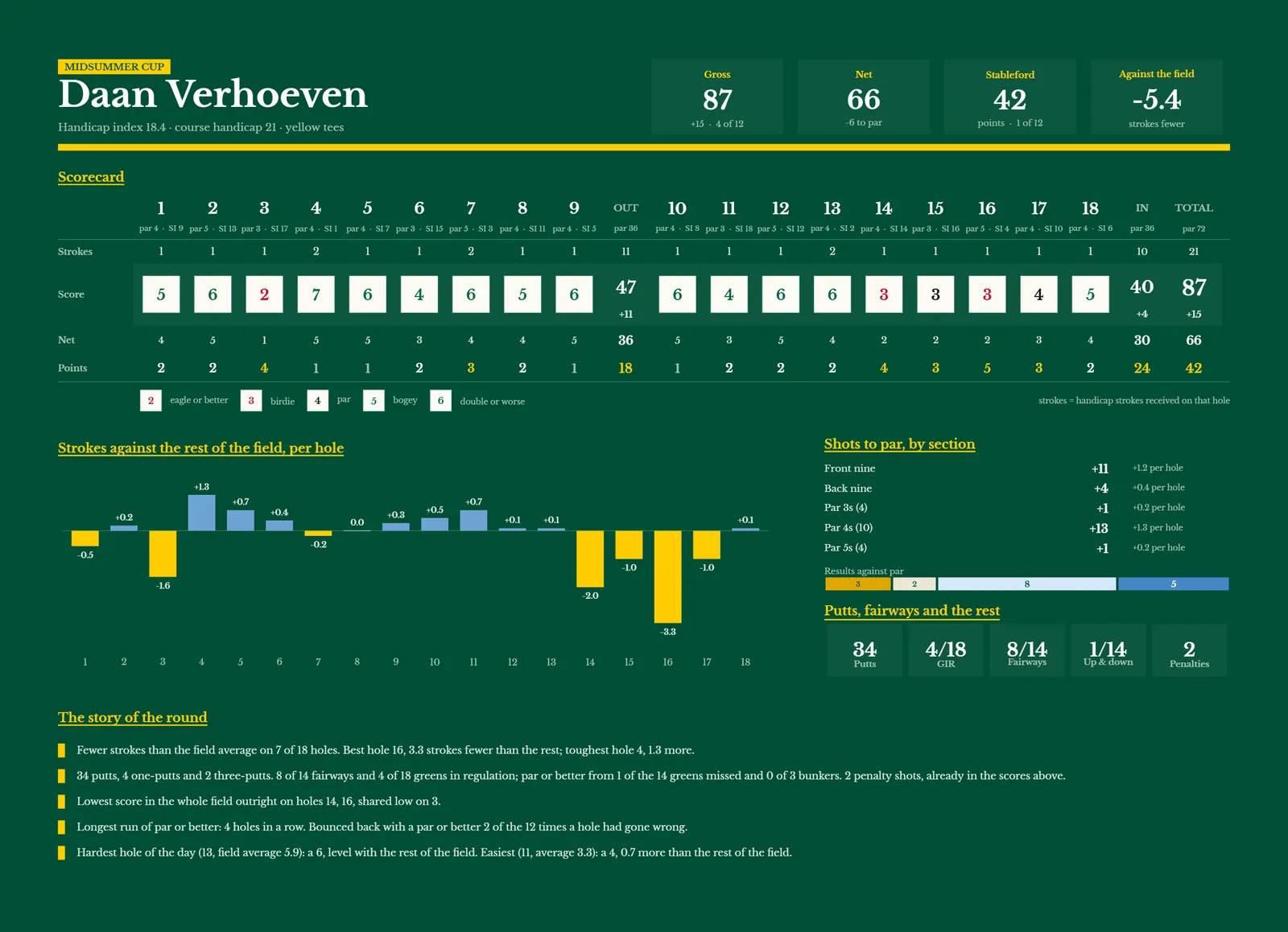
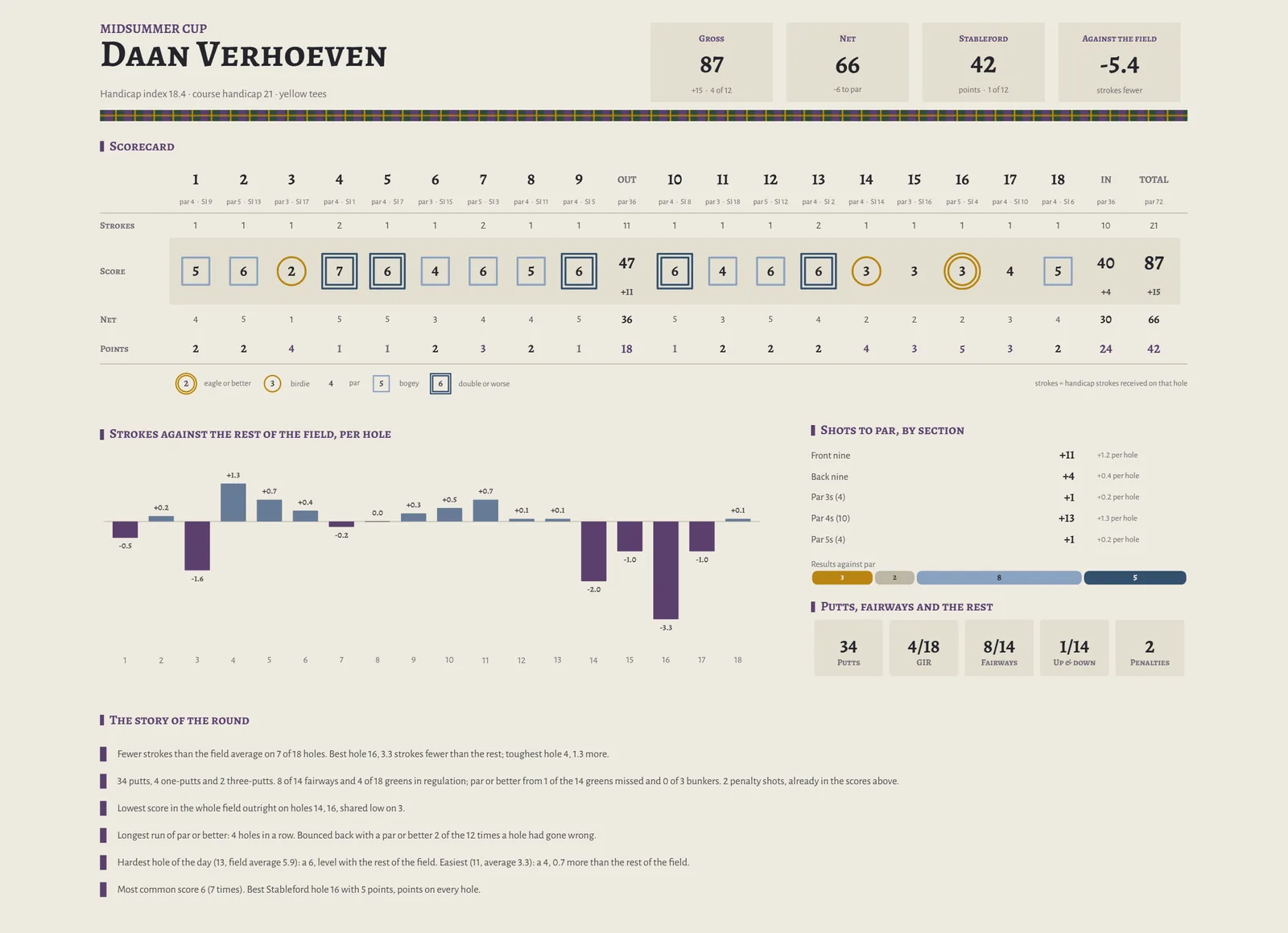
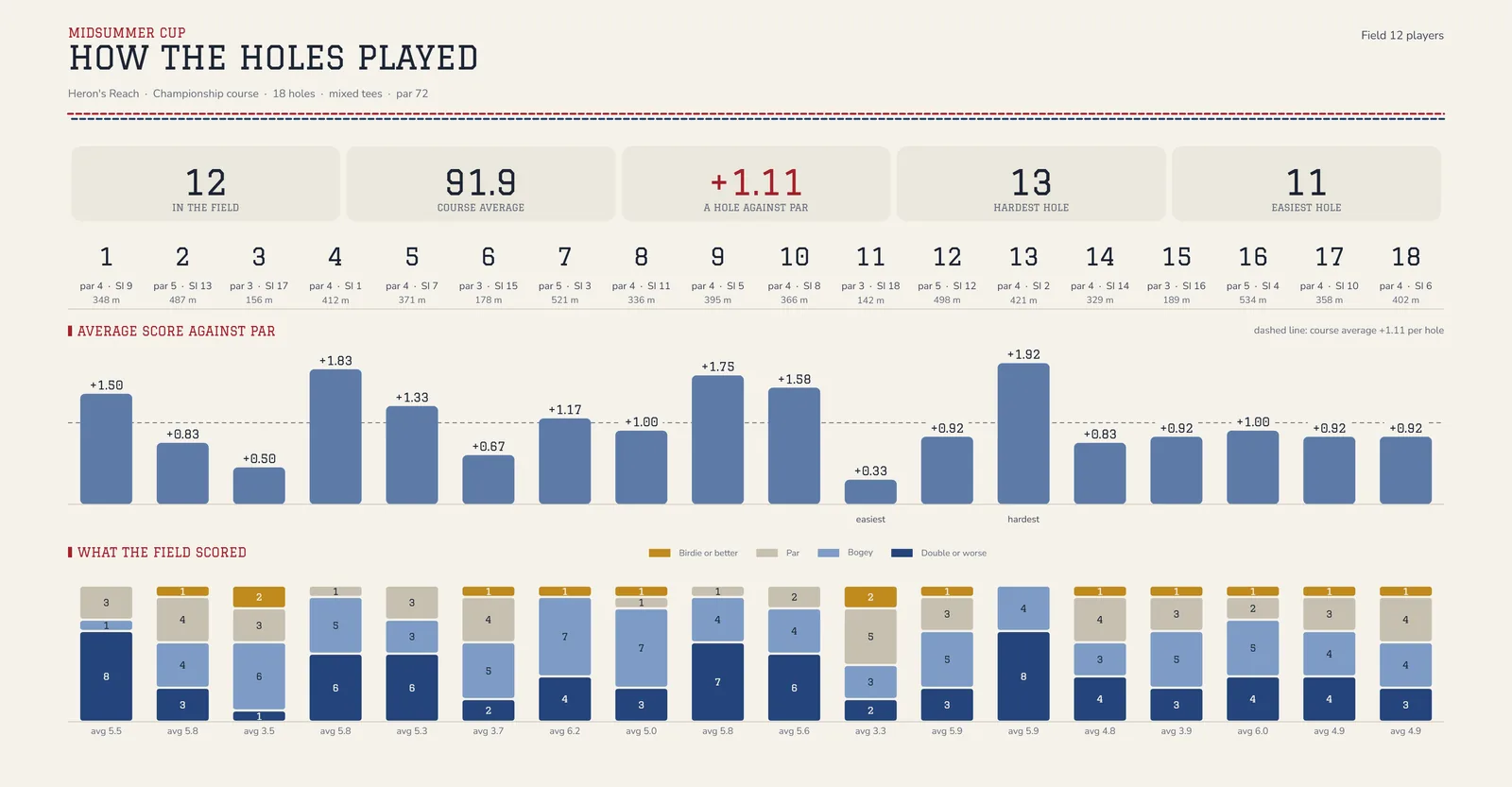
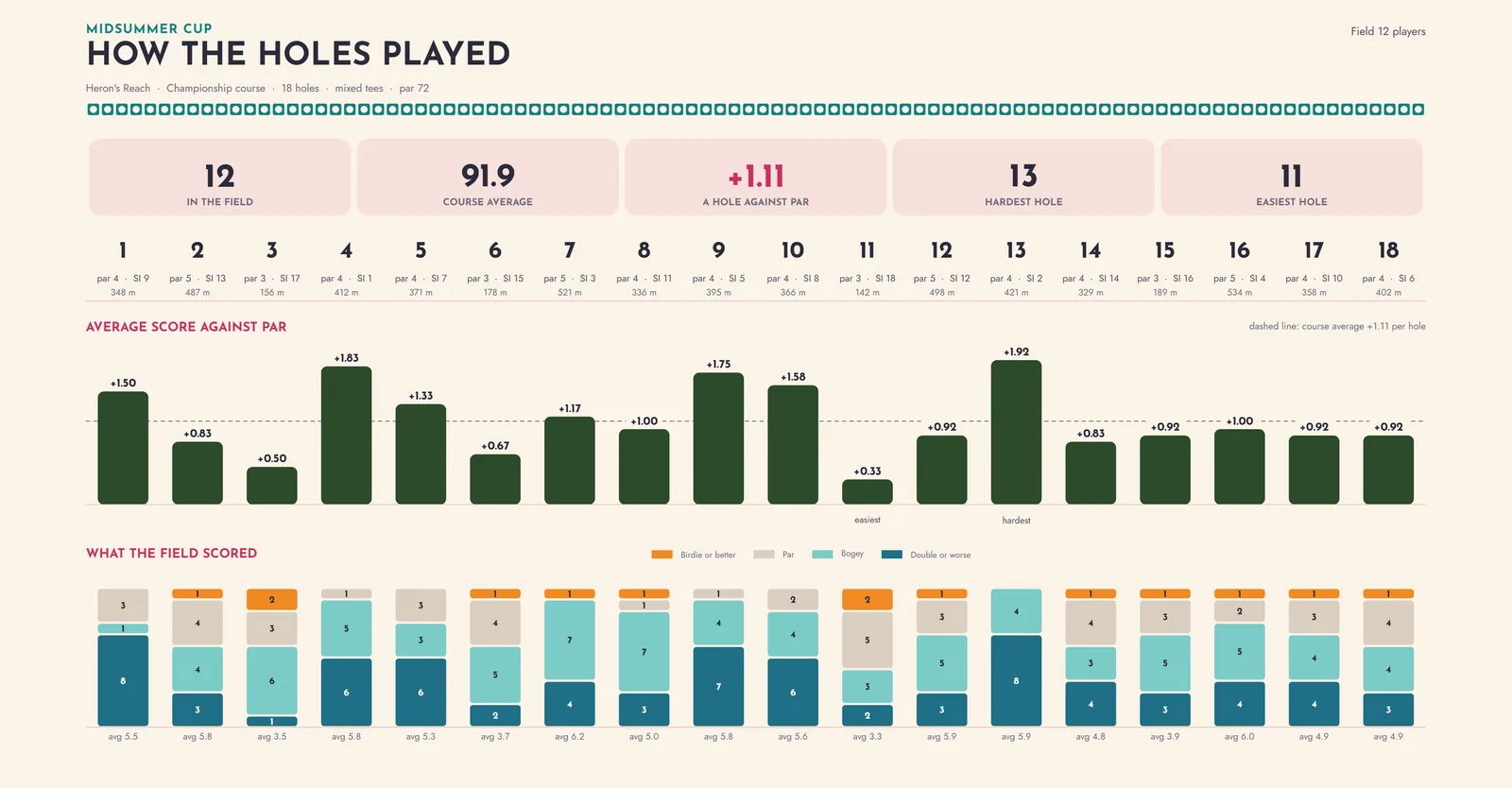
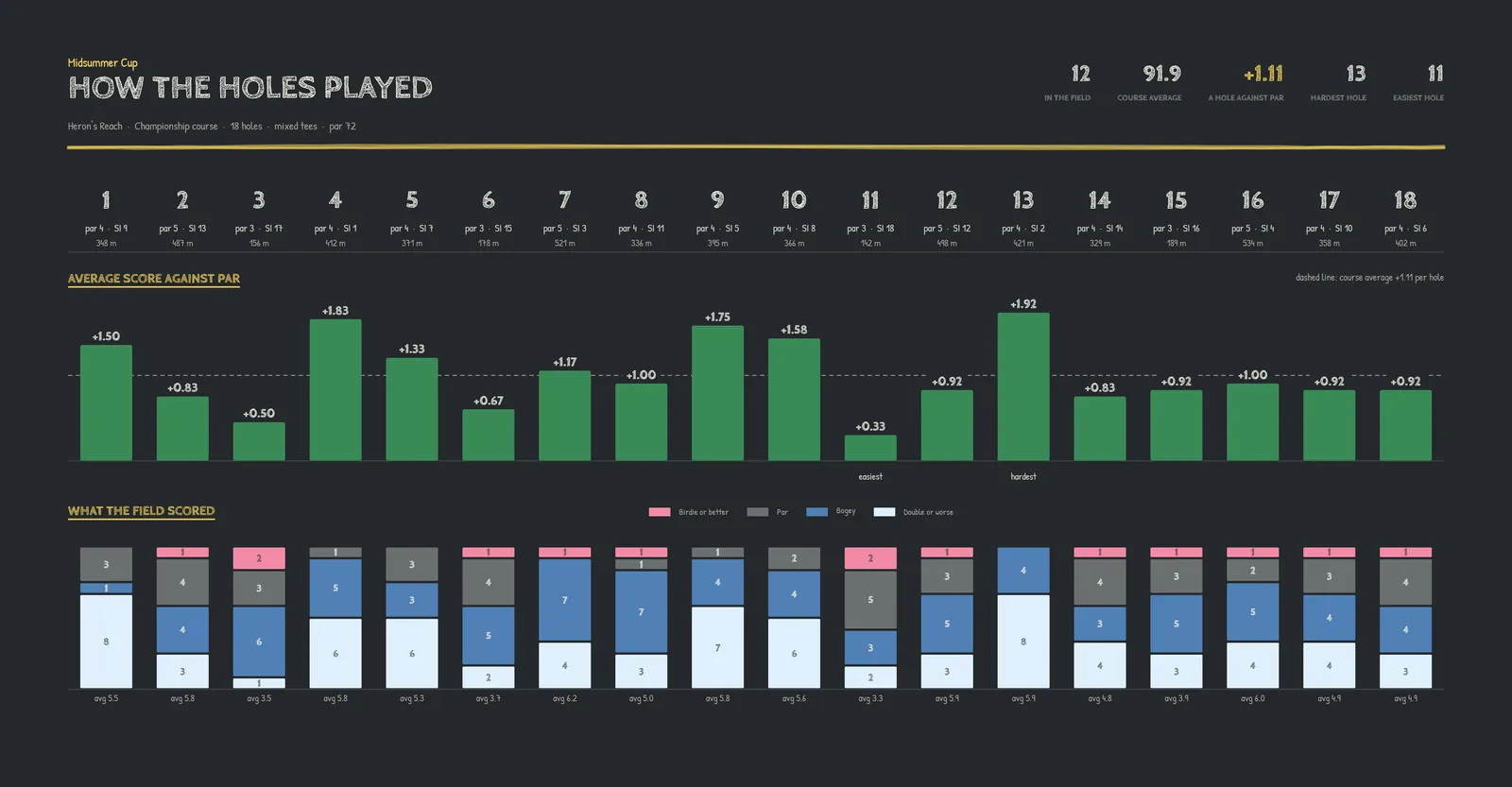
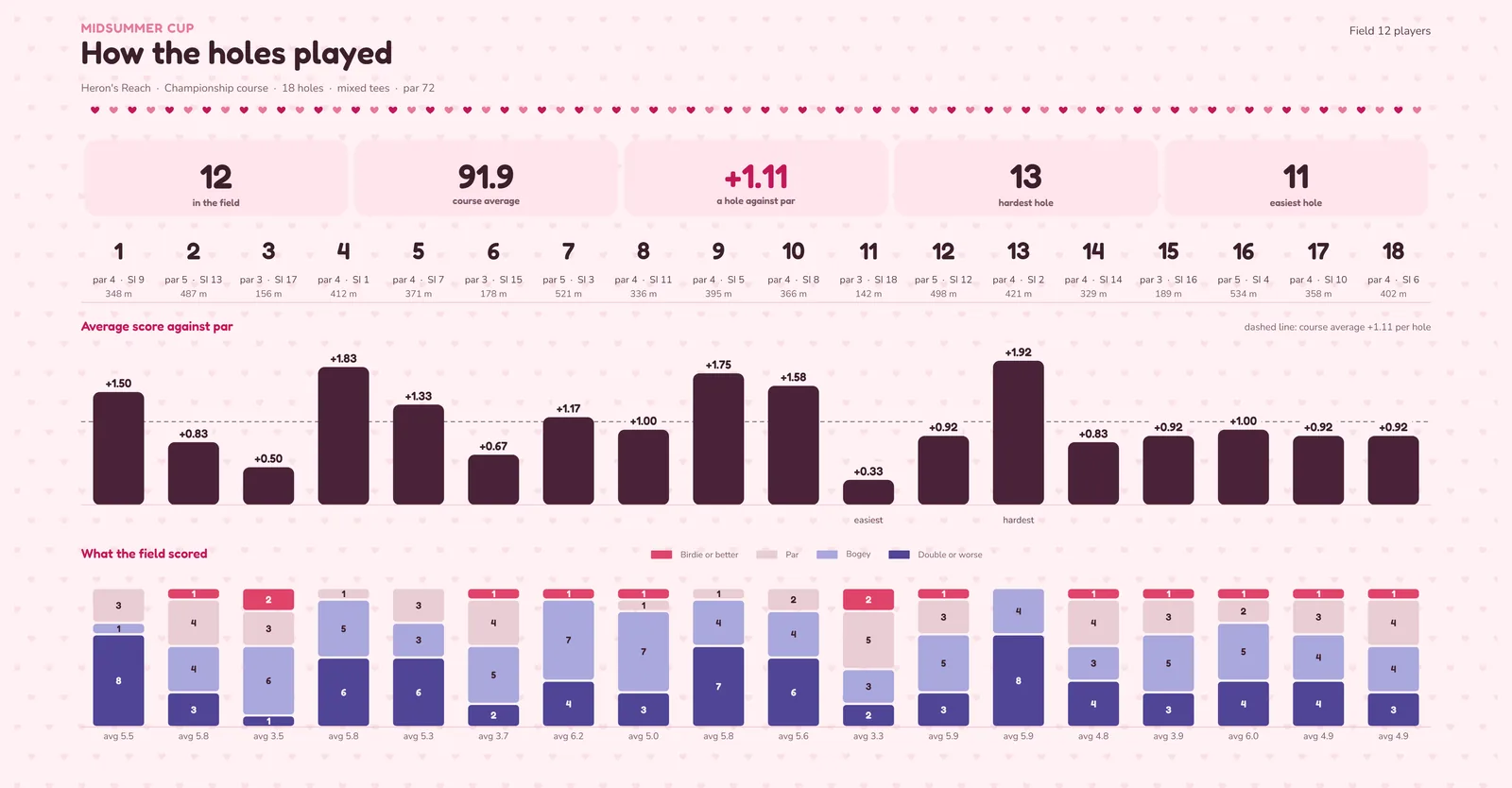
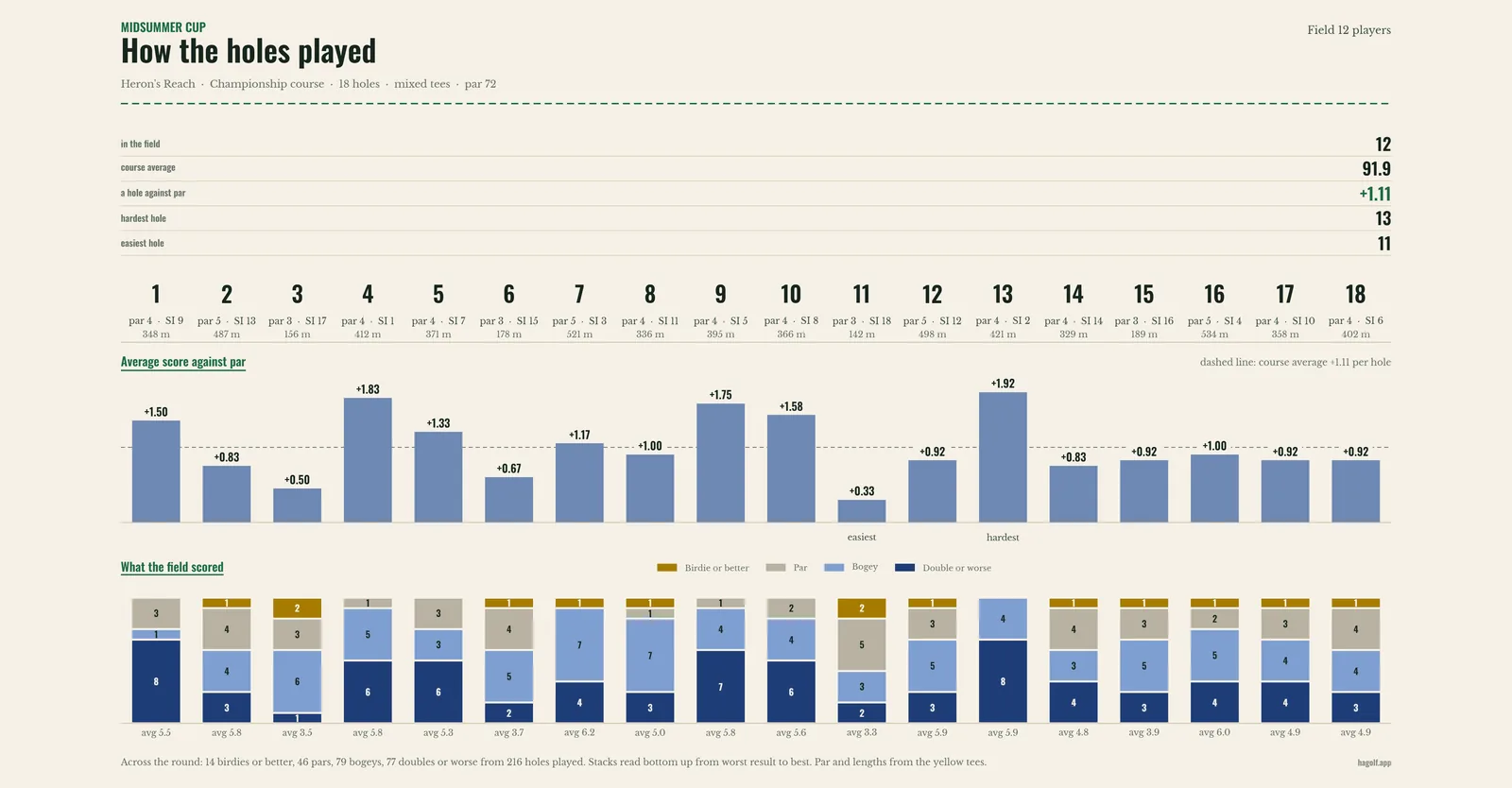
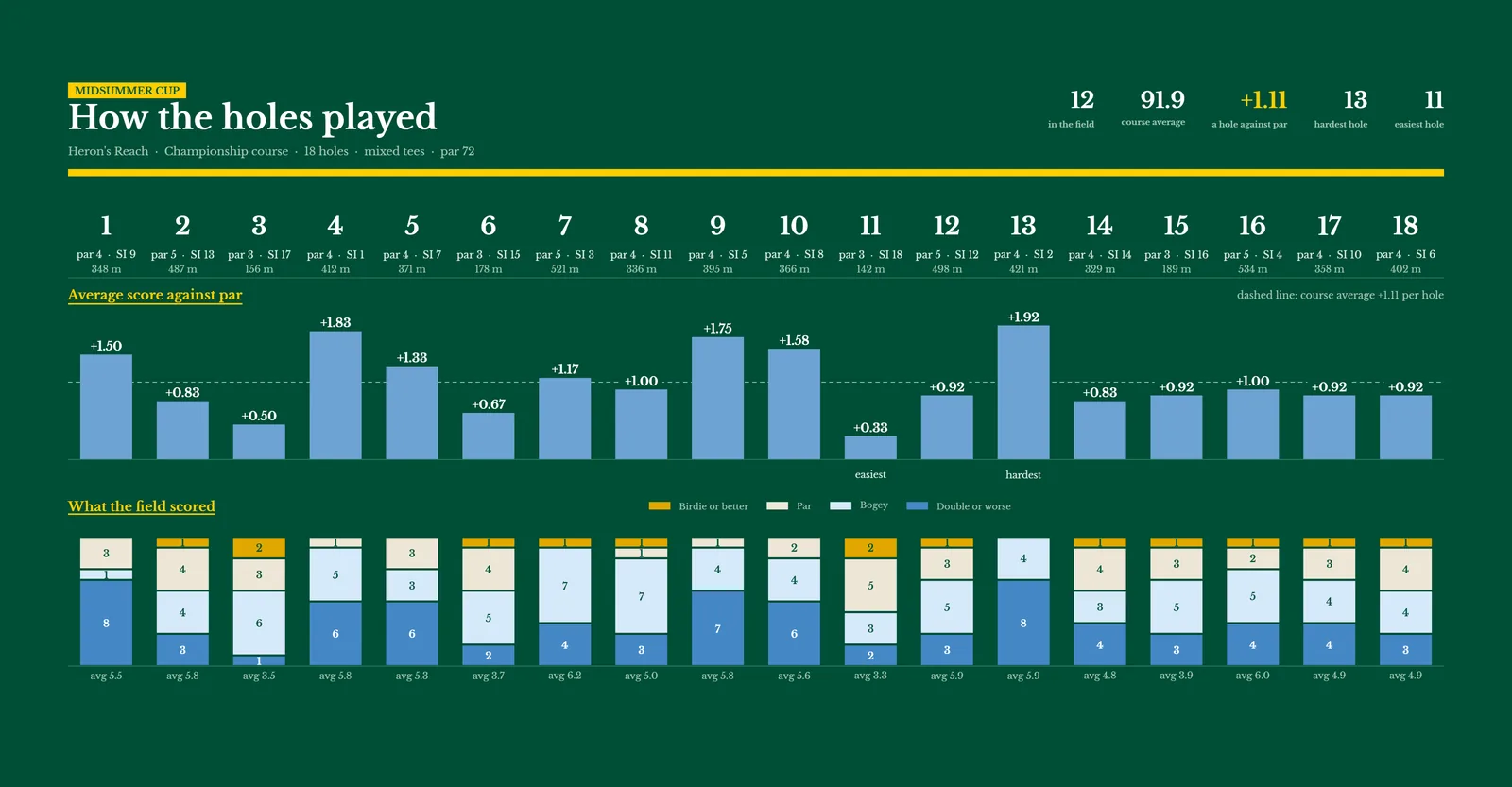
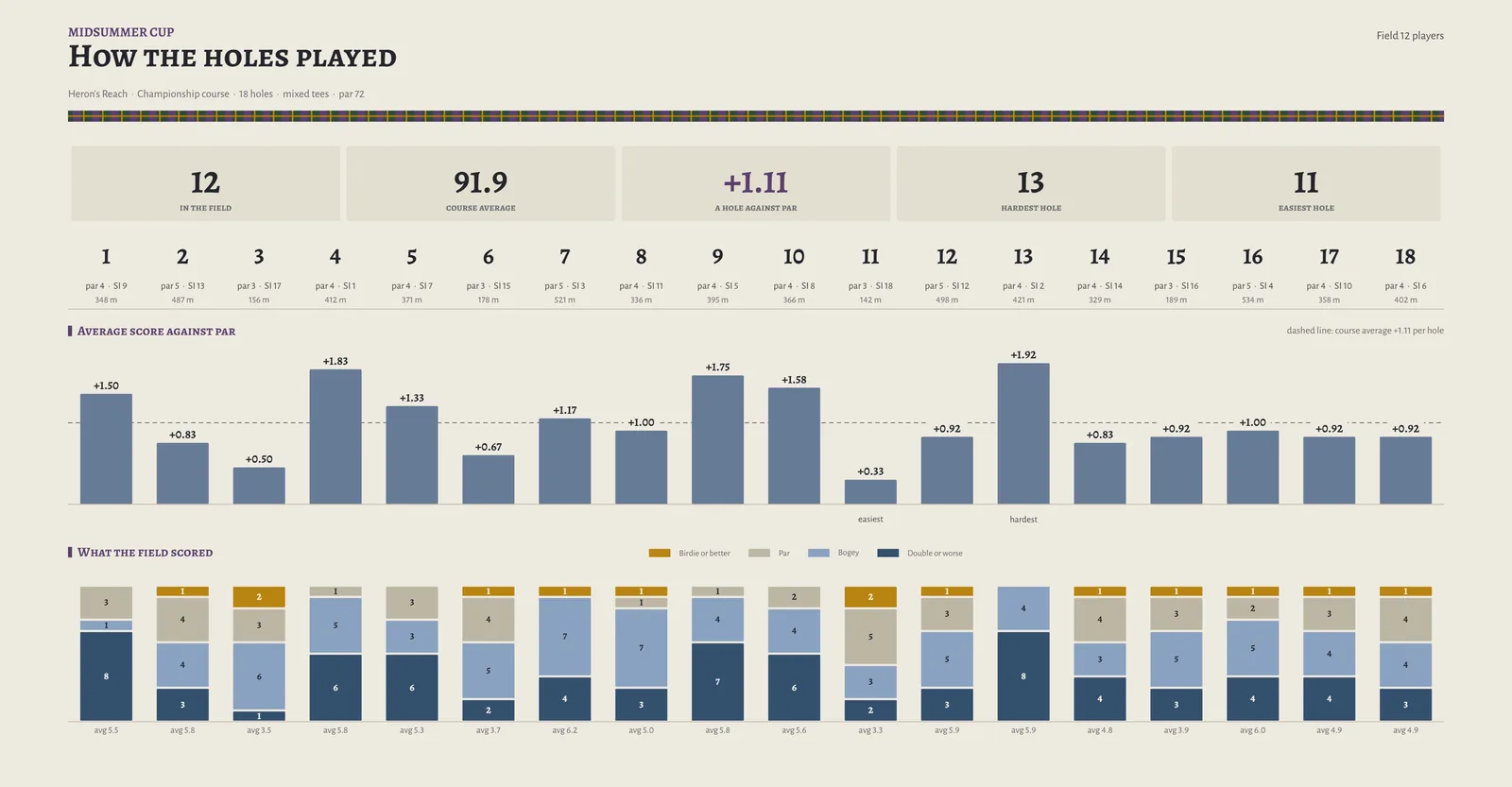
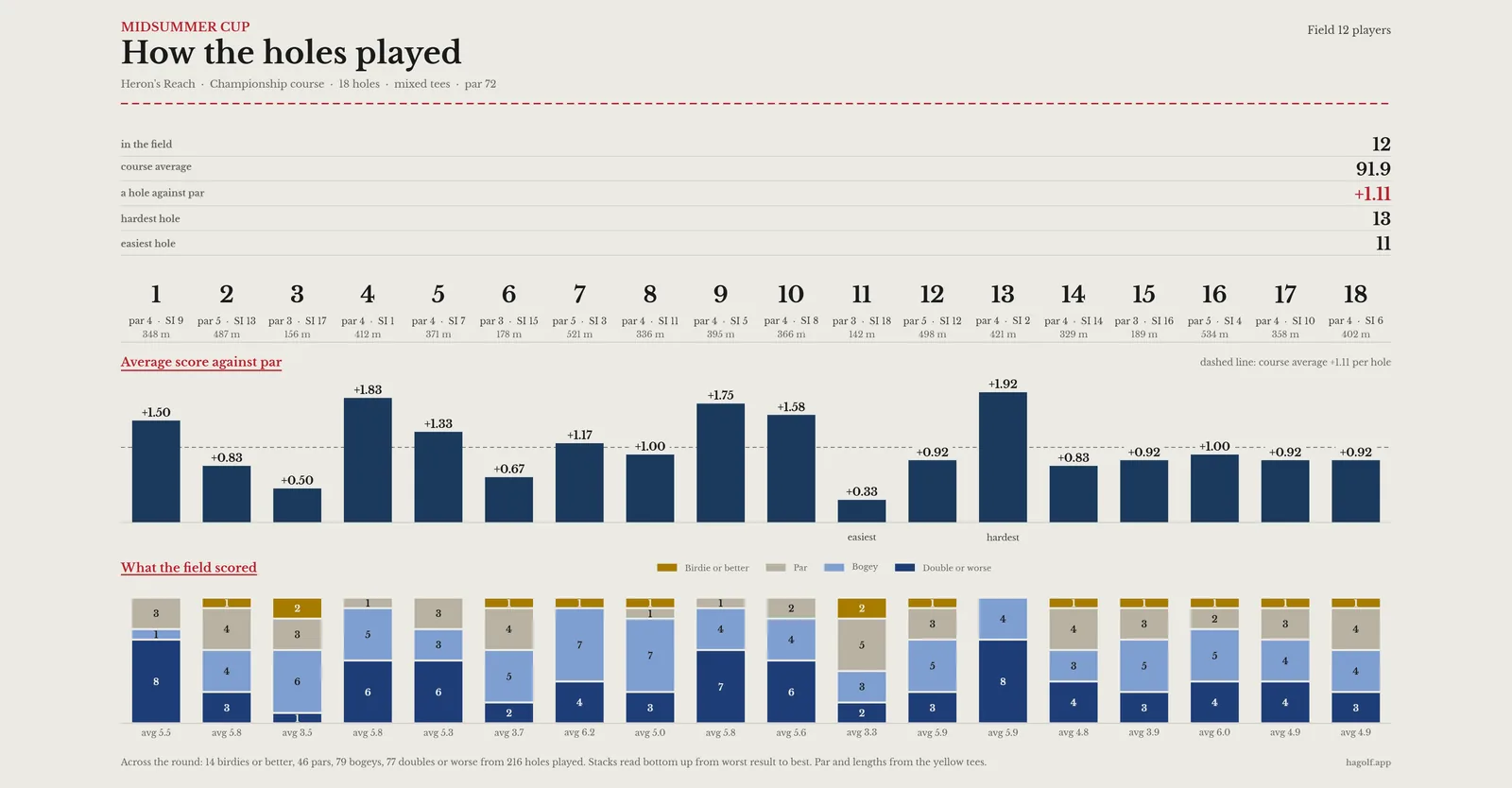
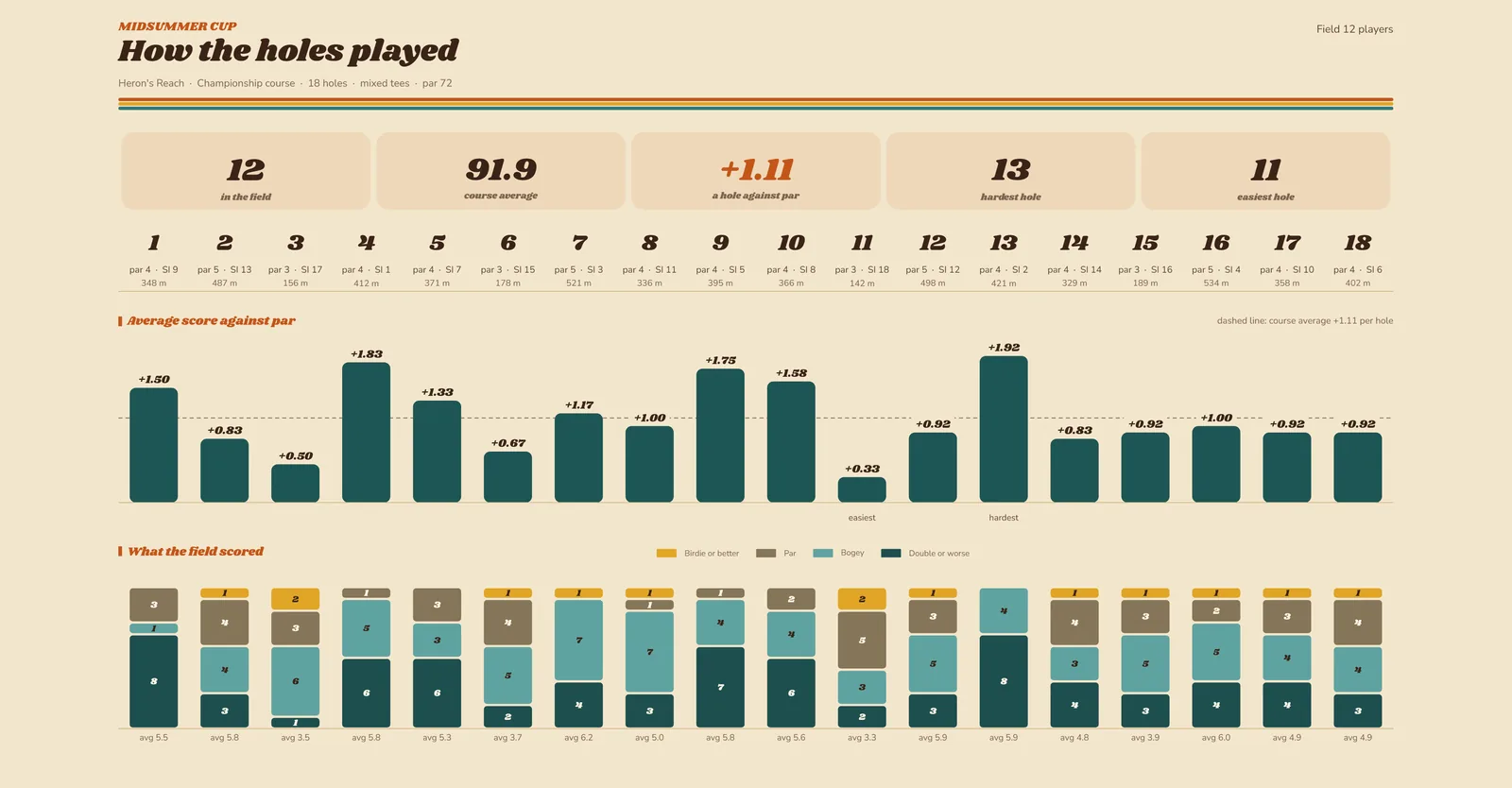
Every sheet below came out of the app, all from the same invented Sunday: the Midsummer Cup at Heron’s Reach, twelve players, mixed tees. Each one starts in a different theme, and running the pointer across it draws the same sheet in every other theme. Each theme has its own type, colours and shapes in a light and a dark version, and dresses the app itself as well as everything it prints.




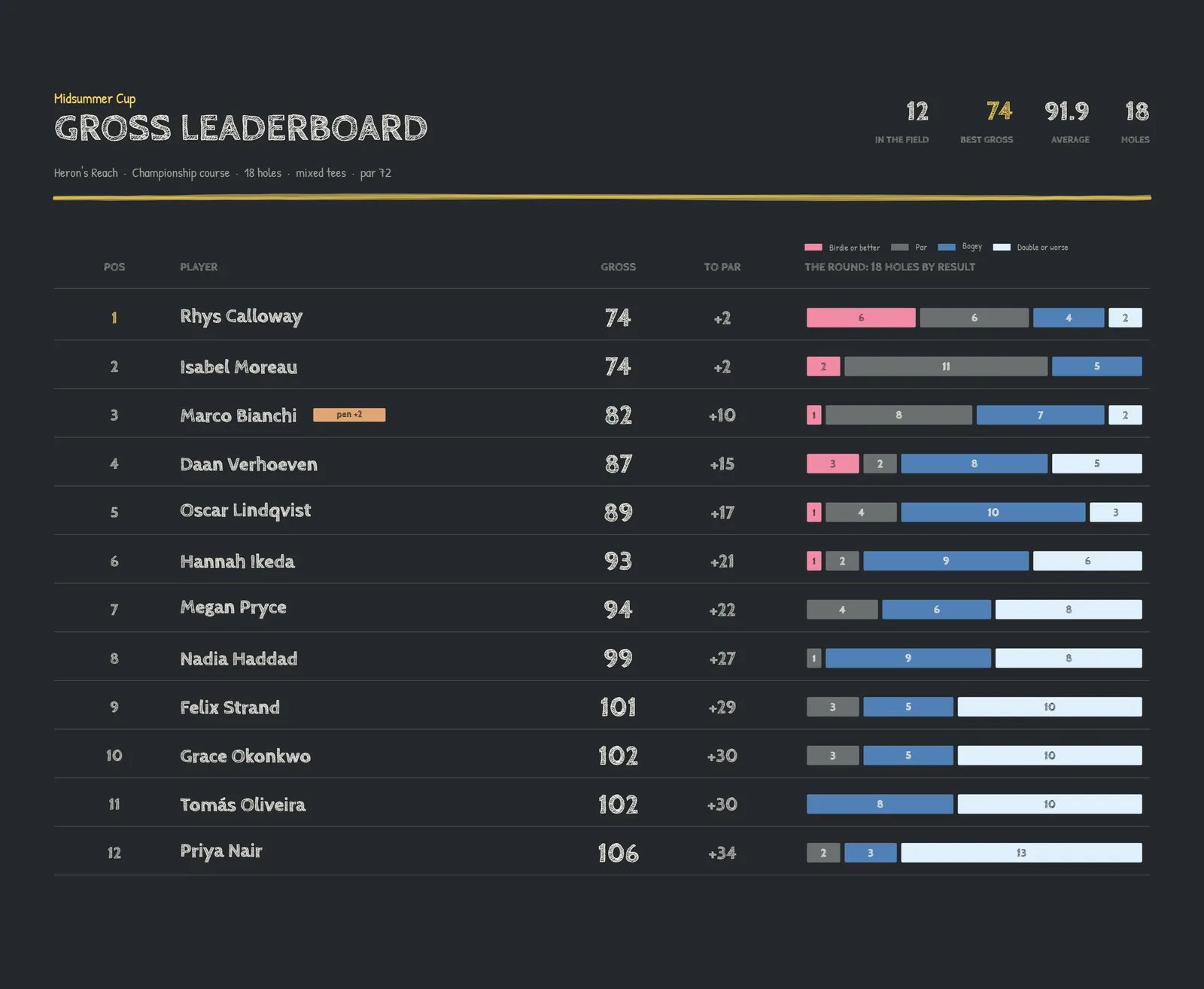
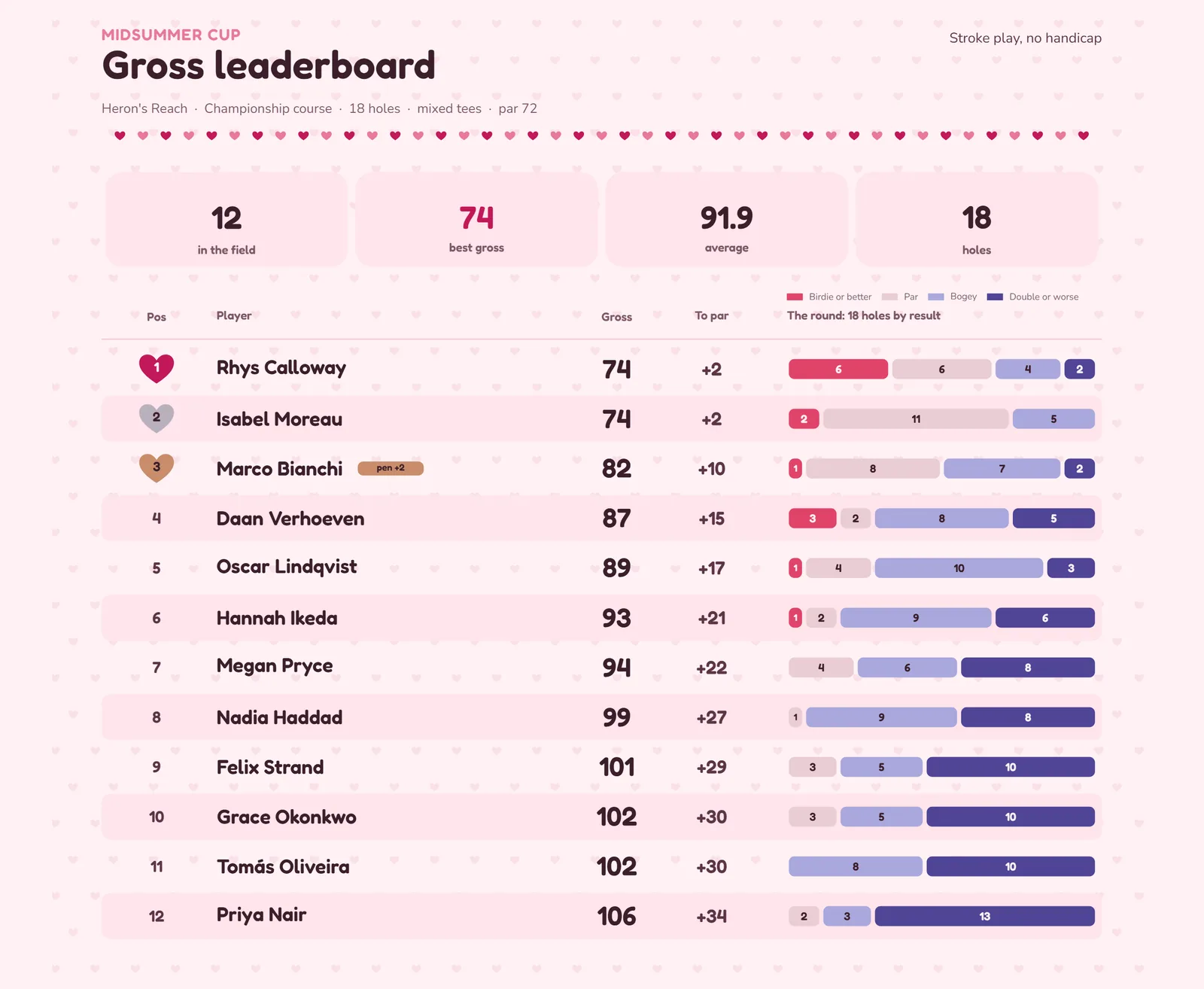
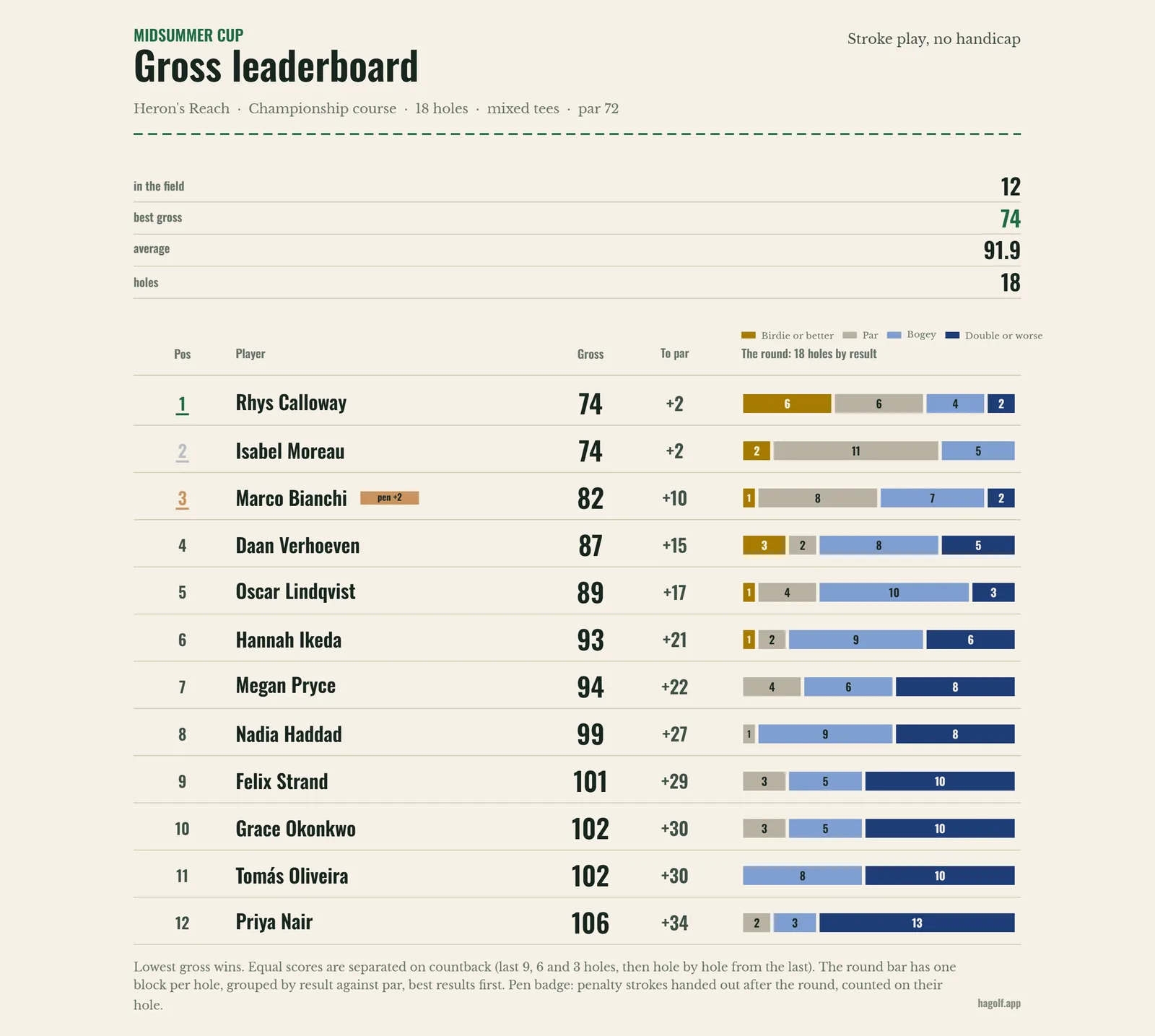

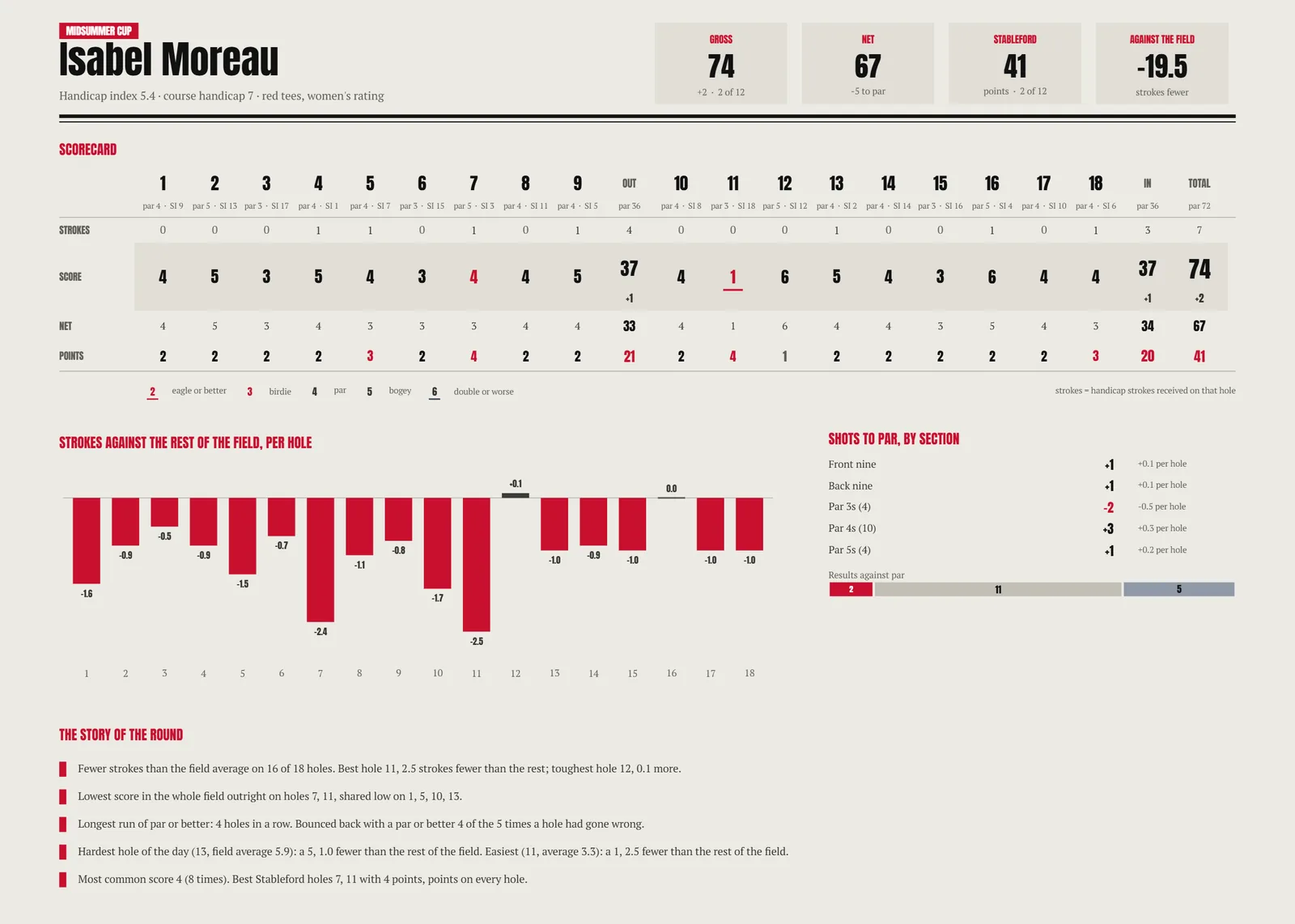



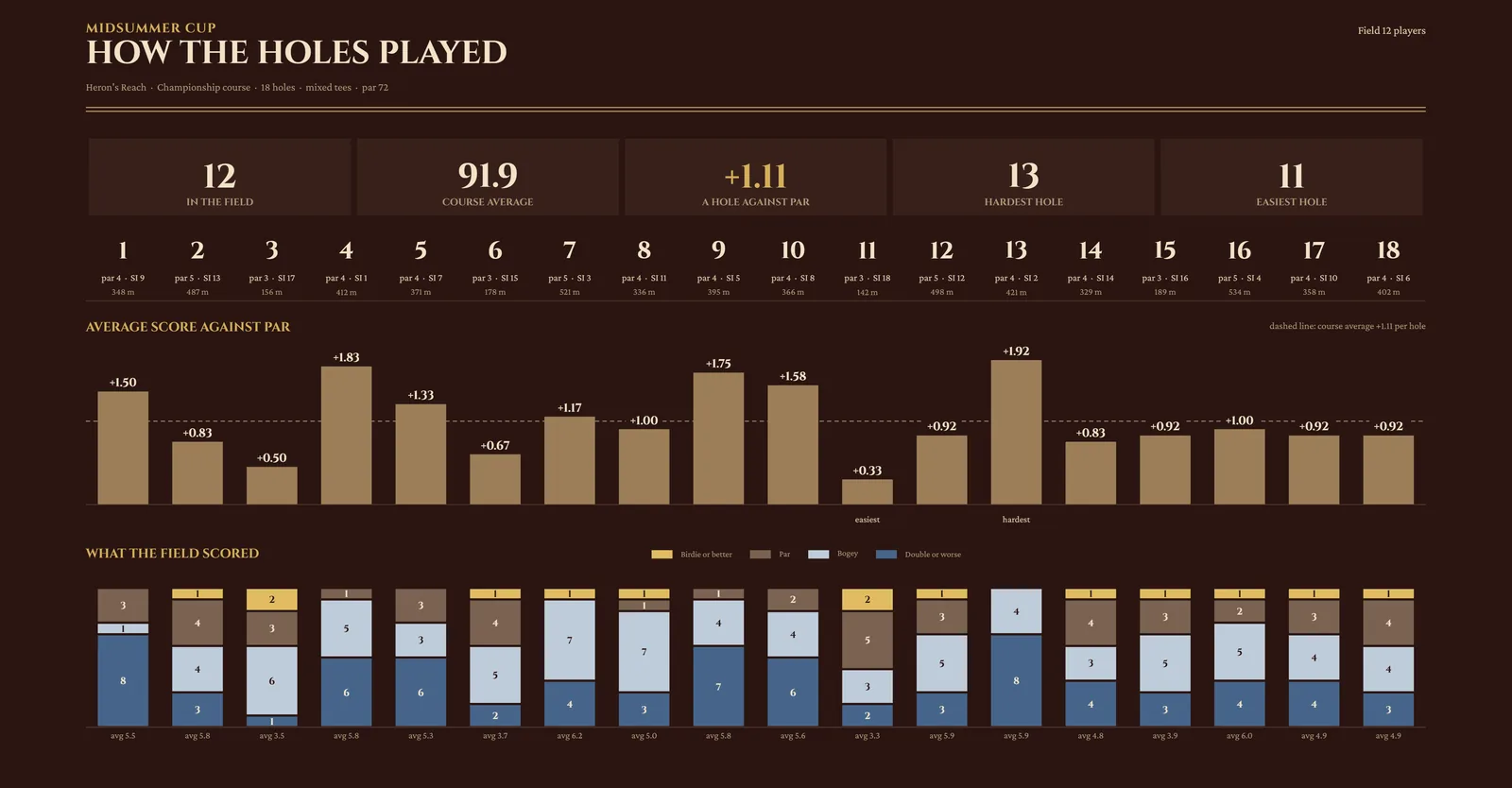
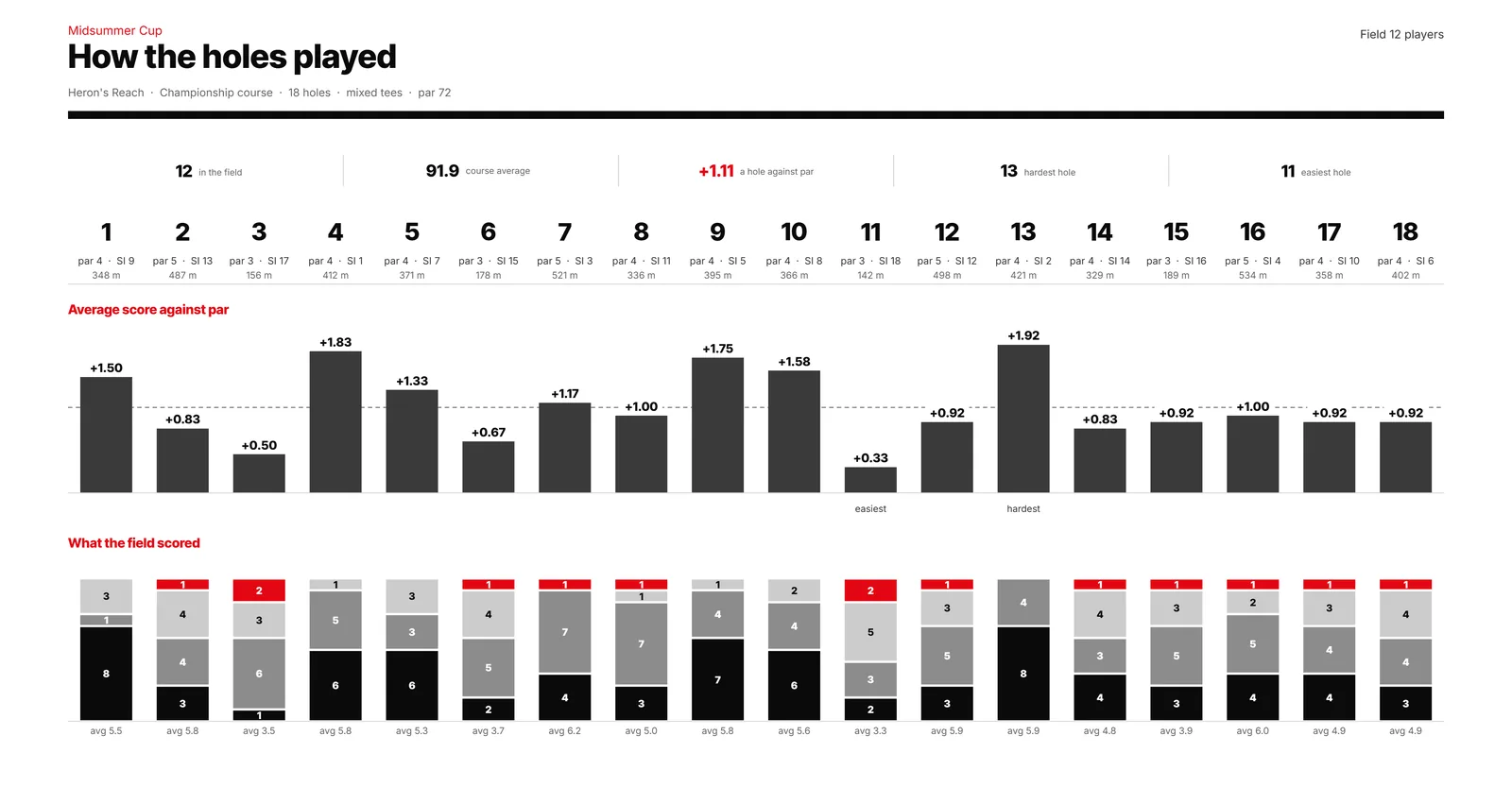

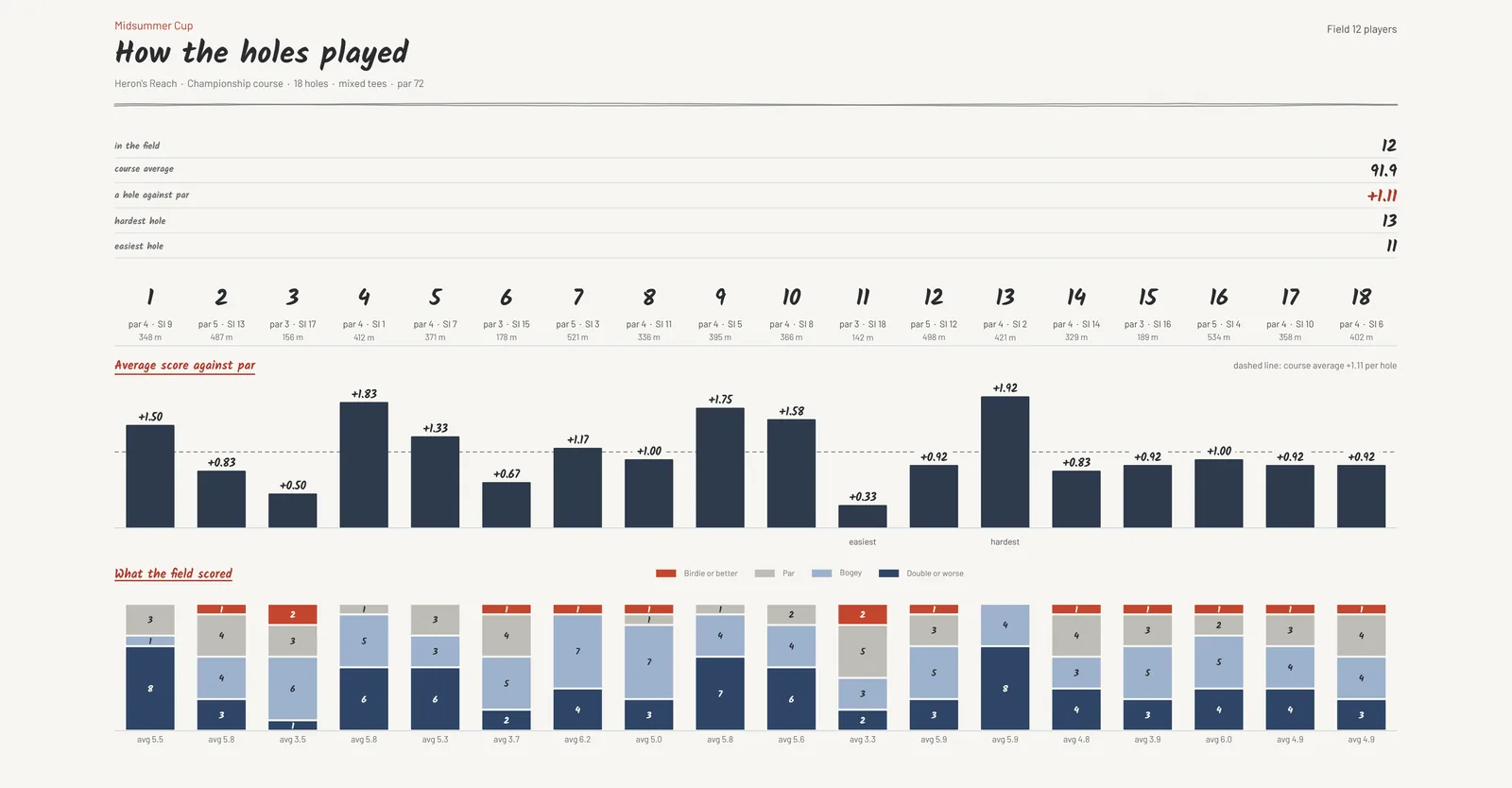
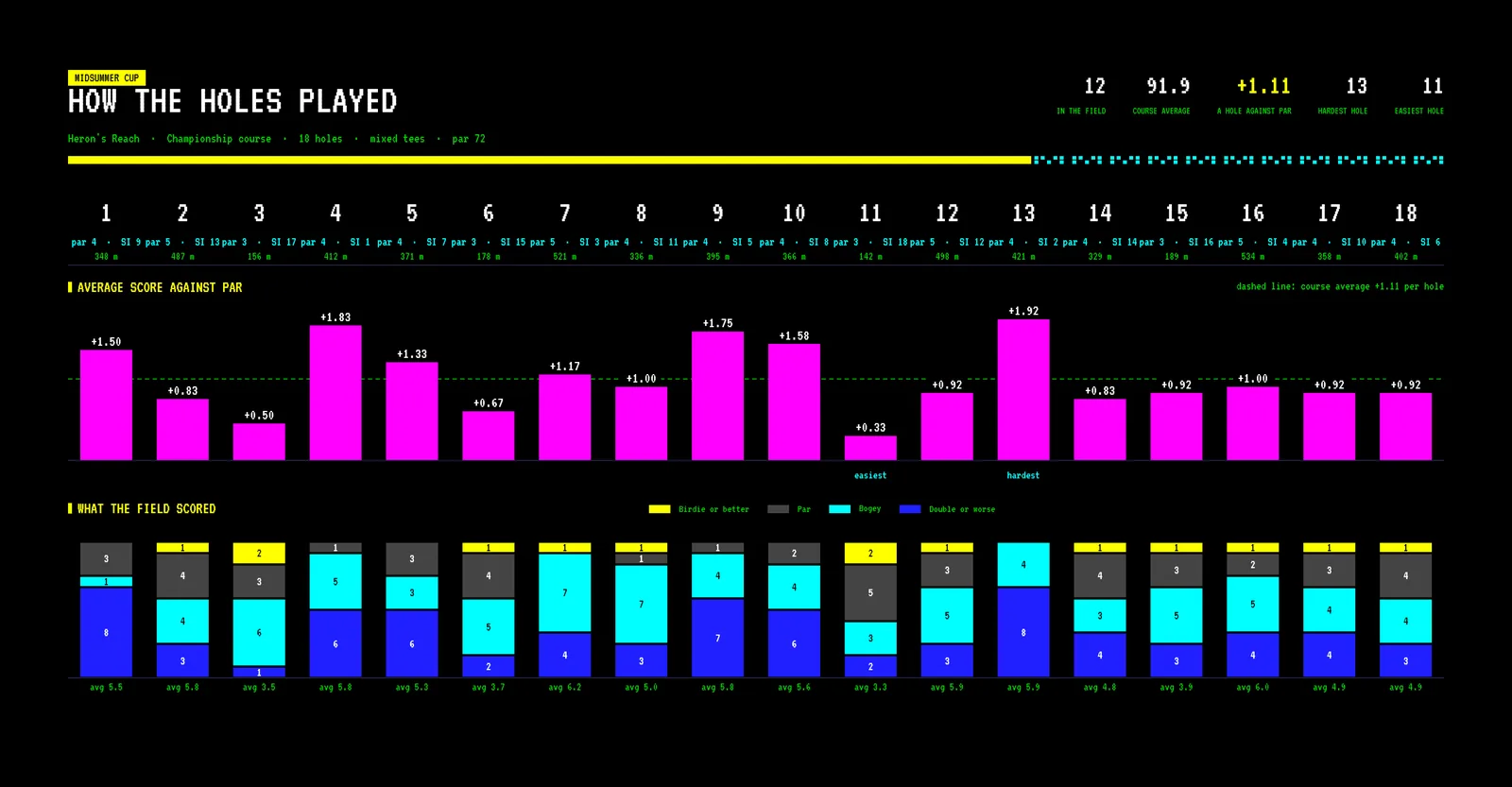

Install it on your phone
Open app.hagolf.app on your phone and tap Download Hagolf. Android is handed the app itself; an iPhone puts it on the home screen with nothing to download. Either way it gets its own icon, opens full screen and keeps scoring with no signal.
On an iPhone, step by step
- Open app.hagolf.app in Safari and tap Download Hagolf. (It has to be Safari — no other iPhone browser can do the rest.)
- Tap Share . On newer iPhones it sits behind beside the address.
- The row of round buttons ends in View More . Tap it, then Add to Home Screen .
- Leave Open as Web App switched on , tap Add at the top, and open Hagolf from its new icon. Nothing is downloaded.
On Android, step by step
- Open app.hagolf.app in Chrome.
- Tap Download Hagolf and let the package finish downloading.
- Open it from your downloads to install, then find Hagolf in your app drawer.
You do not need an account to open it. Signing in with your Google account carries your rounds and societies to a new phone, and lets friends put you on their card. You are known by your name in the app; your email address is never shown to anyone. Native apps for the App Store and Google Play are coming.